Assets
What is a Data Asset?
Think of a data asset as a valuable piece of data that's been registered in Amorphic. This could be a dataset like structured or unstructured data holding or a glossary. Each data asset comes with metadata, which is like a detailed description covering what the data is about, where it came from, how it's structured, and how it can be used. This makes it easier for user to find the data needed, understand it, and use it effectively for analysis, reporting, and making informed decisions.
Finding Data Assets
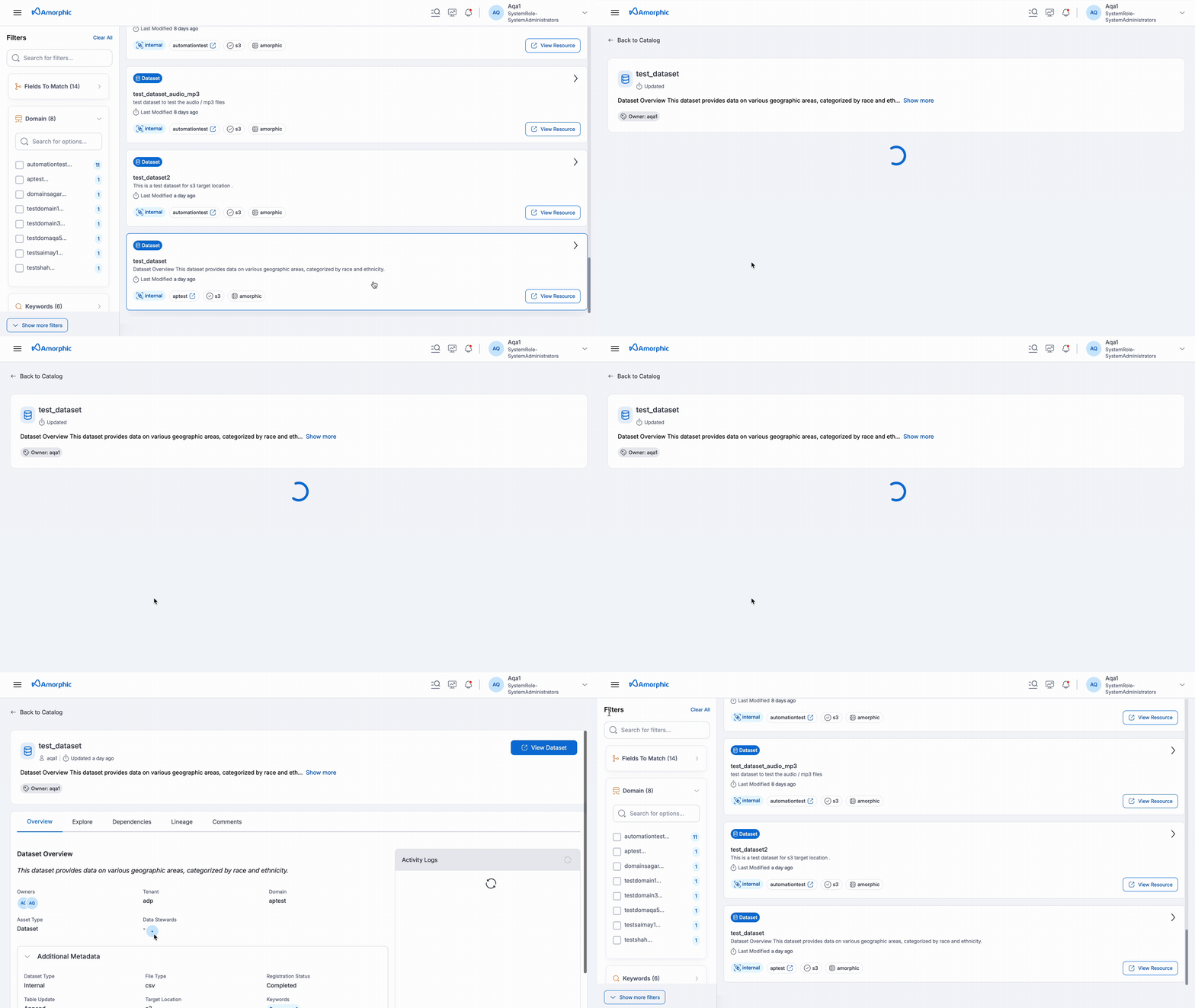
This section helps users find, understand, and use data assets within Amorphic. Users can easily find and explore assets using the Amorphic Catalog feature.
Key Features
-
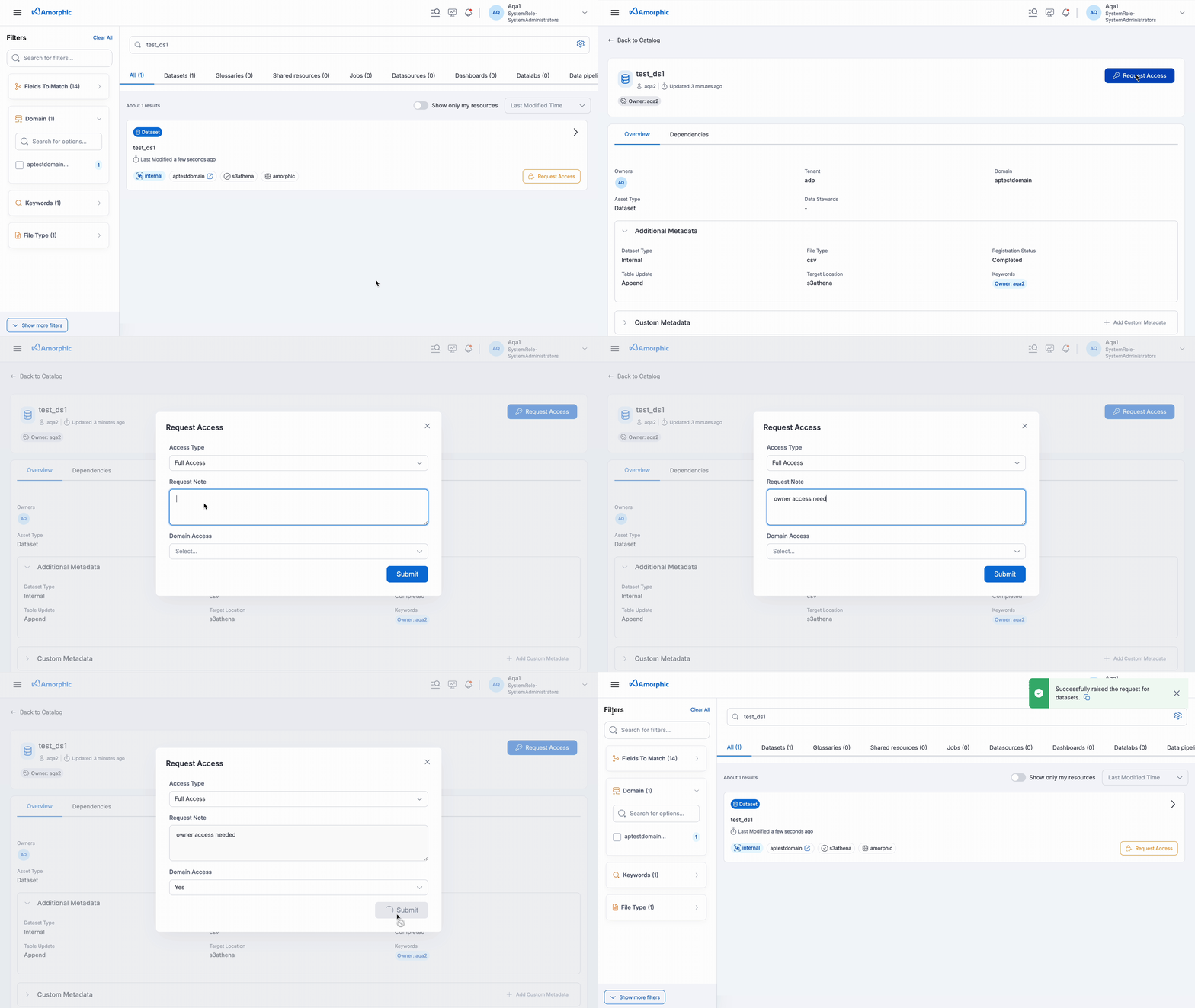
Requesting Access: If user finds an asset that they need but don't have access, user can request permission directly within Amorphic.
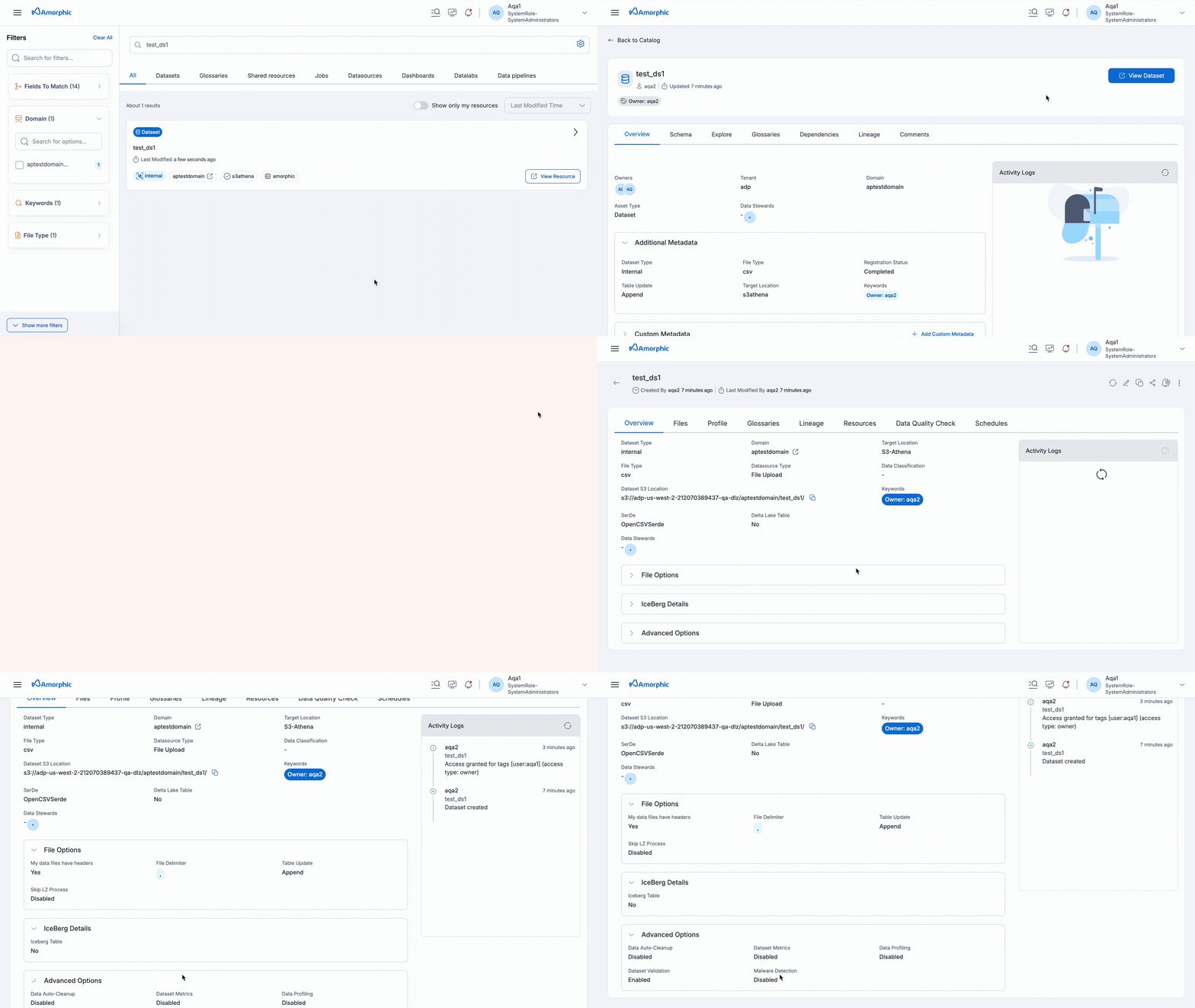
 If user has access to the underlying resource, they will be able to navigate to it.
-
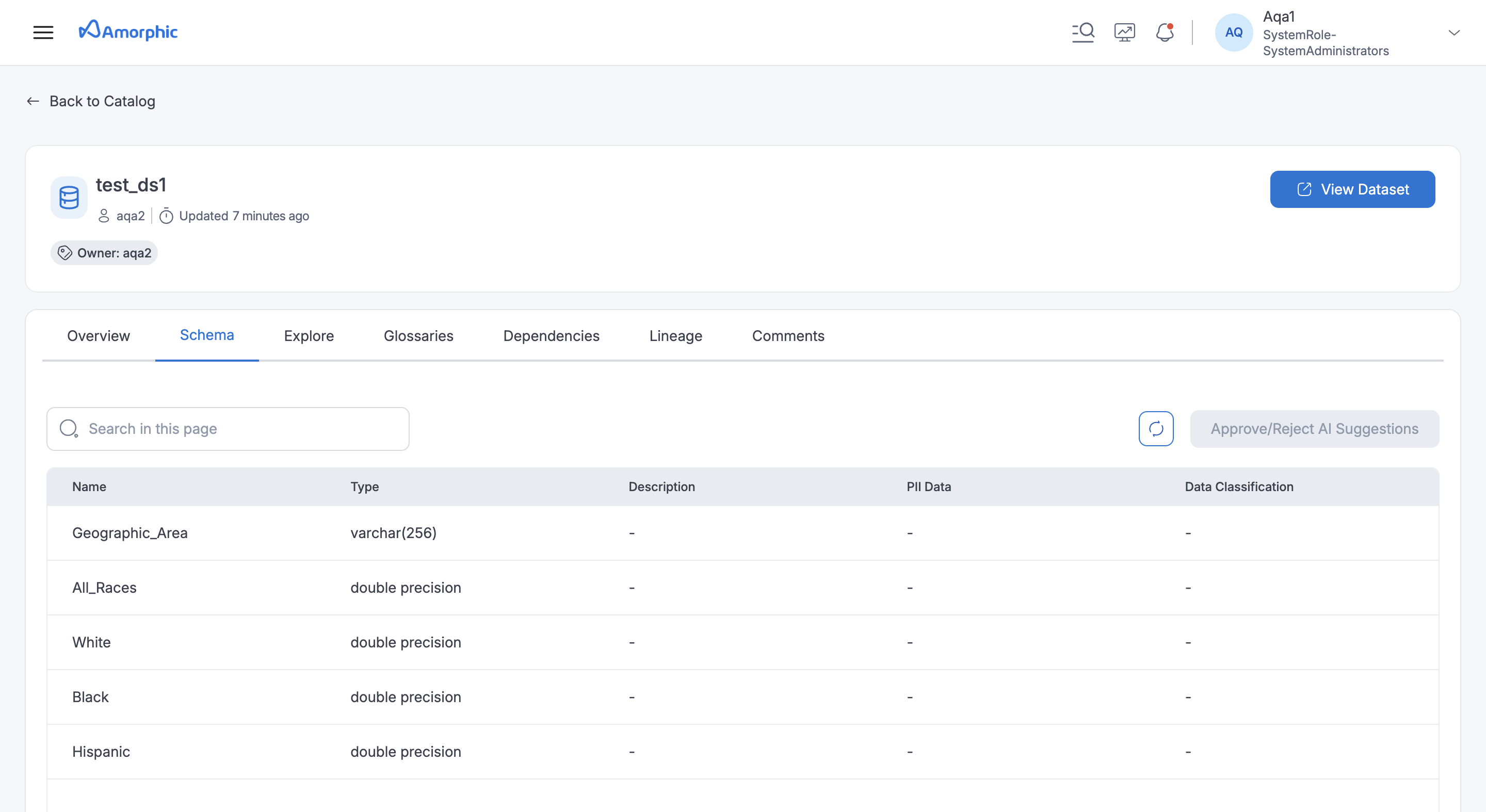
Schema: If user has access, they can view the columns (fields) available in datasets. This helps user understand the structure of the data.
-
AI Suggestions: Amorphic uses AI to provide helpful suggestions about the user's data. These suggestions can be found in the Schema section of the asset details.
- Column Descriptions: Get auto-generated one-liner descriptions that explain what kind of data is stored in each column.
- Column Classifications: AI classifies the data within a column, suggesting relevant categories from a list of 50+ options.
- PII (Personally Identifiable Information) Detection: Amorphic detects if a dataset contains PII and classifies it into 250+ categories.
-
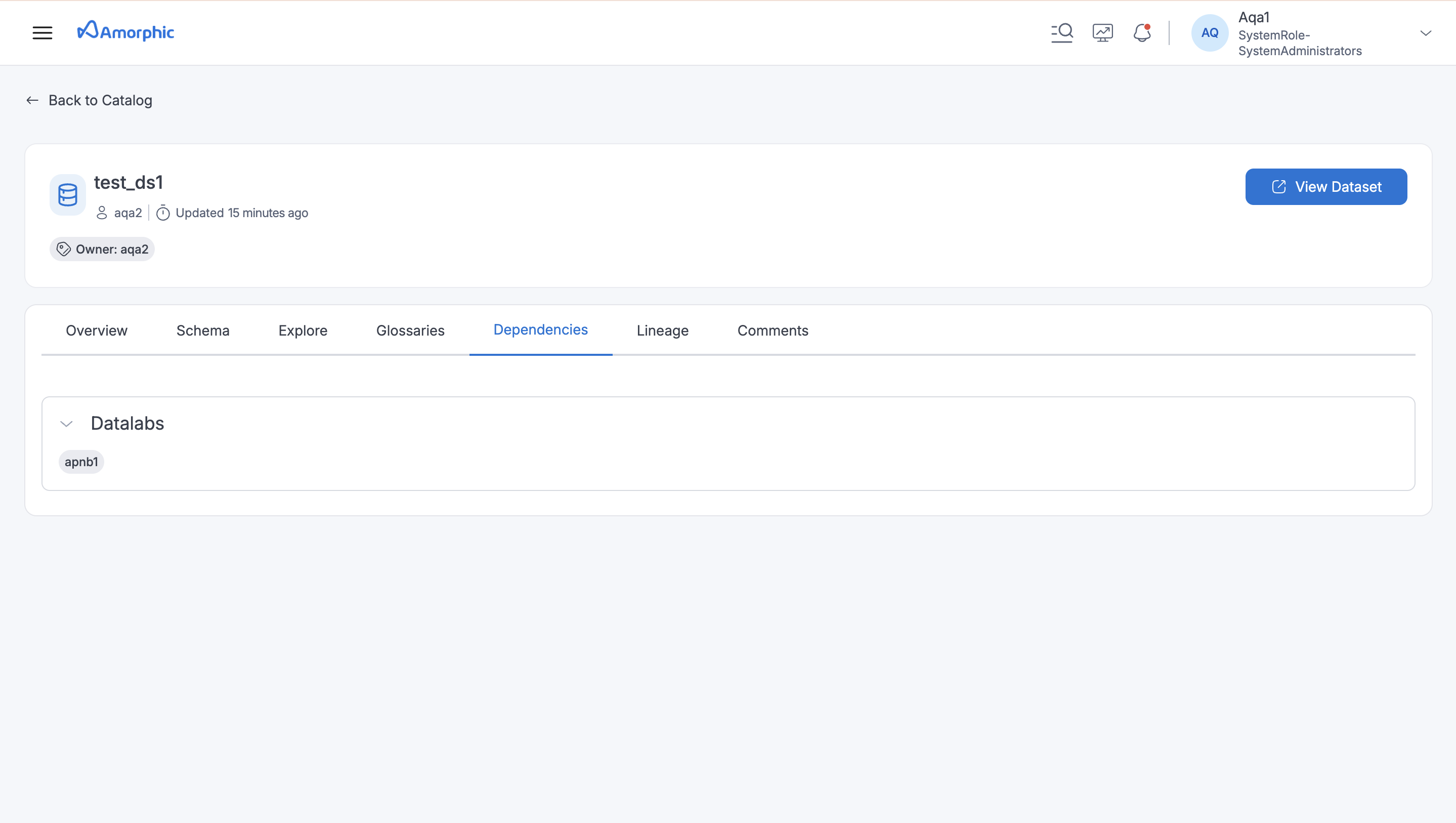
Dependent Resources: Identify resources in Amorphic that rely on specific datasets.
-
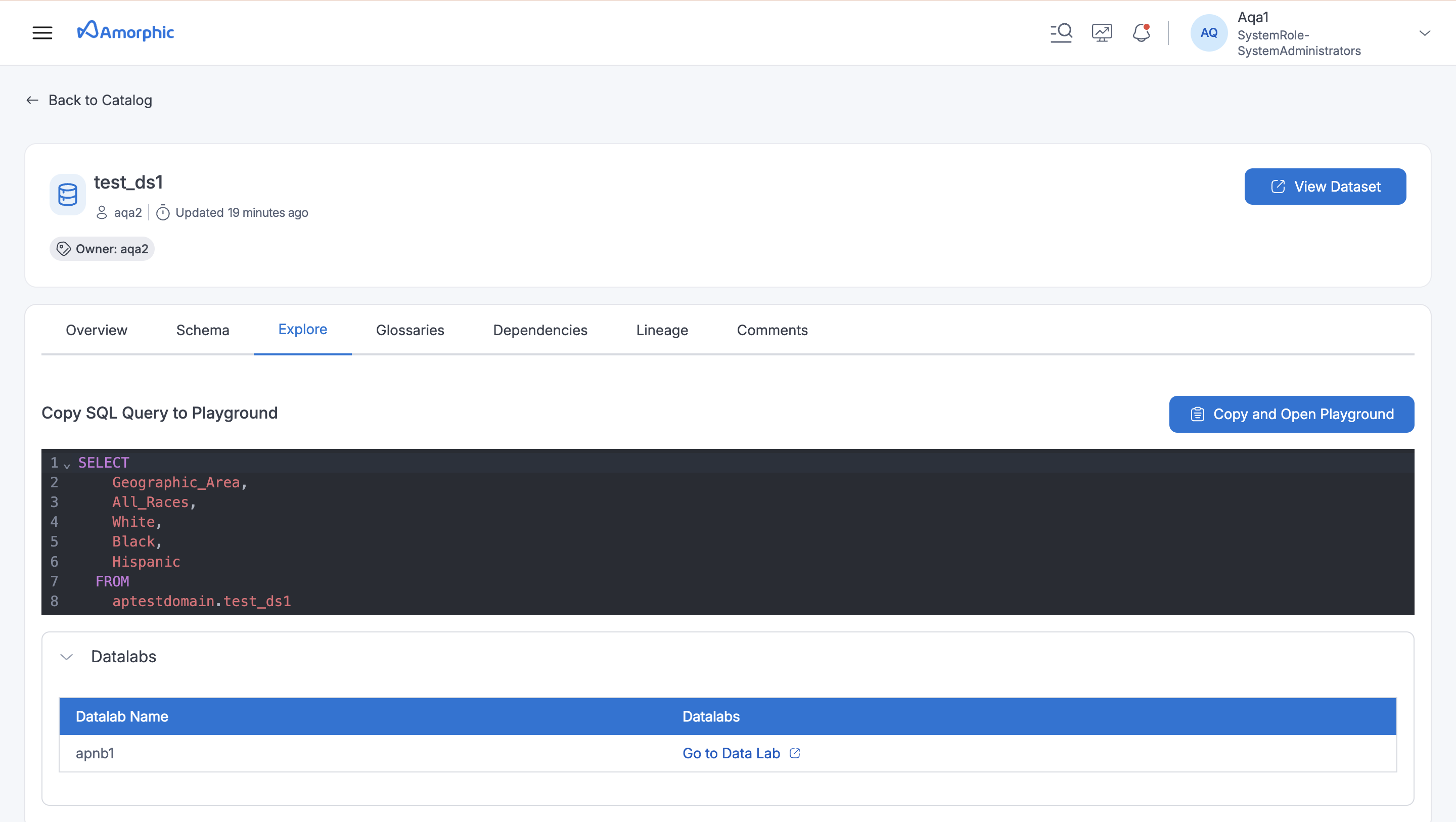
Explore: Access notebooks and studios connected to datasets, allowing user to further investigate the data.
-
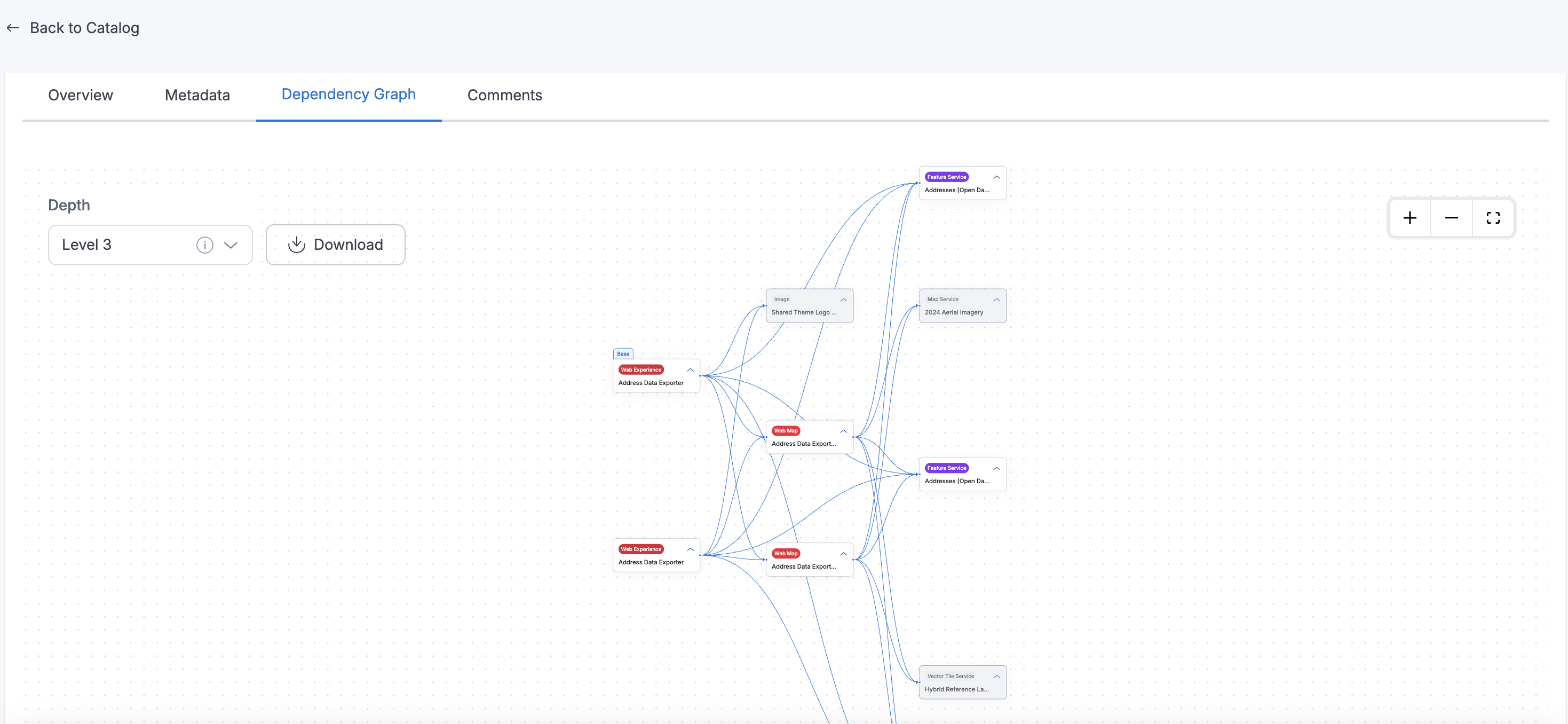
Dependency Graph: provides a visual and interactive way to understand how ArcGIS catalog assets are interconnected within Amorphic. This feature is available exclusively for ArcGIS catalog assets and helps users explore relationships among assets such as Hub Site Applications, Hub Pages, Web Maps, Web Experiences, Feature Services, and Dashboards.
Users can select any ArcGIS catalog asset and view its dependencies in a graphical representation, where each node represents an asset and edges denote relationships between them. The graph supports a depth parameter, allowing users to control the number of relationship levels displayed — up to a maximum depth of 500. This enables both high-level and detailed exploration of asset relationships.
Each node in the graph displays the asset name and asset type. Clicking on a node highlights the nodes connections and reveals additional metadata, including:
- Asset ID
- ArcGIS URL (if available)
ArcGIS items that are not part of the connected ArcGIS Amorphic datasource are shown as greyed-out nodes, indicating they are inaccessible or external to the current context.
To support sharing and offline reference, users can also download the Dependency Graph as a PNG image.
Note- The Dependency Graph feature is not available for non-ArcGIS catalog assets.
- The depth parameter determines how many levels of connected assets are shown from the selected starting node — for example, a depth of 1 shows direct connections, while higher depths recursively expand indirect relationships up to the set limit (max 500).
- Inaccessible or external ArcGIS assets are displayed as greyed-out nodes to help users distinguish them from accessible ones.
Working with AI Suggestions
Amorphic offers AI-driven suggestions to help user better understand data. Here's what user needs to know:
- Availability: AI suggestions are available for datasets with Data Profiling enabled and Target Location: S3Athena, Redshift, Lakeformation, and DynamoDB. Data profiling must be run at least once for the dataset.
- Reviewing Suggestions: User can approve or decline AI suggestions for column descriptions and classifications at the column or asset level. Approved suggestions are added to the asset schema and become searchable. Declined suggestions are removed.
- PII Handling: For PII entities, AI continuously monitors data uploads and alerts user upon detection.
- To get auto-generated descriptions, you must configure a default AI model for the Datasets component. We recommend using the Claude 4.6 Sonnet model for optimal performance. Without it, user can still receive suggestions for PII entities and classifications.
- AI-generated suggestions may not always be perfect. It's user's responsibility to review and approve or decline them.
- Once approved or declined, AI suggestions cannot be regenerated. However, user can still manually edit descriptions from the Dataset Details page (under the Profile section).

How to Use Datasets
Under Datasets, you can select one or multiple datasets (up to 10) to view usage guidance. Amorphic validates that you have access to every selected dataset, then returns what applies based on each dataset’s registration status and target location.
Queryable / fully registered datasets
For datasets that are fully registered and stored in a queryable location (for example Athena/Lake Formation or Redshift), Amorphic can generate:
- SQL Playground step-by-step templates
- Analytics tool connection instructions (Amorphic BI, Tableau, Power BI)
- Sample SQL queries for the selected datasets
S3 and unregistered datasets
Datasets that previously showed little or no guidance now receive dataset-specific instructions instead of being treated as fully unsupported:
| Dataset type | What you get |
|---|---|
| S3 target location | Aggregated instructions explaining that the dataset is file-based (processing, ingestion, sharing, knowledge base / document-oriented use). Direct SQL Playground and BI templates are not available until the data is accessible through a queryable engine (for example Athena or Redshift) with schema metadata. |
Not fully registered (RegistrationStatus is not completed) | Aggregated instructions explaining that query and BI guidance is unavailable until registration finishes and schema/table metadata exists. After registration completes, Playground examples, sample queries, and BI instructions can be generated. |
If you select a mix of queryable datasets and S3/unregistered datasets, Amorphic returns templates for the supported ones and instructions for the limited-support ones in the same response.
- You must have access to all selected datasets; otherwise instructions cannot be viewed.
- Sample SQLs in Playground / analytics templates are for guidance and may need editing before successful execution.
- Amorphic BI instructions are only available for users who are registered in Amorphic BI.
- S3 and unregistered datasets do not receive SQL Playground or BI connection templates; they receive explanatory Dataset Instructions describing supported usage and limitations.
Additional Information
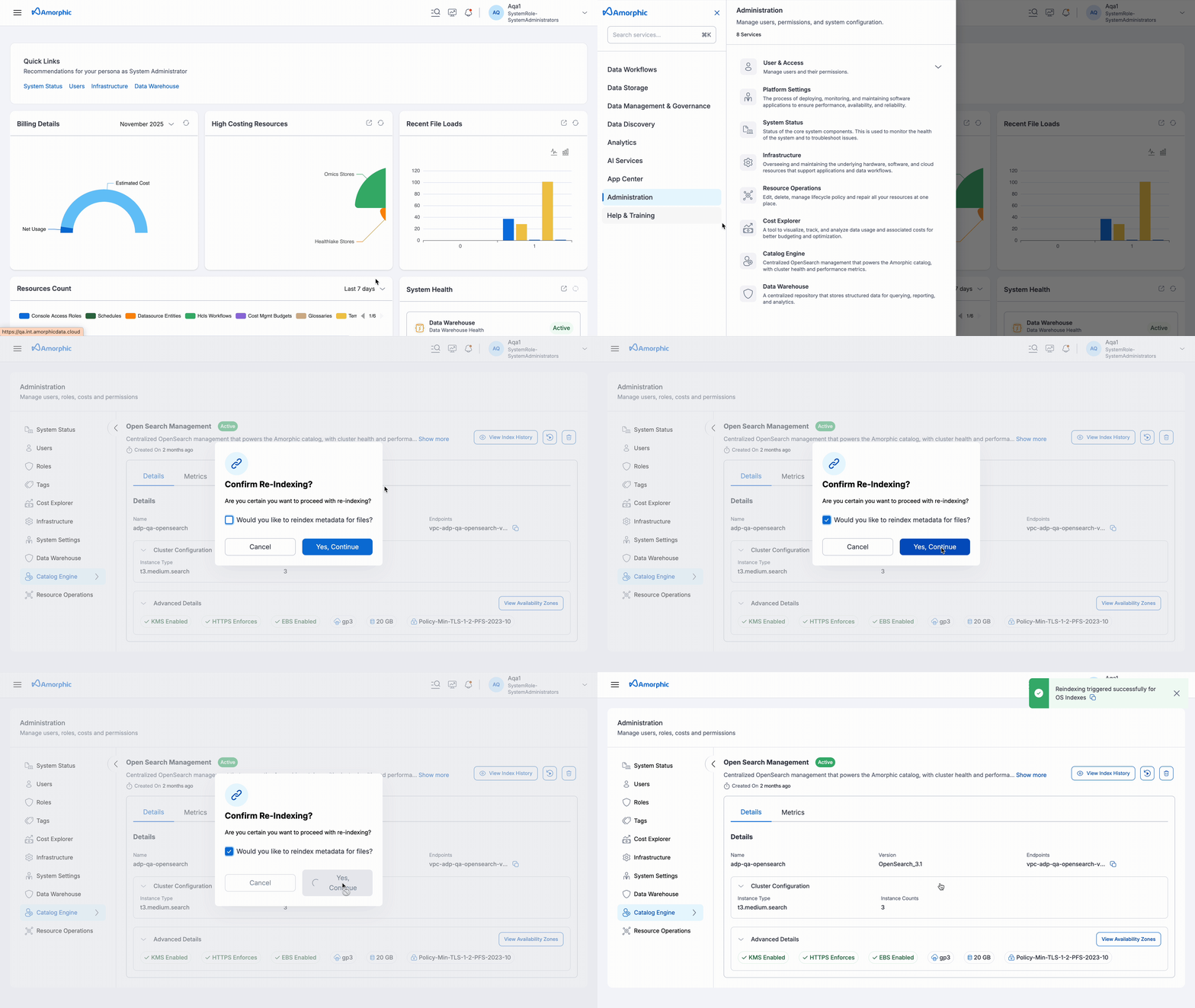
- Repair Catalog Metadata: This feature allows users to repair catalog metadata stored in the indexing cluster. It involves deleting the index and re-indexing the data by reading information from the asset metadata tables. It can be accessed from the OS Management tab in the Administration section.