
Service User
A Service User is a non-human user account designed for secure machine-to-machine (M2M) communication and automation. The platform supports UI-based switching, allowing authorized users to temporarily assume a service user's identity directly from the Amorphic interface.
Unlike regular users, Service Users authenticate using cryptographically signed tokens instead of Cognito or UI-based login.
Service users can be managed under Administration → Users and Access → Service Users.
Key characteristics
- No email or password — Service users do not use email/password authentication.
- Token-based authentication — Authenticates using short-lived, cryptographically signed JWT tokens.
- Assumable by authorized users from:
- Web UI
- SDK / API — To assume via API/SDK, call
POST /users/{id}/auth-tokento generate a token, then send it in theX-Amorphic-Service-Userheader with subsequent requests.
- Service user identification: A metadata attribute
IsServiceUser: true | falseis used internally to distinguish service users from regular users. It can also be returned in API responses or be used in automation to detect when a service user is being used.
Service User Operations
- Get Service User(s)
- Creation of Service User
- Attaching a role to a service user
- Assuming and using a Service User
- Sharing a service user
- Enabling or Disabling a service user
- Deleting a Service User
- Access tokens
- Service User limitations
- Administrative restrictions
Get Service User(s)
| Attribute | Description |
|---|---|
| Permission required | Any authenticated user |
| Endpoints | GET /users, GET /users/{id} |
Listing users: GET /users without action=get_service_users returns all users. To list only service users, the endpoint is GET /users?action=get_service_users.
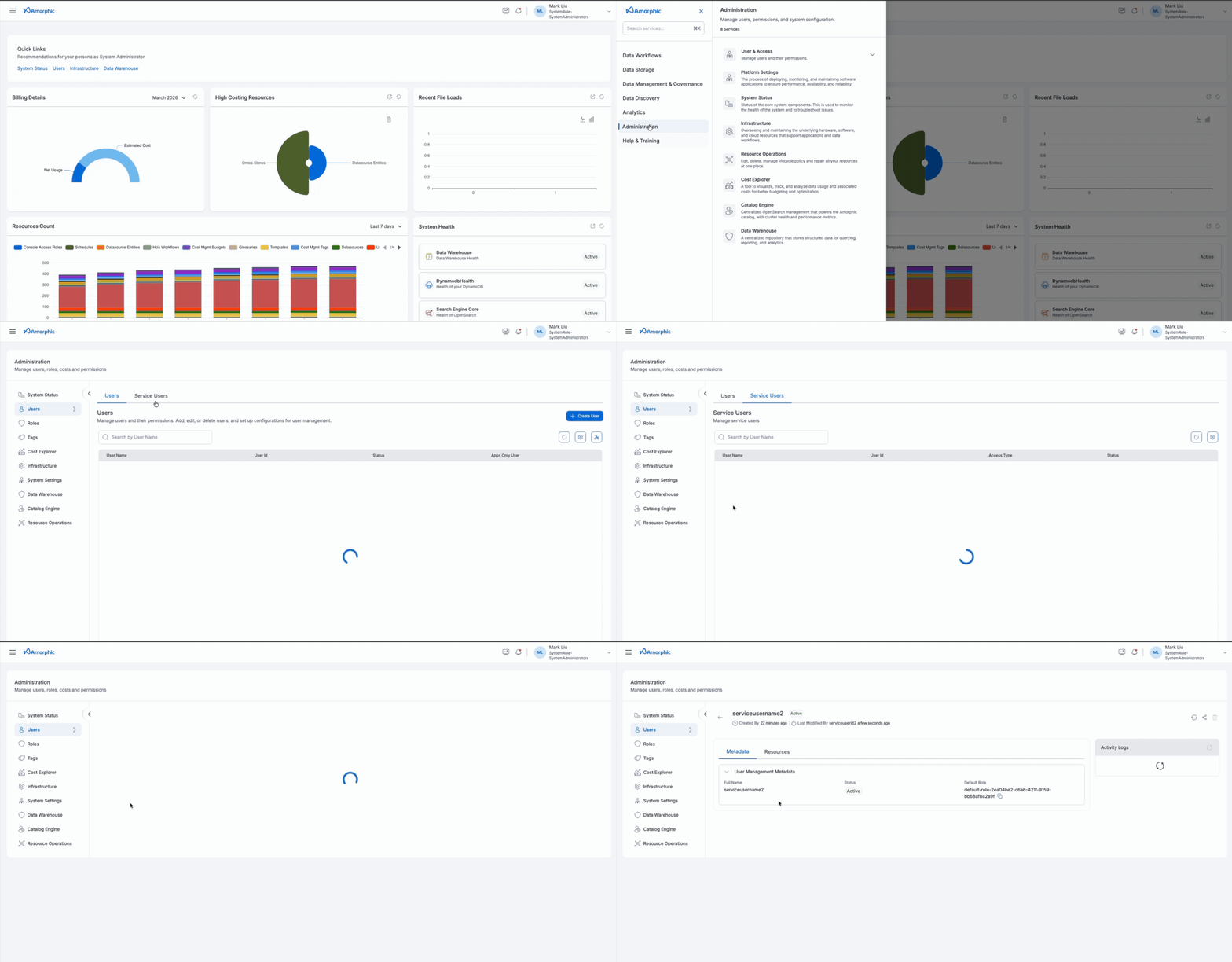
Step 1: List Service Users
- Navigation: Administration → Users and Access → Service Users
- Endpoint:
GET /users?action=get_service_users - Permission required: Any authenticated user
Step 2: Get particular service user details
- Endpoint:
GET /users/{userid}
Creation of Service User
Creates a new service user account.
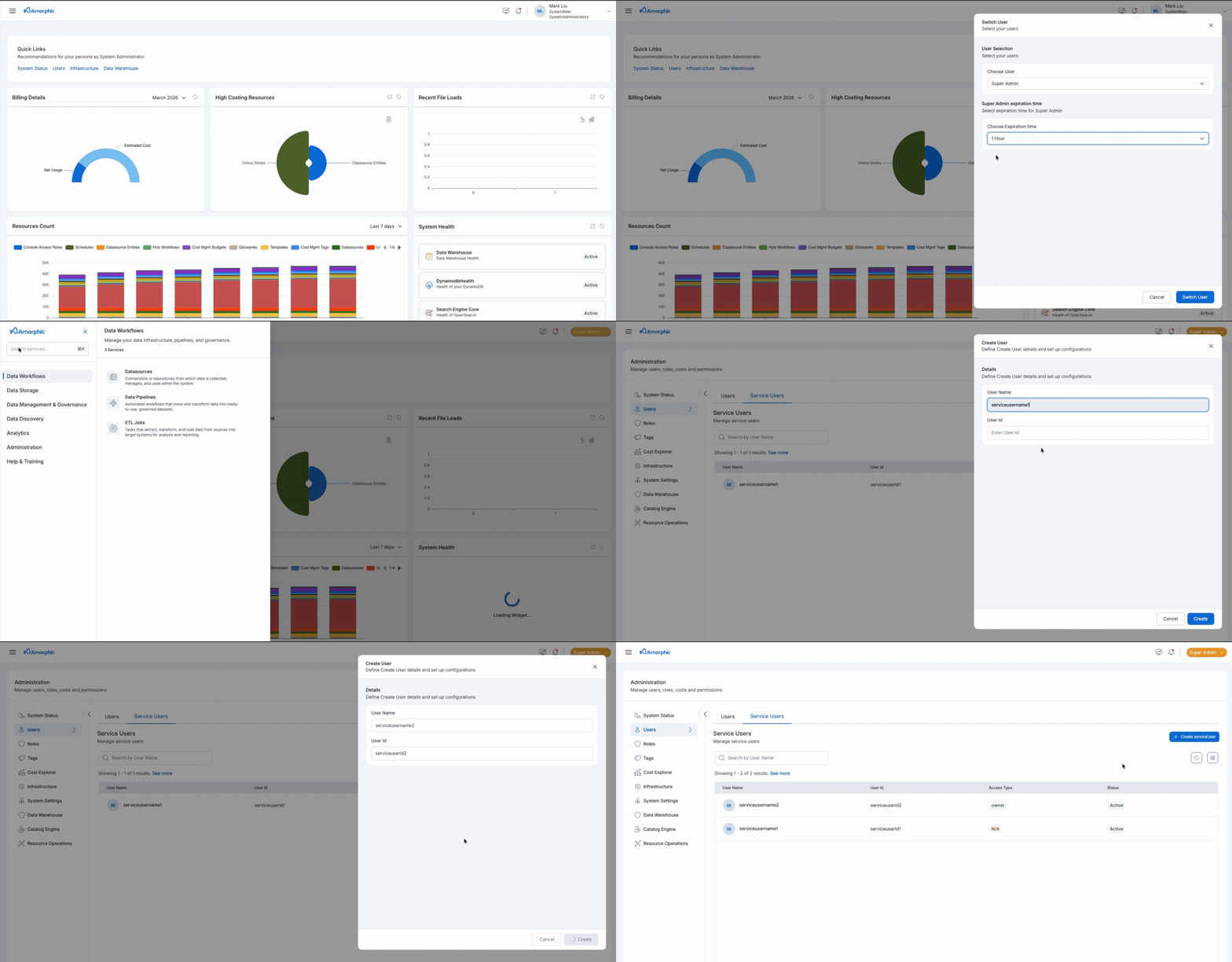
- Permission required: Service User can only by created by the
Super-Admin. So, the user first needs to switch to the Super-Admin and then proceed to create it. - Default role: A default Amorphic role (SystemRole-DefaultUsers) is automatically attached on creation. Additional roles can be attached later (only by users who have access to that particular role which is being attached).
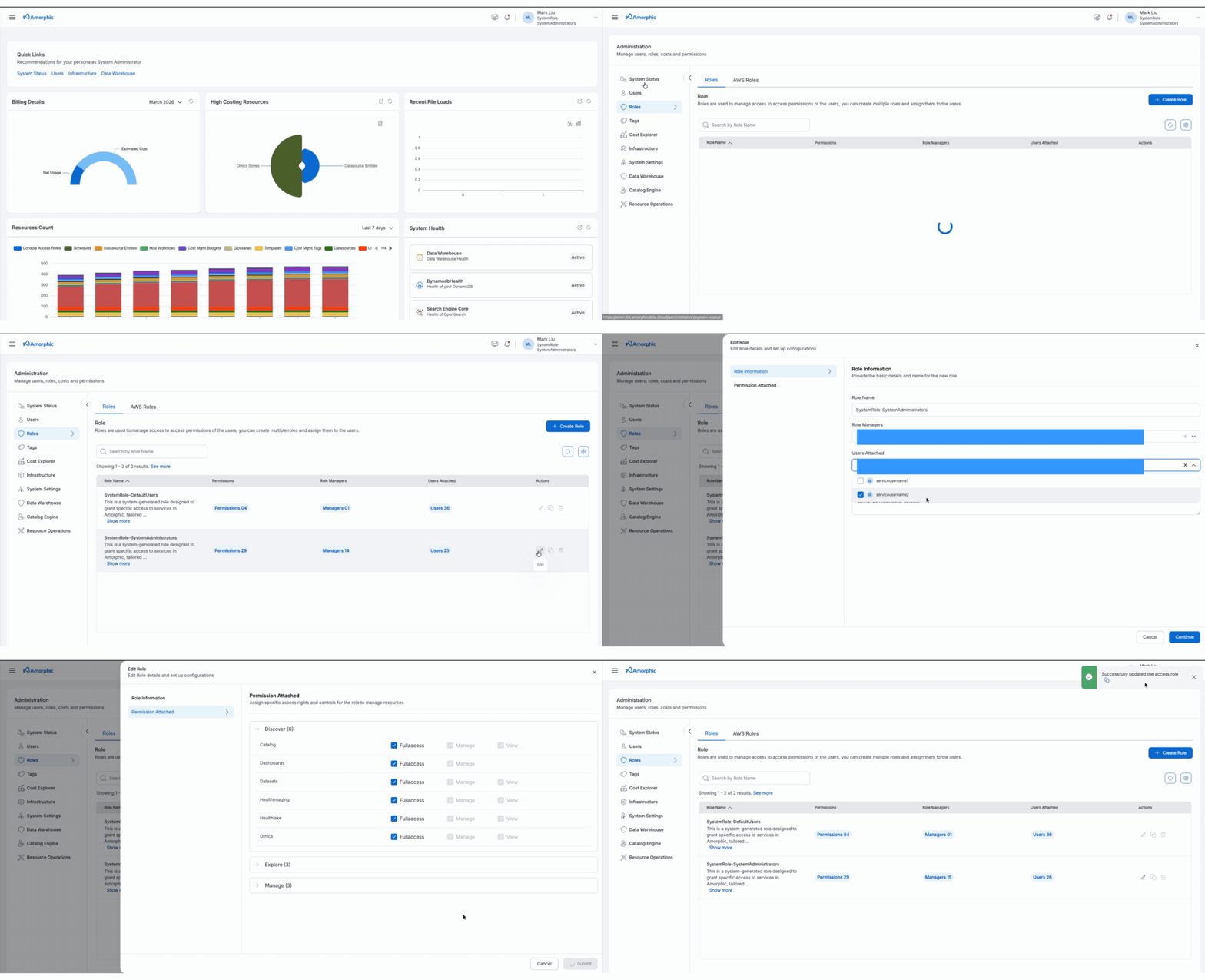
Attaching a role to a service user
The role can be attached / removed from a Service User just like any another normal user.
Service User can then perform all the operations that are allowed by that particular role.
Assuming and using a Service User
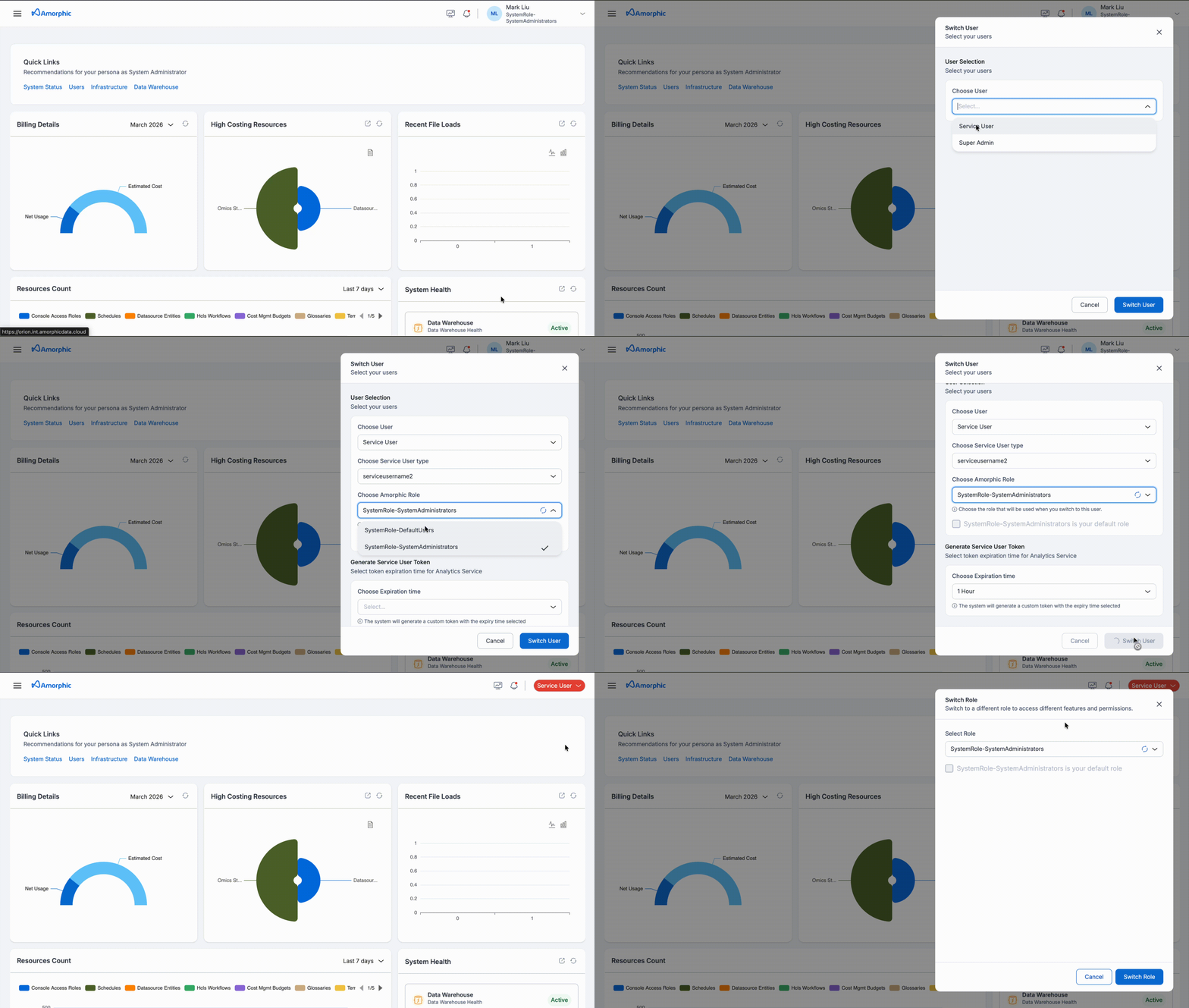
To perform operations as a service user, switch to that service user first:
- Switch to Service User — Use the switch option to assume a service user identity.
- Select the service user — Choose the service user you want to assume from the list. You can only switch to service users you have access to.
- Choose Amorphic role — Select the Amorphic role for that service user. This role can be changed later, same as for any other user.
- Set expiration time — Choose how long the session or token should remain valid. A token is created in the background for the duration you selected.
Maximum expiry for the token is 180 minutes (3 hours).
After the service user is assumed, it can be used to perform operations according to the selected role.
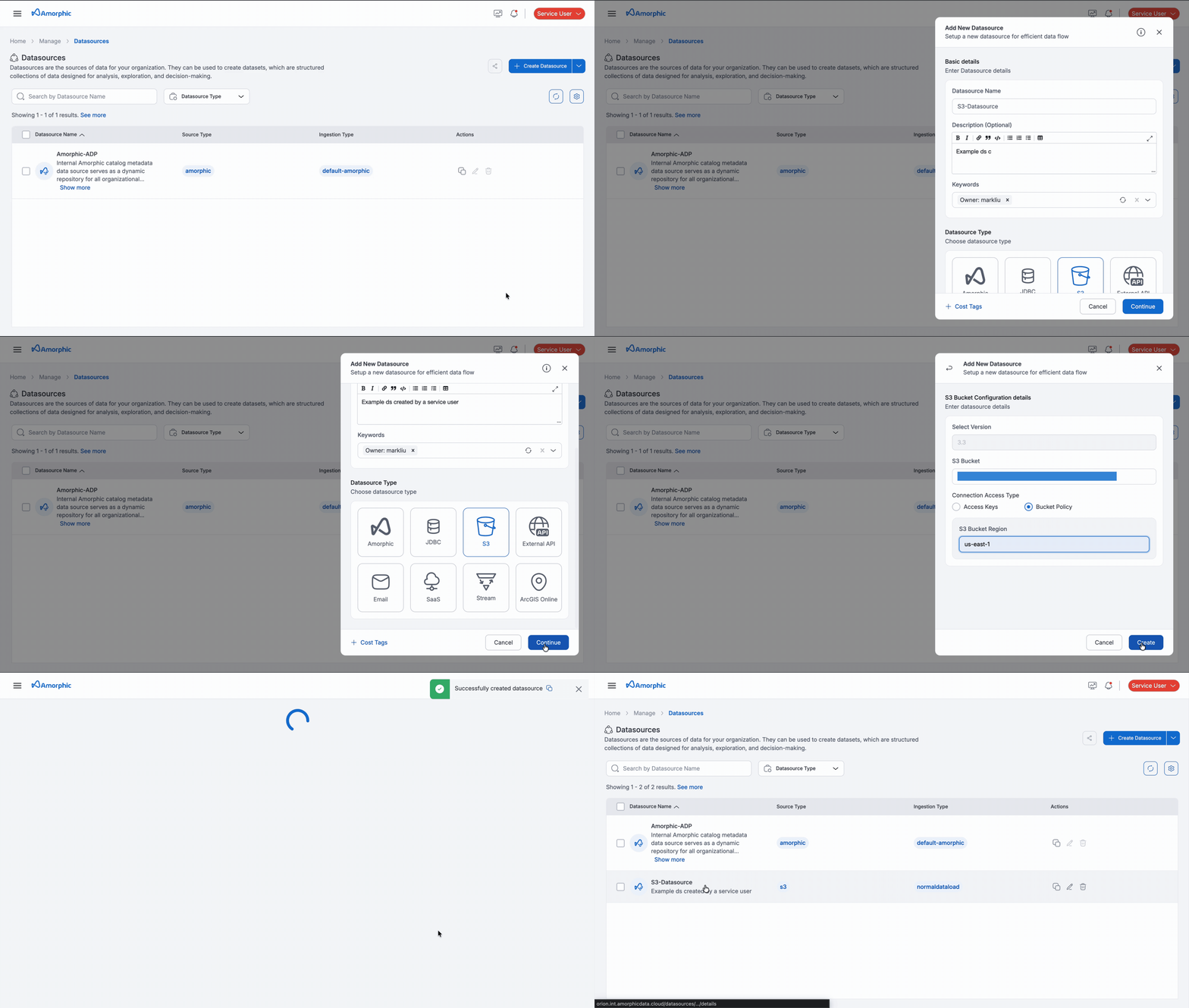
In this example, the service user has administrator access. The following demonstrates a service user creating an example datasource.
Sharing a service user
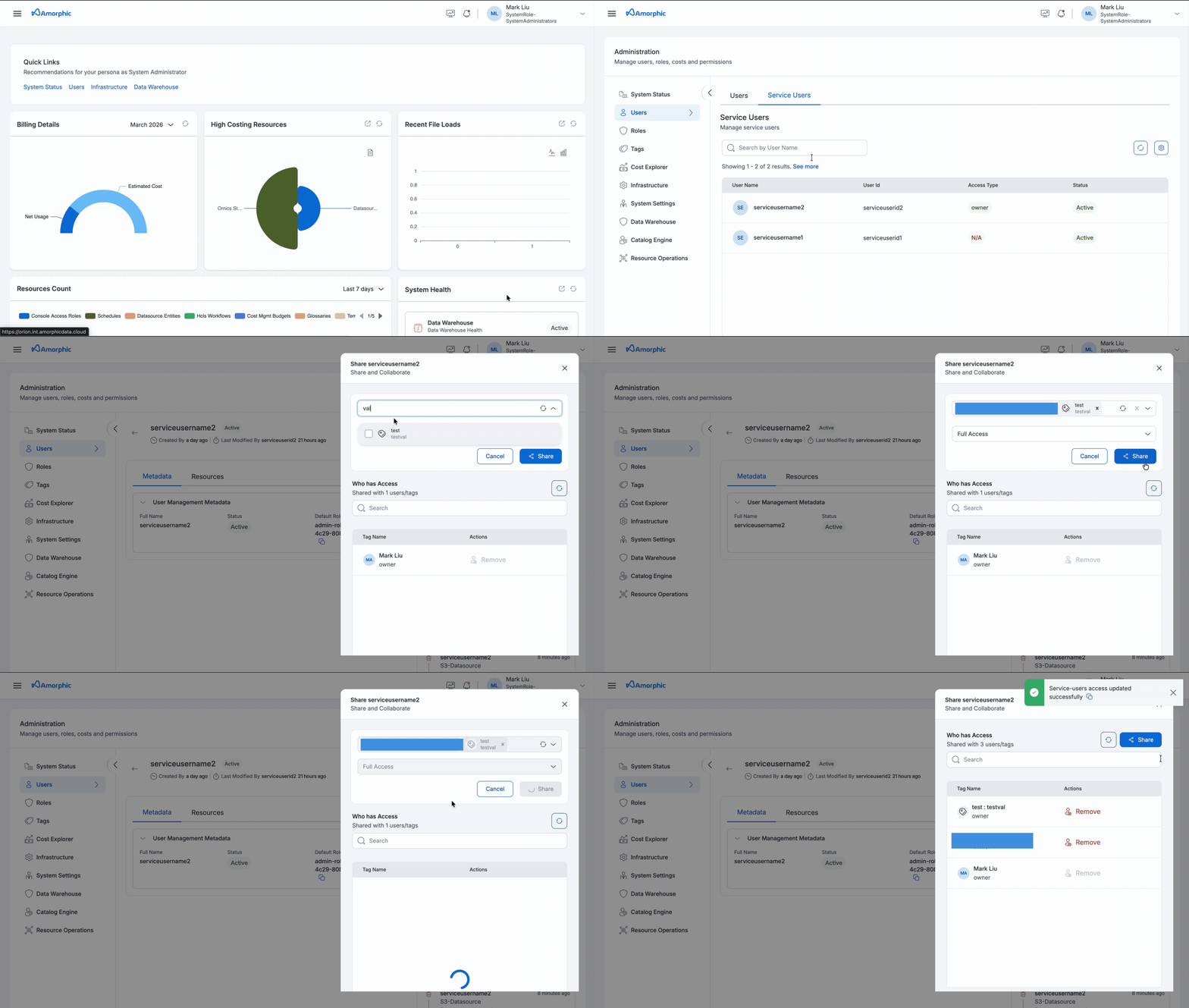
A service user can be shared with users and tags, just like any other resource in Amorphic.
- Access type: Only
Owneraccess is allowed when sharing a service user. Editor and Read-only access are not available. - After sharing: Users with direct access, or users who have access to the shared tag(s), can assume that service user and perform operations as that identity.
Service User cannot be shared with another Service User. It can only be shared with Regular Users and tags.
Enabling or Disabling a service user
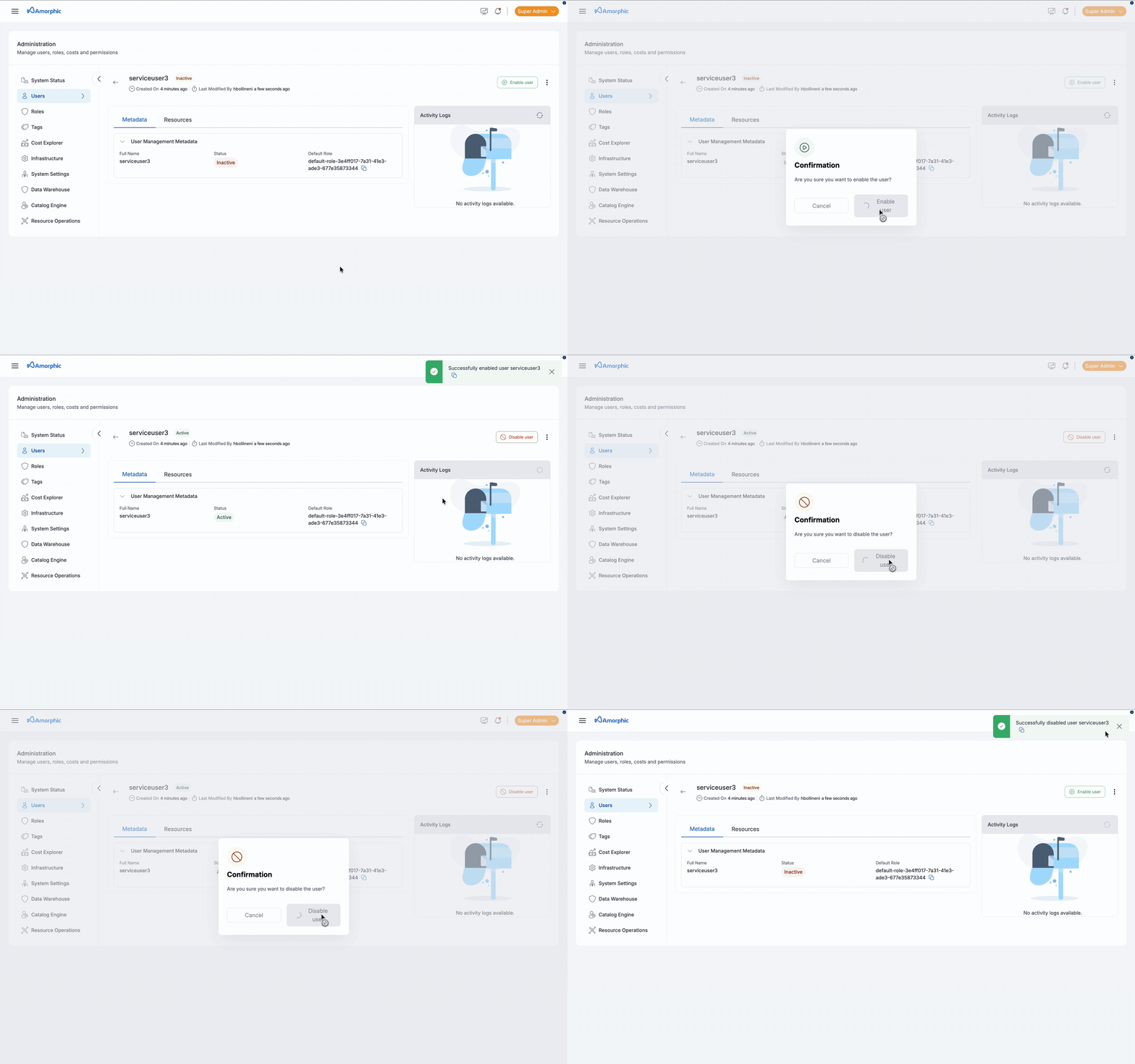
Service user can be enabled or disabled just like any other user in the system.
Deleting a service user
To delete a service user:
-
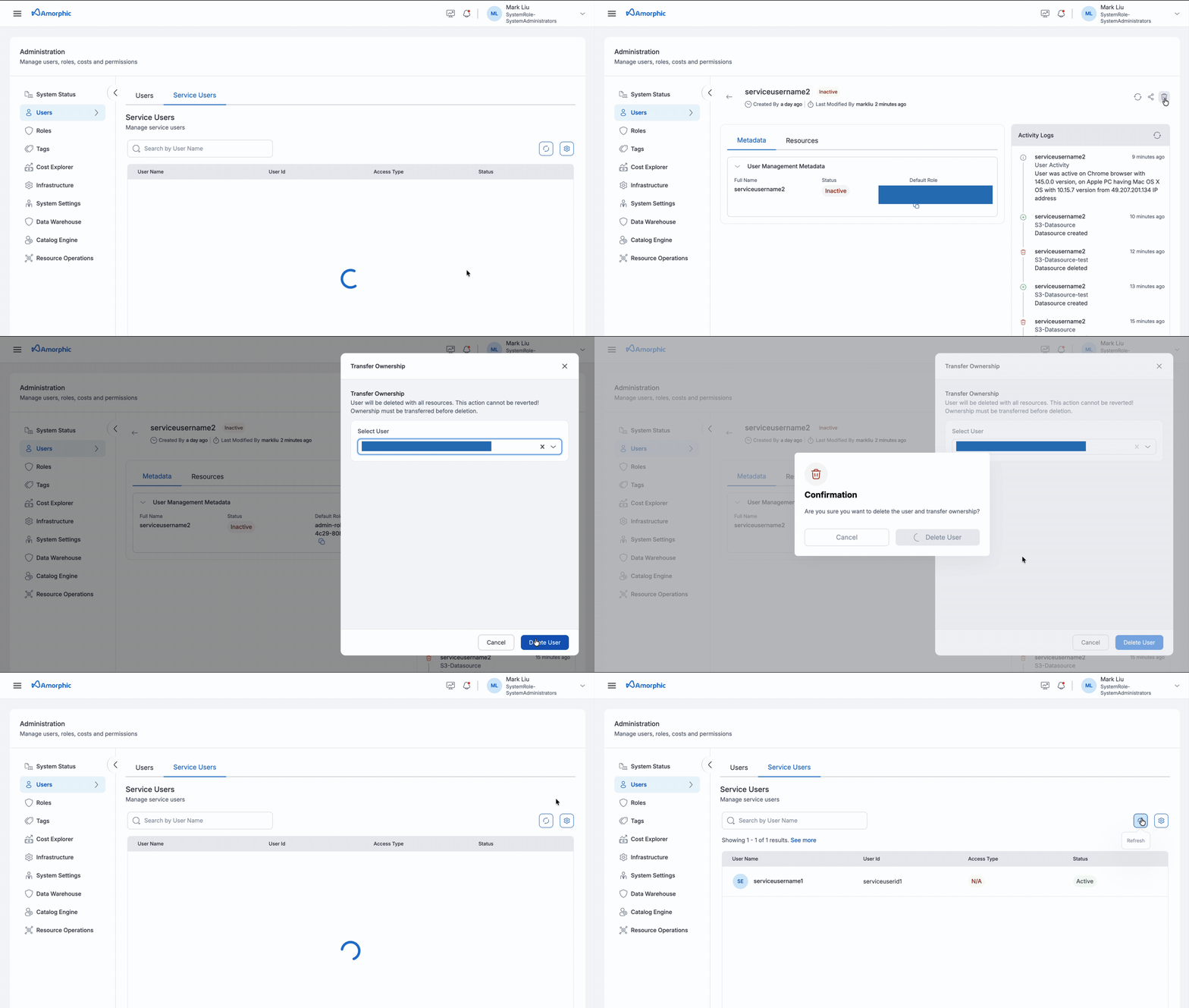
Disable the service user — The service user must be disabled before it can be deleted.
-
Delete the service user — After the service user has been successfully disabled, the delete action can be performed. A transfer user must be selected; all resources owned by the service user are transferred to that selected user.
Access tokens
Personal access tokens (PATs) work for service users in the same way as regular users. To create and manage PATs in Profile & Settings, see Access Tokens.
Service User limitations
The following limitations apply to service users:
- Service users cannot access vertical-specific applications or features such as MDM, BI
- There is no active sessions or global sign-out option for the service users.
Administrative restrictions
| Action | Who can perform |
|---|---|
| Create | Super Admin |
| Share | Users who have access to the Service User |
| Enable / Disable | Users who have access to the Service User |
| Delete | Users who have access to the Service User |