
Super Admin
Super Admin functionality falls under the Switch User feature under Profile & Settings → Switch User.
New capability for users to become a "Super Admin" - essentially grants owner access to every resource in Amorphic on a per use basis.
Select users will see an option in the Amorphic UI to become a super admin based on whether they are part of the SuperAdmin cognito user group.
Super Admin privilege does not persist across sessions.
Example: Super Admin can list all datasets in the platform and can perform operations inside them despite not having the owner access explicitly.
Super Admin privileges apply to all platform resources (e.g., datasets, datasources, jobs, and access control) and do not extend to underlying infrastructure (e.g., AWS console)
How to switch to 'Super Admin' user
- Navigate to the Profile & Settings from homepage.
- Click on the Switch User section.
- Select the 'Super Admin' user type.
- Select duration for session.
- Confirm the switch to change your active session.
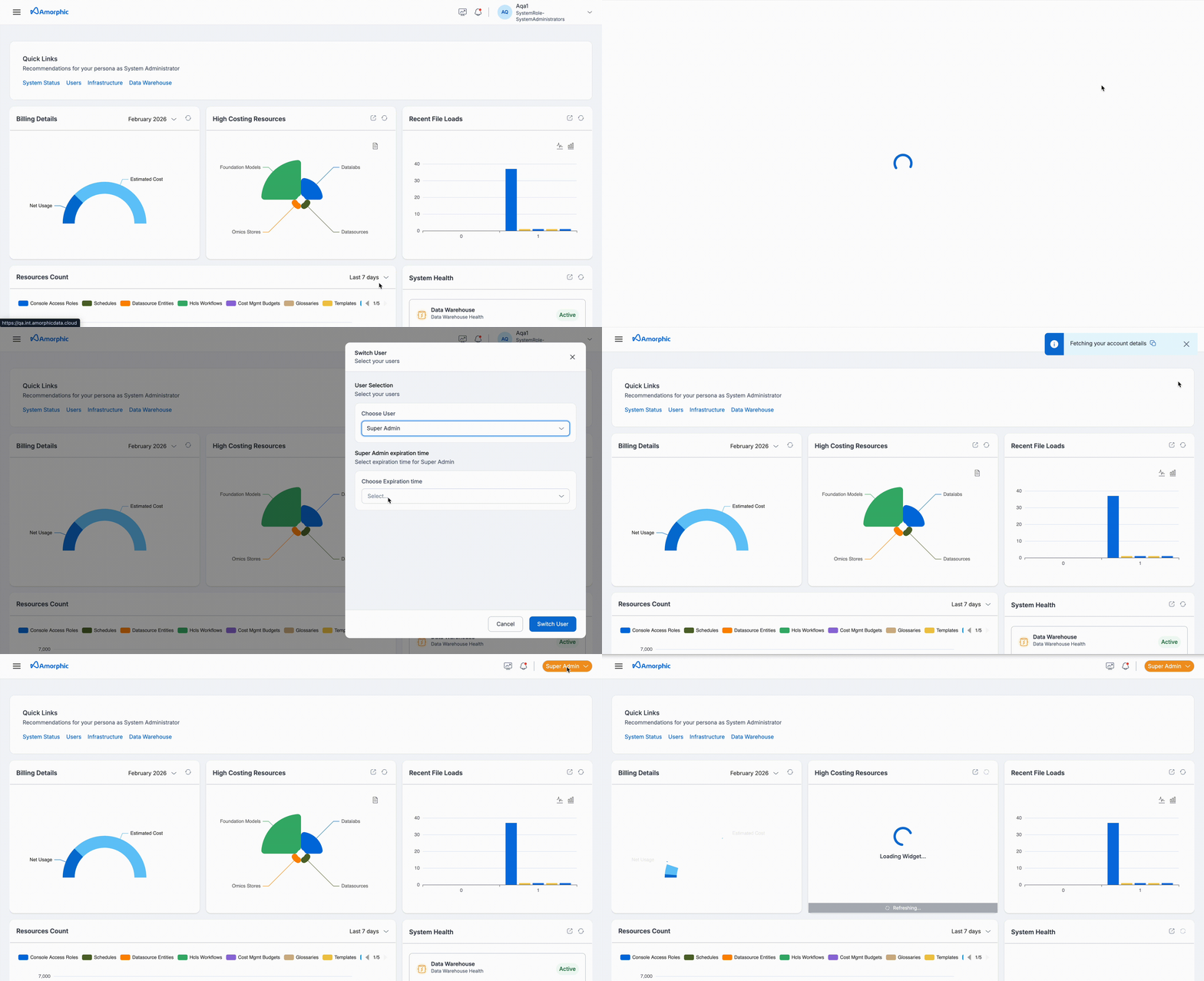
- The maximum duration a user can select for Super Admin mode is 180 minutes.
- Users in Super Admin mode do not have the privilege to run delete queries over Amorphic datasets.
How to provide other users 'Super Admin' functionality
To provide other users 'Super Admin' privilege, one must have the 'Super Admin' mode enabled as described in above steps.
- Navigate to the Administration page left side of homepage.
- Hover on Administrations page and click on User & Access and a list of users in system will appear.
- On right side of every user item, there is toggle to add the user to 'Super Admin' group. By adding to 'Super Admin' group it means adding the user into 'super-admin' cognito group. This allows users to activate the 'Super Admin' mode like described in above steps.
- To remove the user from 'Super Admin' group toggle the same button.
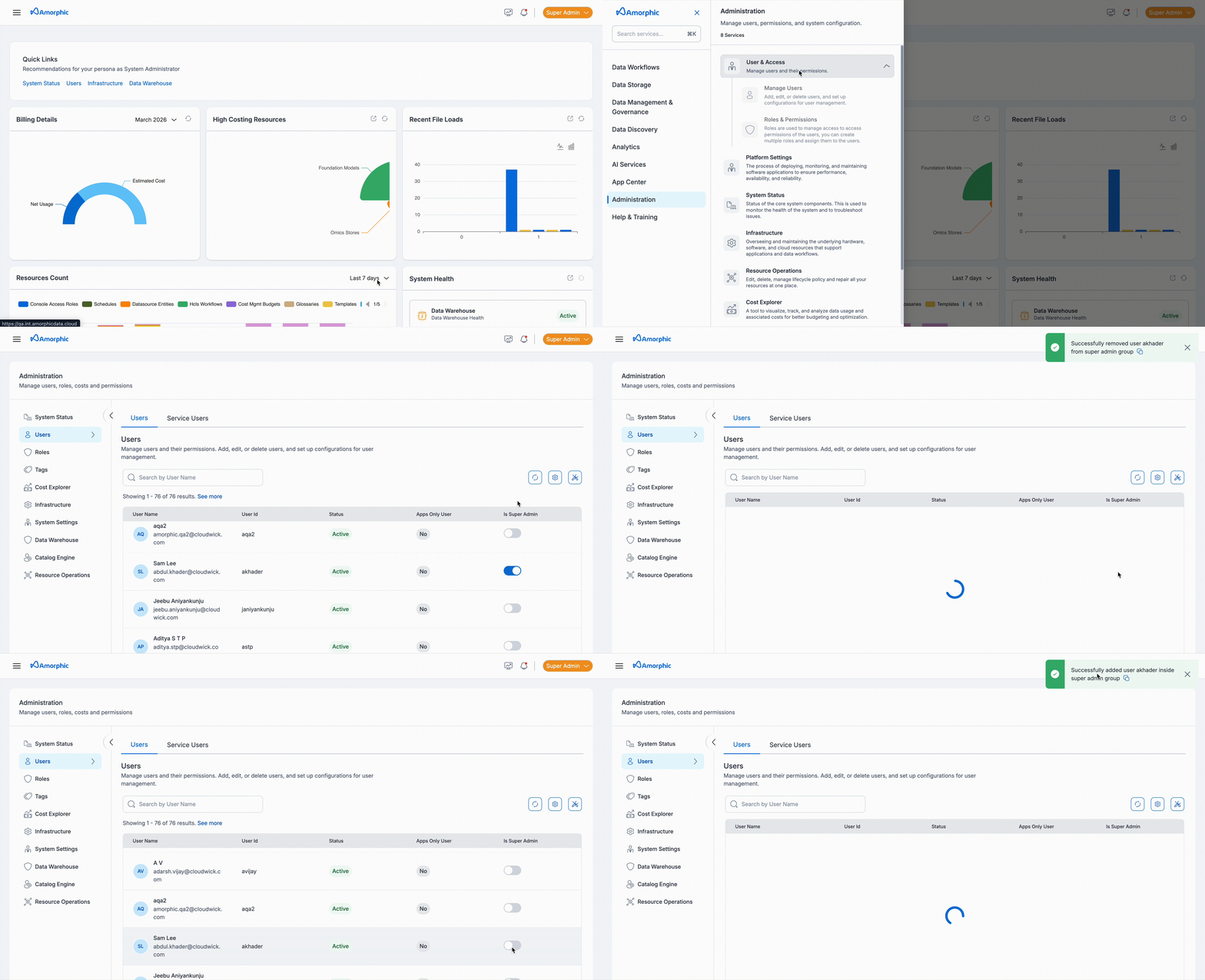
- First user created in system will be automatically added to 'super-admin' group in cognito.
- One can check their 'Auth Tokens' to verify whether thier attributes contain 'super-admin' in group attribute.
Logs will contain extra metadata to highlight the operations done in Super Admin mode by a user.