Amazon Quick
While Amorphic Analytics Studio provides a streamlined interface for daily data interaction, the platform is built upon the robust foundation of Amazon Quick (formerly AWS QuickSight). To offer users coming from previous versions greater flexibility, certain administrative and advanced configuration tasks are performed directly within the Amazon Quick console. This "dual-console" approach ensures that while the Analytics Studio app remains clean and user-centric, the full power of the underlying engine is always available for complex management needs.
Managing Resources in Quick
The Amazon Quick console acts as the primary administrative hub for your Analytics Studio environment. Within this console, users can perform high-level operations that go beyond standard viewing:
- Asset Management (CRUD): Users can perform comprehensive Create, Read, Update, and Delete operations on primary assets—Analyses, Dashboards, and Topics.
- Data Entity Control: While the Analytics Studio app handles data consumption, the Quick console currently offers exclusive Create, Update, and Delete capabilities for Data Sets. This allows for complex data modeling and join logic adjustments directly at the source level.
- Power User Flexibility: For users accustomed to the legacy version of the Analytics Studio app, the Quick console provides a familiar environment with unrestricted access to advanced QuickSight features.
Accessing the Quick Console
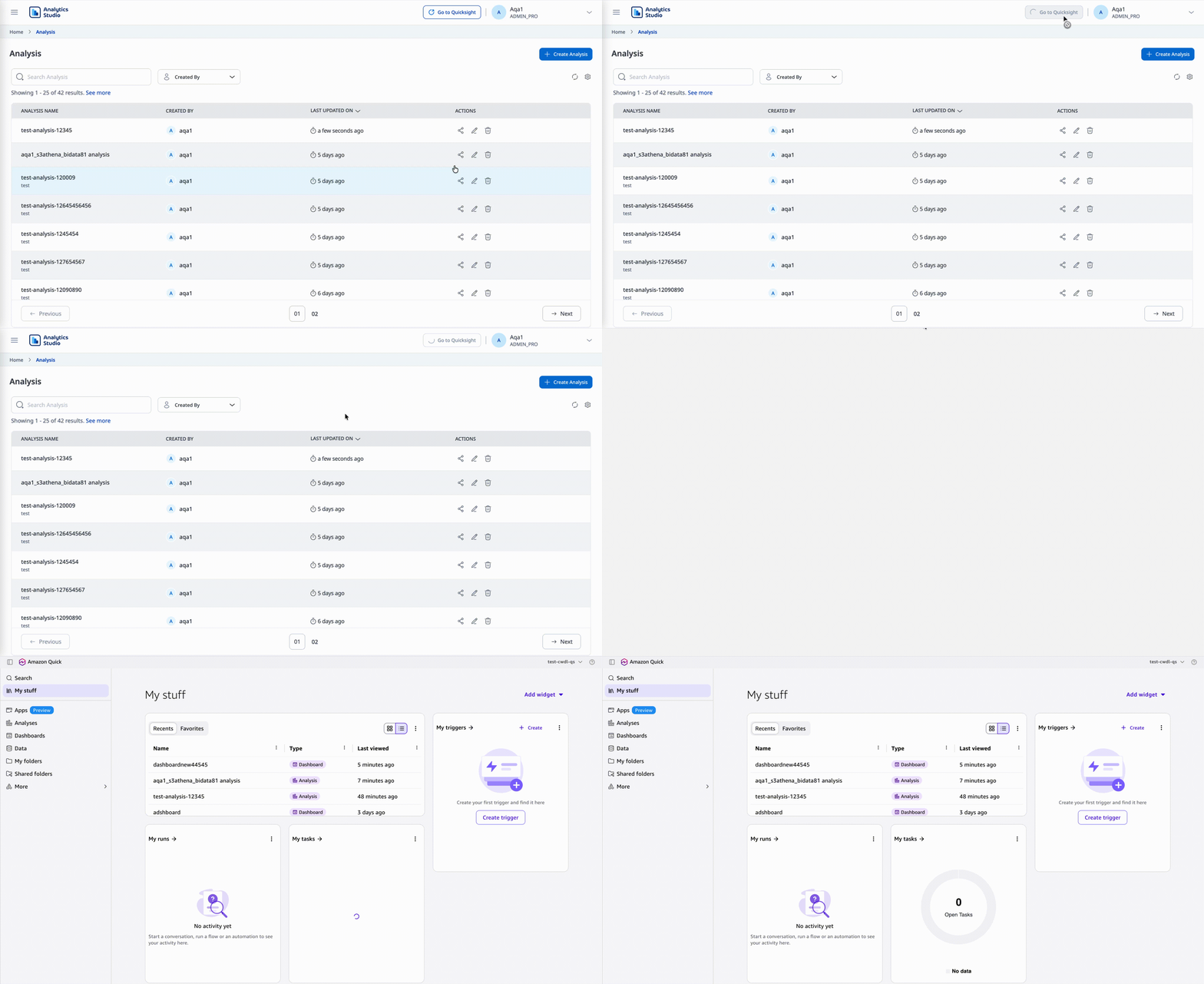
To ensure a smooth workflow between the two environments, a direct shortcut is available within the native Analytics Studio application. To navigate to the console:
- Go to the Amorphic Analytics Studio Homepage.
- Look at the top navigation bar near your profile information.
- Click the "Go to QuickSight" button located to the left of your profile icon.
Clicking this button will redirect you to the Amazon Quick interface in a new tab, maintaining your current session and permissions.