Version: v3.4 
Activity Timeline
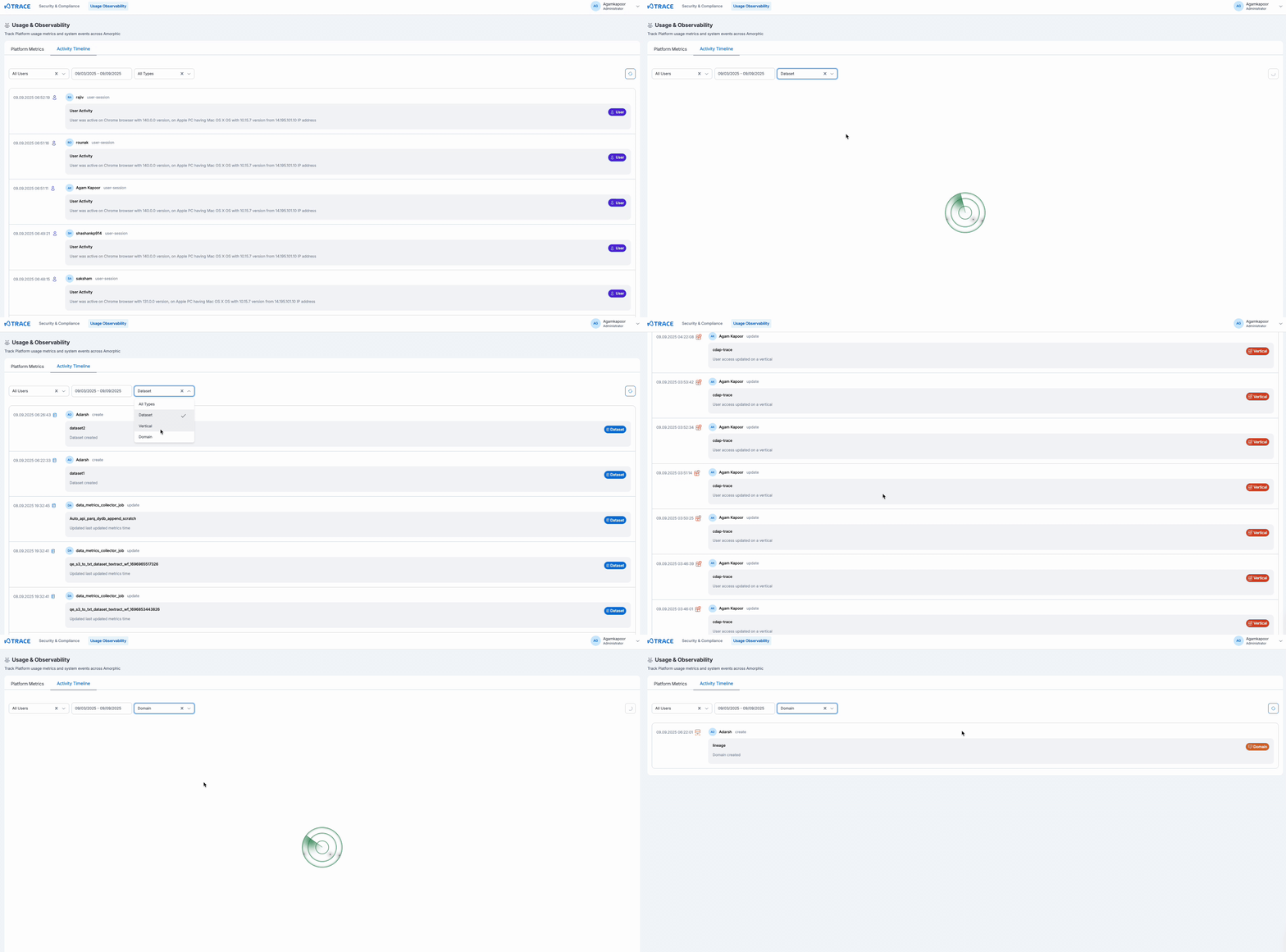
The Activity Timeline provides a chronological view of user activities and interactions with Amorphic platform resources, with comprehensive details and filtering capabilities.
Event Tracking
The Activity Timeline tracks user interactions with Amorphic platform resources:
- User Activities: See what users are creating, modifying, and interacting with across the platform
- Resource Operations: Track activities on datasets, domains, verticals, and other Amorphic resources
- Platform Interactions: Monitor user sessions, feature usage, and resource access patterns
- System Events: Essential platform operations and administrative actions
Timeline Features
The Activity Timeline displays chronological events with comprehensive details and filtering capabilities:
- User Visibility: See what users are doing with Amorphic resources - creating datasets, working with domains, exploring verticals, and platform interactions
- Event Details: Each entry includes timestamp, user information, resource type (dataset/domain/vertical), and action performed
- Advanced Filtering: Filter by time range, specific users, resource types, or activity types for focused analysis. User filtering allows viewing activities of individual users and their interactions with Amorphic resources
- Resource Type Visibility: View activities related to specific resource types (datasets, domains, verticals) created and managed within Amorphic and verticals
- Manual Refresh: Use the refresh button to reload the timeline with the latest activities
Pagination and Query Limits
The Activity Timeline supports large result sets with the following constraints:
- Pagination Support: Navigate through large result sets with configurable page sizes (default: 100 items, maximum: 1000 items per page)
- 7-Day Maximum Range: Date range queries are limited to a maximum of 7 days between start and end dates
- Date Validation: End date cannot be earlier than start date