Compliance Dashboard
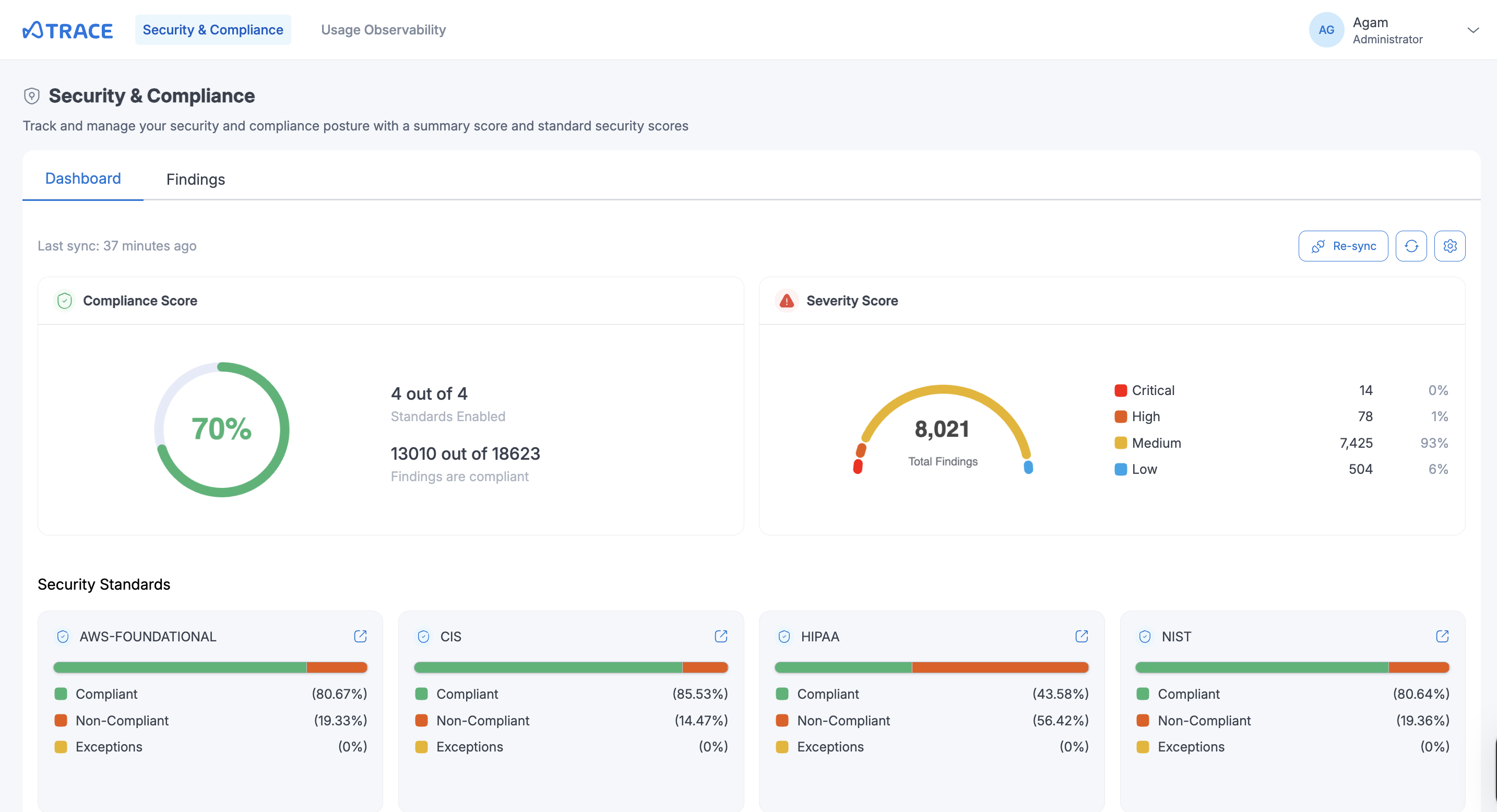
Trace centralizes security and compliance management through an intuitive dashboard that displays compliance scores and security findings. Organizations can monitor multiple compliance frameworks, track remediation progress, and maintain visibility into their security posture from a single interface.
Dashboard Features
The main dashboard displays essential compliance information at a glance:
- Compliance Score: Overall percentage showing how many findings across all standards are compliant, with a visual indicator of the organization's security posture
- Severity Score: Total count of security findings categorized by severity levels (Critical, High, Medium, Low) to help prioritize remediation efforts
- Security Standards: Individual compliance percentages for each enabled standard (AWS Foundational, CIS, HIPAA, NIST) with visual progress bars showing compliant, non-compliant and exceptions in that particular standard. Click on any section (Compliant, Non-Compliant, Exceptions) to automatically navigate to the Findings page filtered by that specific standard and status
HIPAA is not included in the overall Compliance Score and Severity Score, and is assessed separately. This does not affect the HIPAA compliance status.
Findings with a Compliance Status of NOT_AVAILABLE are ignored and not considered when calculating the compliance score, compliance percentages for standards and are also excluded while generating the findings. This ensures that the compliance metrics accurately reflect only actionable findings and avoids misleading compliance percentages.
Compliance Standards Management
Supported Standards
Trace supports multiple compliance frameworks:
- AWS Foundational Security Best Practices
- HIPAA (Health Insurance Portability and Accountability Act)
- NIST (National Institute of Standards and Technology Special Publication 800-53 Revision 5)
- CIS (Center for Internet Security AWS Foundations Benchmark v5.0.0)
HIPAA compliance monitoring has special considerations:
- Enhanced Security: HIPAA monitoring includes additional security controls and checks
- Deployment Process: Enabling HIPAA monitoring may take longer than other standards as additional security measures are put in place
- Status Notifications: Users receive email updates about the HIPAA monitoring activation process
Standards Configuration
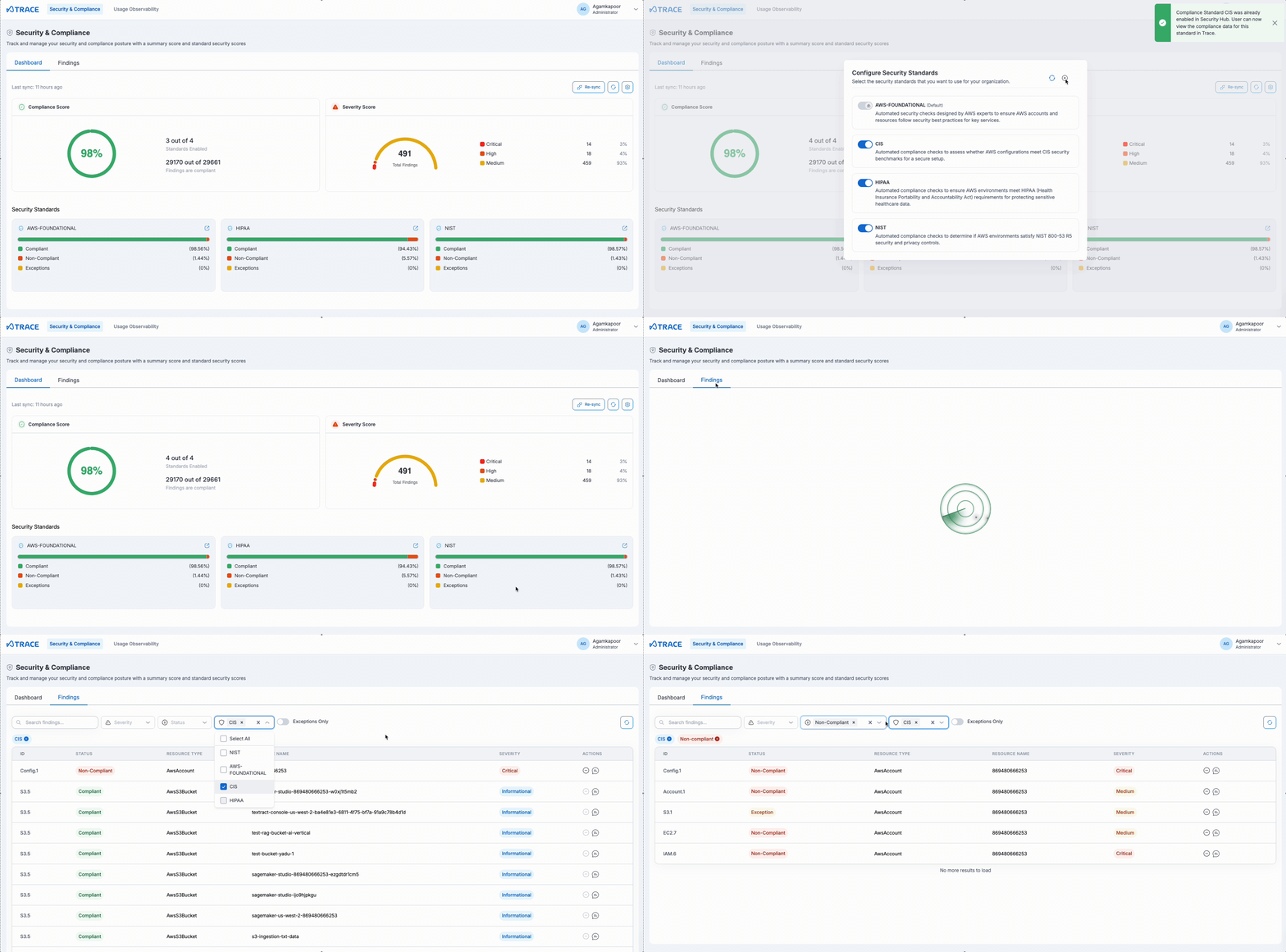
Enabling a Compliance Standard
To activate monitoring for a compliance framework:
- Navigate to the Security & Compliance section
- Go to the Dashboard tab
- Click on the top right gear button
- Find the desired standard in the standards list
- Click Enable to activate monitoring
- The system will begin collecting compliance data immediately
Disabling a Compliance Standard
To deactivate a compliance framework:
- Access the Security & Compliance dashboard
- Locate the active standard
- Click Disable next to the standard name
- Confirm the action in the dialog box
- Data collection for that standard will stop
- By default AWS Foundational standard is always turned on
Enable all relevant compliance standards for the organization to get comprehensive security coverage.
Data Synchronization
Trace keeps compliance information up-to-date through scheduled and manual sync options:
- Automatic Updates: A scheduled sync runs daily at midnight to refresh compliance data. Disabling a standard also automatically triggers cleanup of its data
- Manual Refresh: Use the Re-sync button on the dashboard to trigger an immediate update. This is particularly useful after enabling a standard, since enabling does not trigger a sync automatically - use Re-sync (or wait for the next scheduled sync) to pull in the newly activated standard's findings
- Status Propagation: Changes in AWS Security Hub are reflected in Trace on the next sync, scheduled or manual
If AWS Security Hub is centrally managed through AWS Organizations, enabling a standard that isn't already enabled at the organization level is blocked, and users are directed to contact the admin account. Disabling a standard in this case only updates Trace's local view without changing the org-managed Security Hub configuration.
Changes to compliance standards and finding statuses may take several minutes to appear in the dashboard as the system updates compliance information.
Compliance Score Alerting
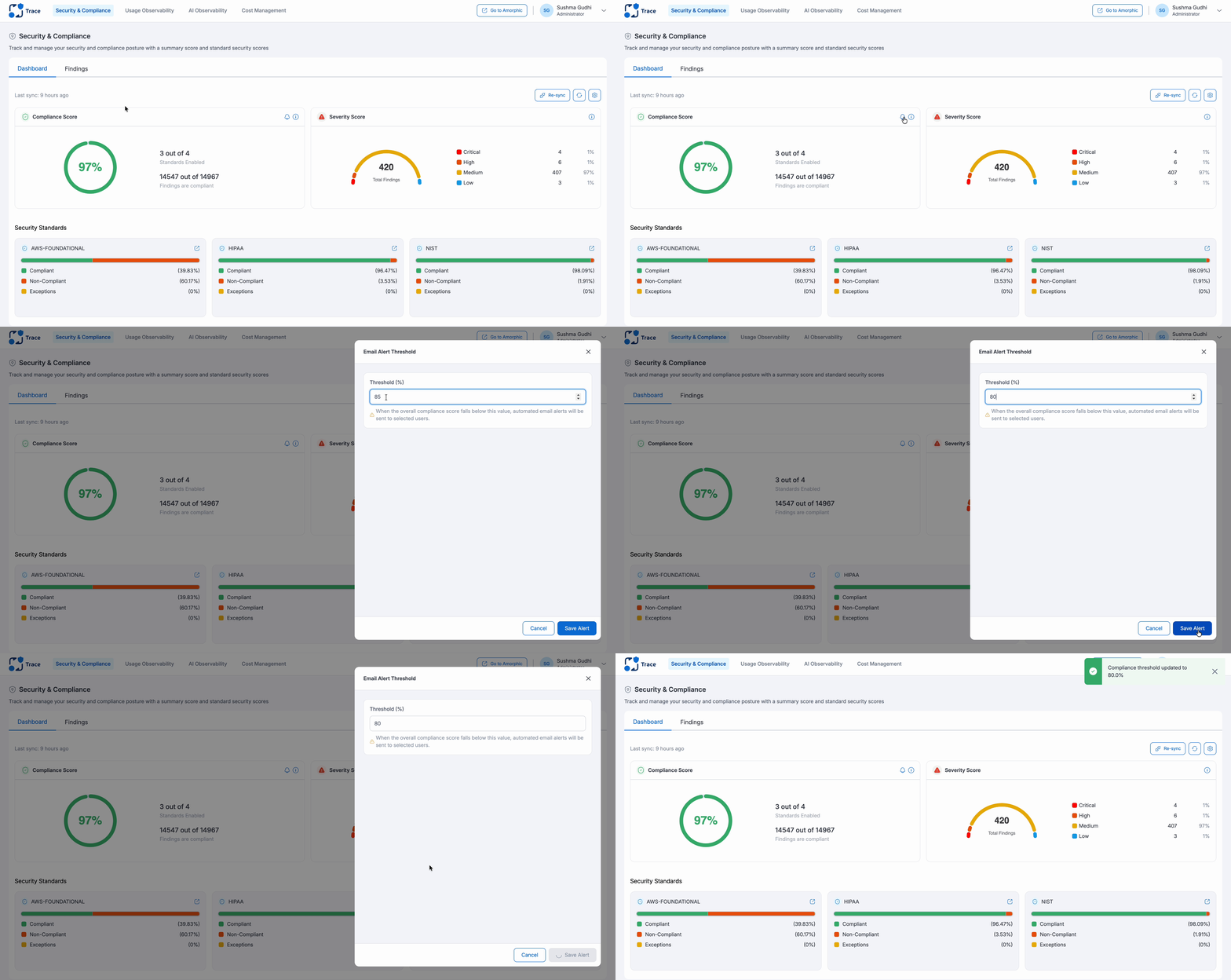
Trace can send email alerts when compliance scores drop below a configurable threshold:
- Open the alert threshold settings from the dashboard
- Set a minimum acceptable percentage for the overall Compliance Score and/or individual standards
- Users subscribed to Trace notifications are emailed when a score falls below its configured threshold
Notifications are also sent to subscribed users whenever a compliance standard is enabled or disabled, and when a HIPAA security stack deployment succeeds or fails.