
Backend Queues
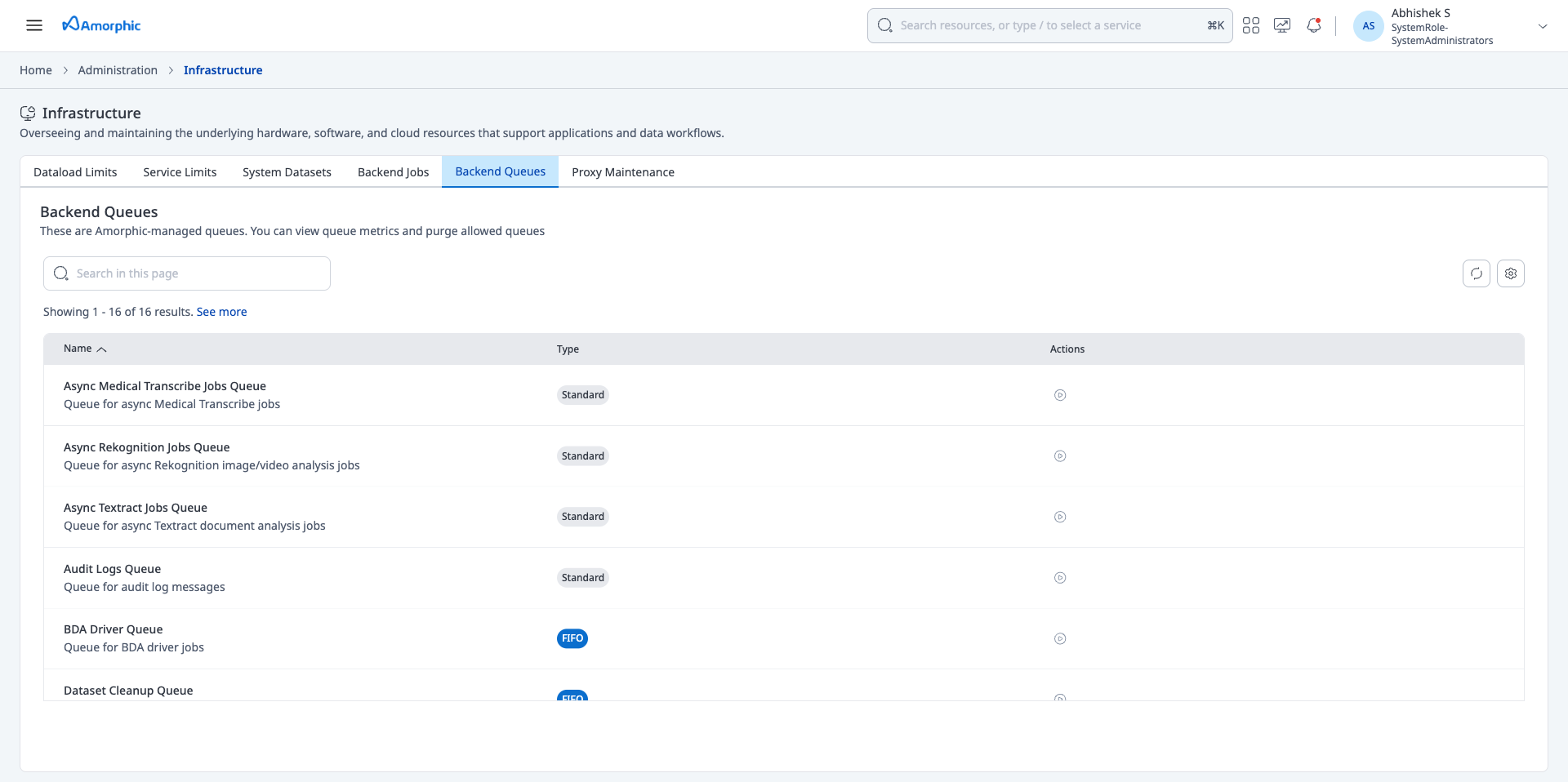
Backend Queues lists the Amazon SQS queues that Amorphic uses for platform work such as data loads, async AI jobs, event triggers, audit logs, and dead-letter handling. From this page, Admins can inspect queue configuration and live message metrics, and purge only the queues that Amorphic allows.
What you see on the page
The list shows every Amorphic-managed queue for the environment. Use Search in this page to filter by display name or technical queue name.
Each row includes:
- Name — User-facing display name, with a short description under it
- Type — Standard or FIFO. FIFO queues preserve message order and use a
.fifosuffix on the technical queue name - Actions — Purge control for that queue. The control is available only when purge is enabled for the queue
Select a row to open the queue details panel.
Queue details
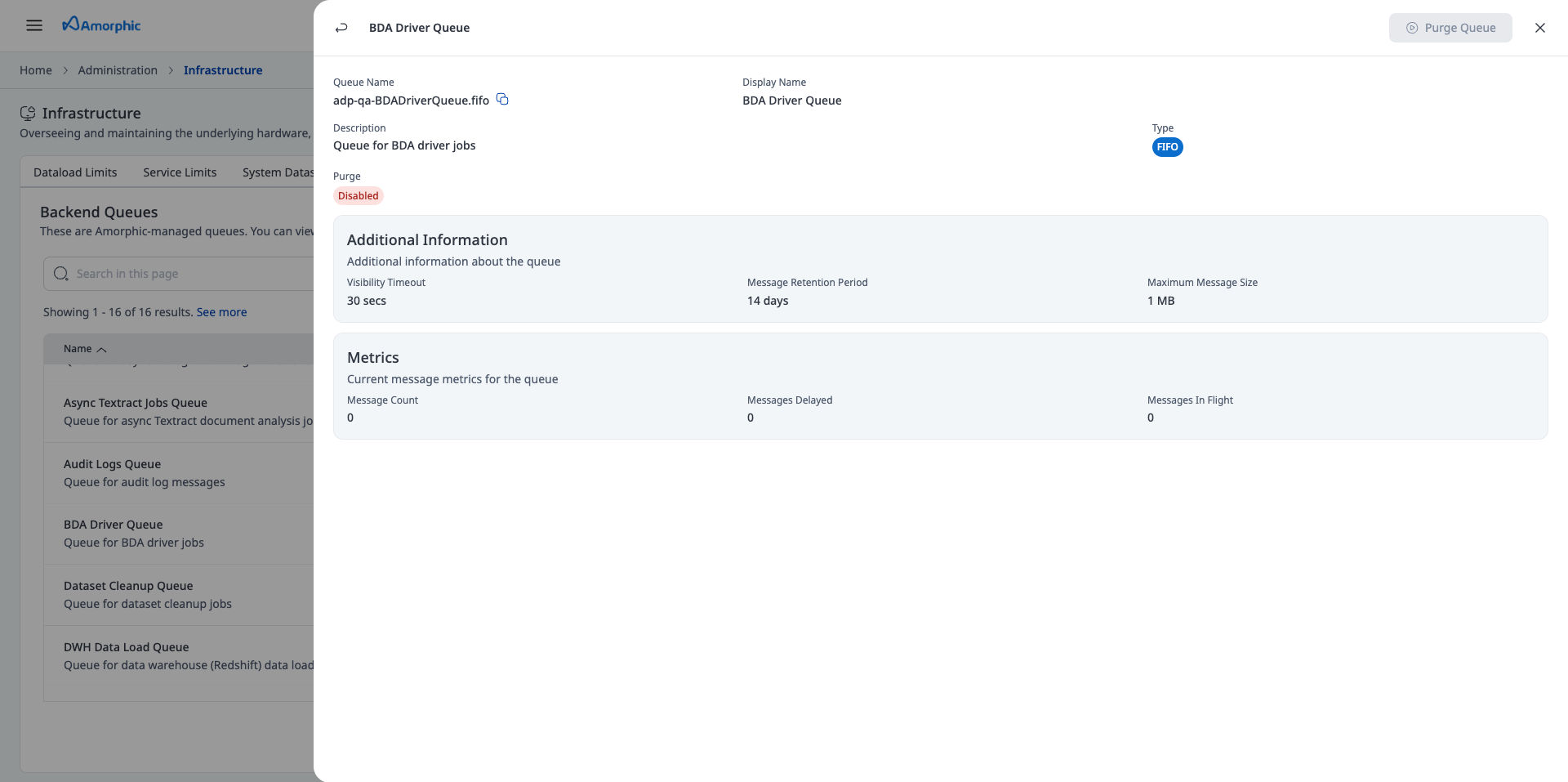
The details panel shows the selected queue's identity, configuration, purge status, and current metrics.
Identity
- Queue Name — Technical SQS queue name for the environment (for example
<project>-<environment>-BDADriverQueue.fifo). Use the copy control to copy it - Display Name — Name shown in the Backend Queues list
- Description — What the queue is used for
- Type — Standard or FIFO
- Purge — Enabled or Disabled. When Disabled, Purge Queue is inactive
Additional Information
These values come from the queue's SQS attributes:
- Visibility Timeout — How long a message stays hidden after a consumer receives it. If processing does not finish in this window, the message becomes visible again
- Message Retention Period — How long SQS keeps an unconsumed message before deleting it
- Maximum Message Size — Largest payload the queue accepts
Metrics
Message counts are approximate SQS values at the time you open the details panel. Refresh or reopen the panel to update them.
- Message Count — Messages waiting to be processed
- Messages Delayed — Messages not yet visible because a delay is still in effect
- Messages In Flight — Messages already received by a consumer and not yet deleted, or whose visibility timeout has not expired
Purge a queue
Purge permanently deletes every message currently in the queue, including in-flight messages. Use it to clear a stuck dead-letter queue after you have investigated the failed messages. You cannot recover purged messages.
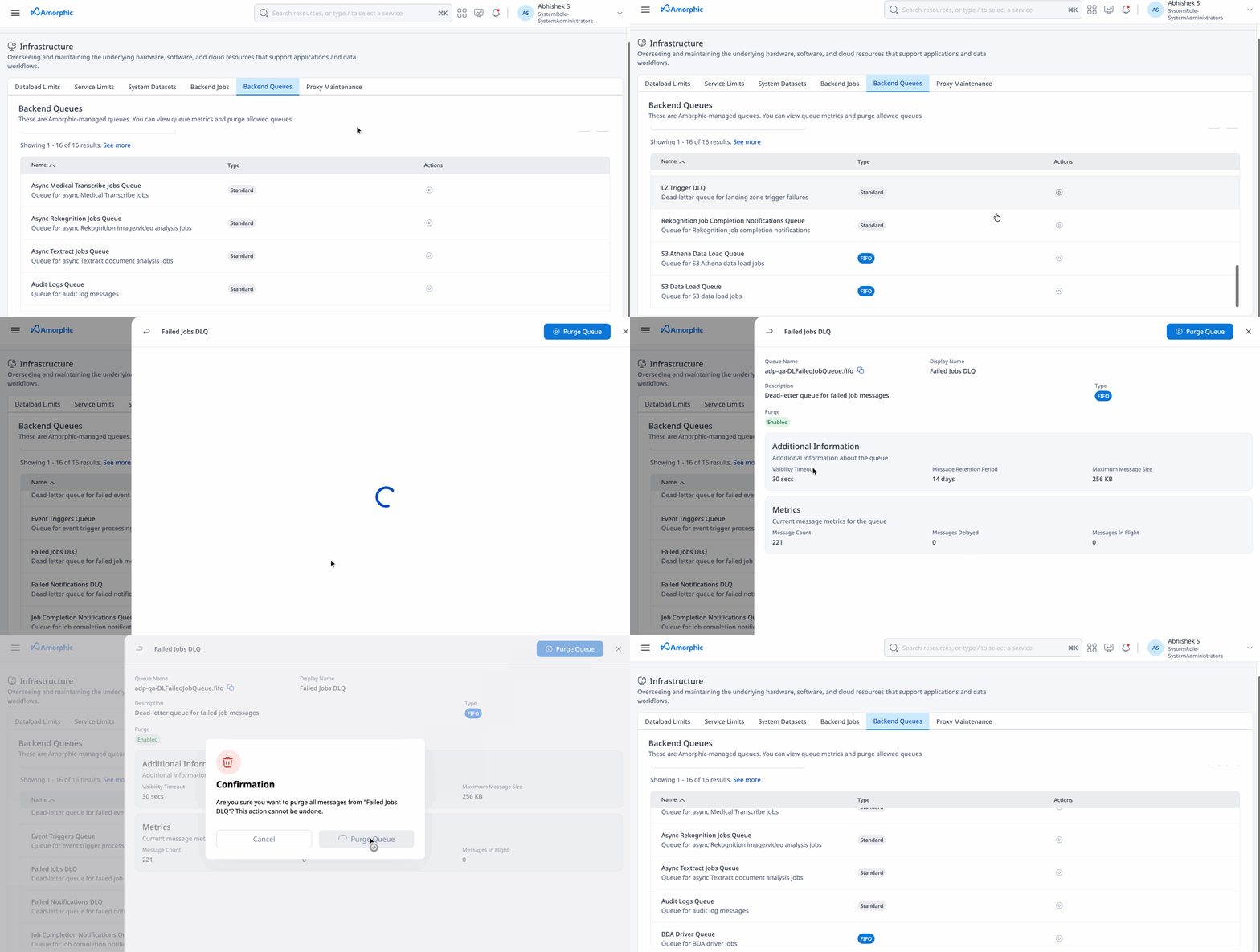
Purge is allowed only for:
- Failed Jobs DLQ
- Failed Notifications DLQ
- LZ Trigger DLQ
- Event Triggers DLQ
To purge an allowed queue:
- Open the queue details, or use the purge action on the row.
- Confirm Purge Queue. For queues where purge is Disabled, the button stays inactive.
After a successful purge, System admins receive an email and a push notification that the queue was purged, who triggered it, and the approximate message count
Purging deletes all messages in the queue and cannot be undone. Do not purge a dead-letter queue until you have captured or investigated the failed messages you still need. Amazon SQS can take up to 60 seconds to finish a purge, and you cannot start another purge on the same queue until that window ends. Messages sent during those 60 seconds can also be deleted.
If a purge is already in progress, Amorphic rejects the request. Wait one minute, then try again.