
Service Limits
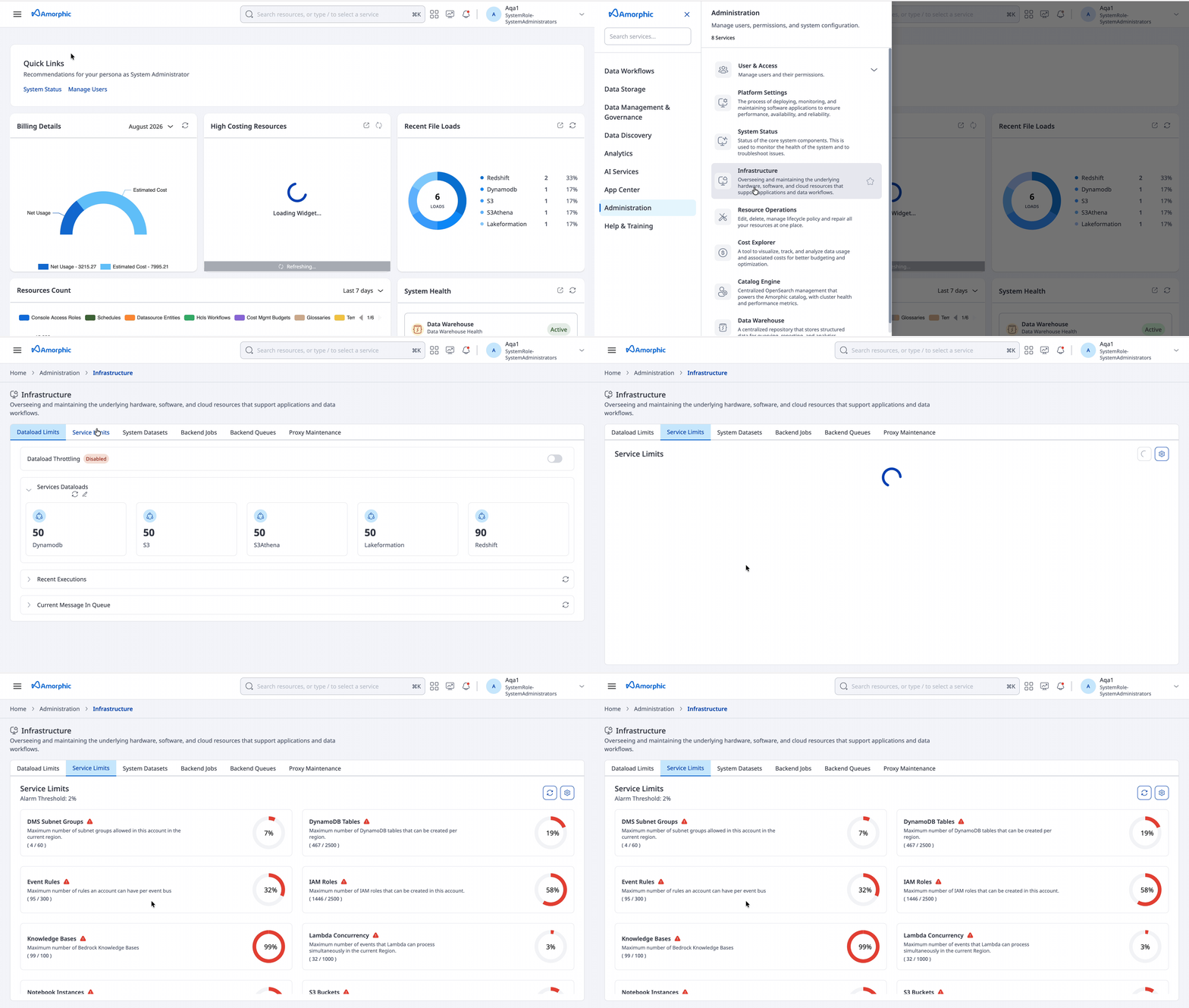
The Service Limits feature in Amorphic is a tool that helps users view and monitor AWS service usage within the Amorphic deployed AWS account. It allows users to set alarm thresholds and notify users when service usage breaches the set threshold percentages.
- Service usage datapoints are collected on-the-fly when users enter the Service Limits page
- Statistics are dynamically generated
- Each service displays an icon indicating its status:
- Green icon: service is well within the set threshold
- Yellow flag icon: service is approaching threshold
- Red alarm icon: service has breached threshold
Supported Services
Currently, the following services are supported:
- DMS Subnet Groups
- Dynamodb Tables
- Event Rules
- IAM Roles
- Lambda Concurrency
- Notebook instances
- S3 Buckets
- SES Sending quota
- SSM Parameters
- Tenant Limits
- Knowledge Base
Note: Some services may take longer to generate usage statistics (e.g., SSM Parameters).
Alarm Threshold Management
Users can update the alarm threshold percentage. This threshold:
- Is applied at the application level
- Applies to all services
- Triggers email alerts to subscribed users when exceeded
Email alerts include details of:
- Services that exceeded limits
- Actions required to address the issue
Important Information: Service limits feature works on top of AWS Service Quotas. In the event that account-level quota increases are required, users should request quota increases via AWS Service Quotas and NOT by raising a support case to AWS.