
Backend Jobs
With Backend jobs, users can monitor the progress of all ongoing backend tasks within the Amorphic system. This includes their execution rate and any additional information.
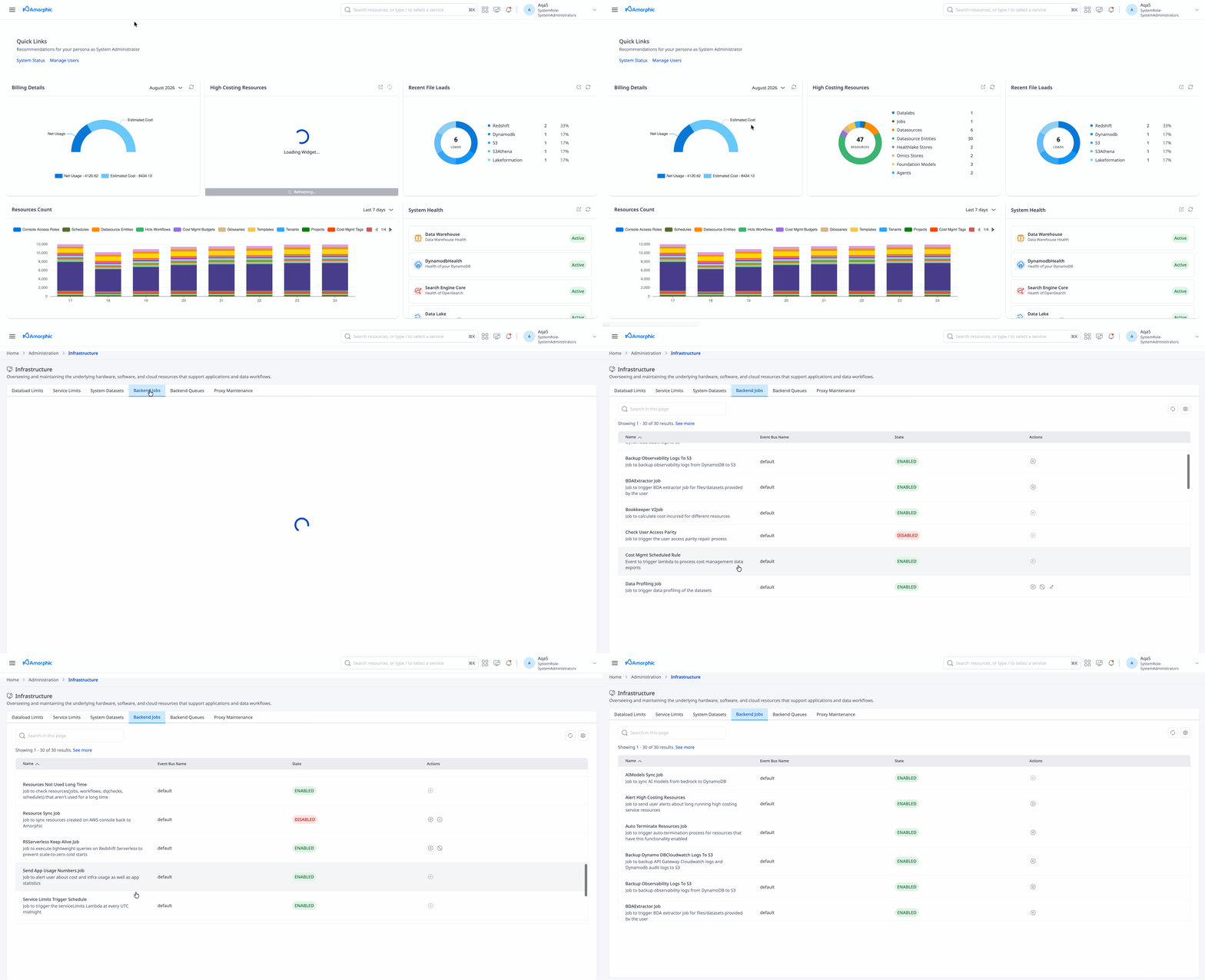
Job Management Features
Enabling/Disabling Backend Jobs
A selected set of backend jobs can be toggled on/off. These include:
- Data Profiling Job
- Resource Sync
- Update CloudWatch Logs Retention Policy
- BDA Extractor Job
- Redshift Serverless Keep Alive (
RSServerlessKeepAlive) — available only when Amorphic is deployed with Redshift Serverless
Running Backend Jobs on Demand
With release version 2.5, users can now run certain backend jobs on request:
- Alert High Costing Resource
- Auto Terminate Resources
- Backup Cloudwatch Logs to S3
- Backup Observability Logs to S3
- Resource Sync
- Data Profiling Job
- Workflows time based Event
- BDA Extractor Job
- Redshift Serverless Keep Alive (
RSServerlessKeepAlive) — Redshift Serverless deployments only
Redshift Serverless Keep Alive
When Amorphic uses Amazon Redshift Serverless, idle workgroups can scale to zero and the next query can hit a cold start. The RSServerlessKeepAlive backend job periodically runs a lightweight SELECT 1 against the Amorphic workgroup to help keep compute warm.
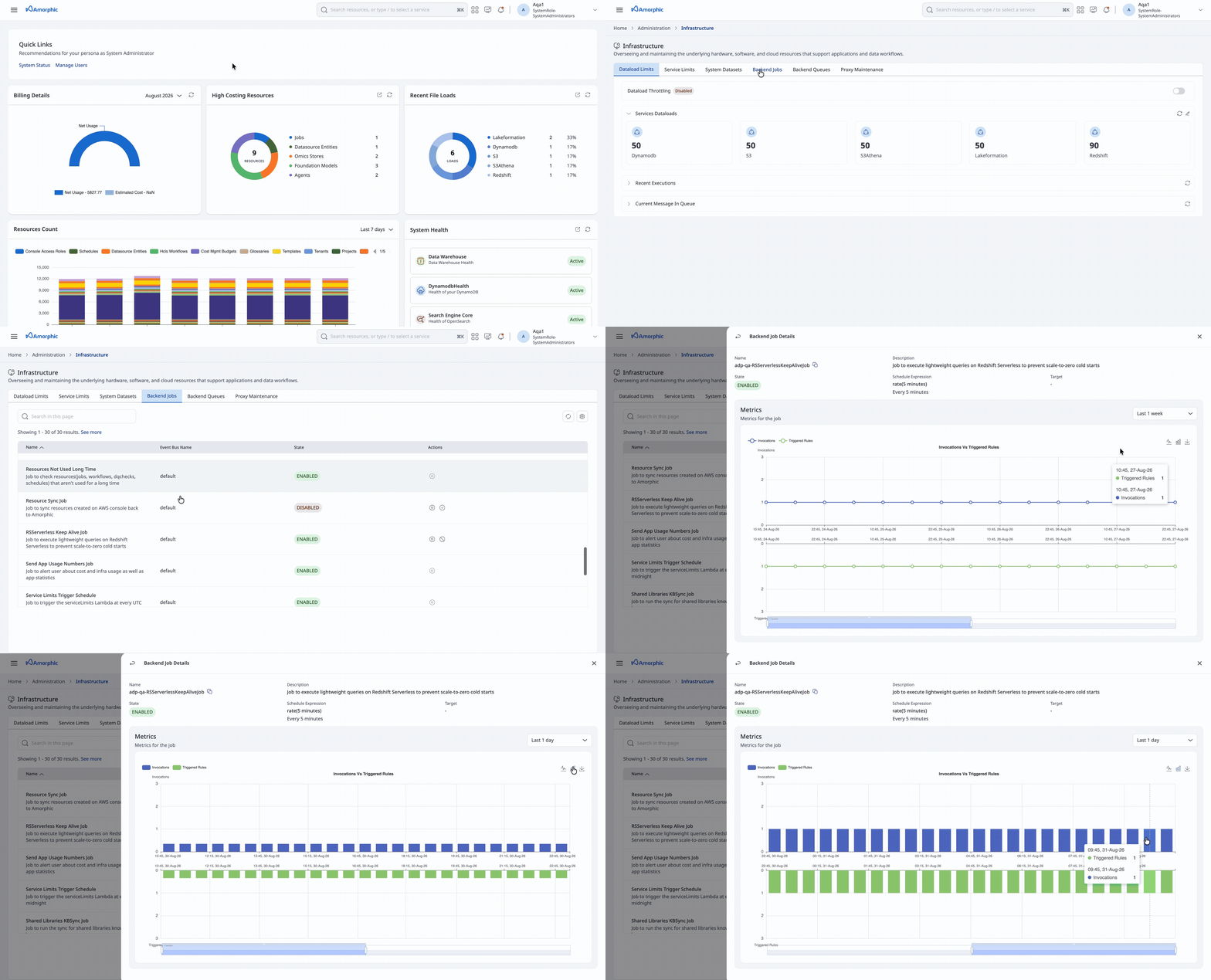
- The job is created only for Redshift Serverless deployments and is disabled by default.
- Default schedule: every 10 minutes, Monday–Friday, 07:00–23:00 UTC.
- Enable or disable the schedule, or trigger a one-off run, from the Backend Jobs panel.
- Keeping the workgroup warm can reduce cold-start delays for queries and platform operations, but may increase Redshift Serverless compute usage. See Redshift Serverless keep-alive.
Special Configuration Requirements
-
For Backup Cloudwatch Logs to S3 and Backup Observability Logs to S3: Users need to specify the date range, then the logs during that period will be backfilled to S3.
-
For Data Profiling Job: Users need to select the dataset IDs to run the profiling job. Data profiling jobs for a maximum of only 10 datasets can be triggered in a single request.
User furthur has freedom to provide the following parameters to adjust the profiling job at either execution or at the job level itself:
- Number Of Workers(DPU capacity) - Currently maximum configurable is uptil 8 hours
- Timeout - Currently maximum configurable is between 2 and 10
- For BDA Extractor Job: Powers Smart Extraction (via BDA). On its daily schedule, it processes datasets with Smart Extraction enabled in change data capture (CDC) mode (files since the last successful extraction). When you run it on demand, select dataset IDs and a file processing mode. Optionally set a target dataset (file type others); if omitted, Amorphic auto-creates one. See also Smart Extraction on datasets.
-
Smart Extraction / BDA Extractor is available only in supported Regions: us-east-1, us-west-2, eu-west-1, eu-west-2, eu-central-1, ap-south-1, ap-southeast-2, and us-gov-west-1.
-
Only one concurrent run of the BDA Extractor Job is allowed. If a run is already in progress, wait and try again.
-
You can configure the BDA Extractor Job globally for how content types are extracted:
- Modalities: Document, Image, Video, Audio
- Document output format: PLAIN_TEXT, HTML, MARKDOWN, or CSV
- Per-modality options: for example document granularity and bounding boxes; image/video generative and extractive features (summary, text detection, logos); audio summary and transcript
- Job capacity settings: Timeout (1–480 minutes) and MaxCapacity (
0.0625or1)
For the full option list, see BDA Node configuration. These settings apply to the extraction process globally—all Smart Extraction runs going forward use the configuration set here.
Note: Users can backfill API Gateway logs of max 30 days older and for the Observability logs backfill period is 10 days.