Version: v3.4 
Datasources
A datasource in Analytics Studio is the secure connection between Analytics Studio and your data in Amorphic. It tells QuickSight where to read schemas and tables from—such as through the default Athena datasource or a Redshift datasource you create—so datasets and assets can access the right underlying data.
- Automated lifecycle: When a user is registered with an Admin or Author role, a dedicated Athena datasource is automatically created for them.
- Cleanup: To maintain security and environment hygiene, this Athena datasource is automatically deleted when the user is removed from Analytics Studio.
- Manual creation: You can create additional Redshift datasources from Analytics Studio. Creating other datasource types manually is not currently supported.
How to create a datasource
Currently, only creation of Redshift datasources is supported.
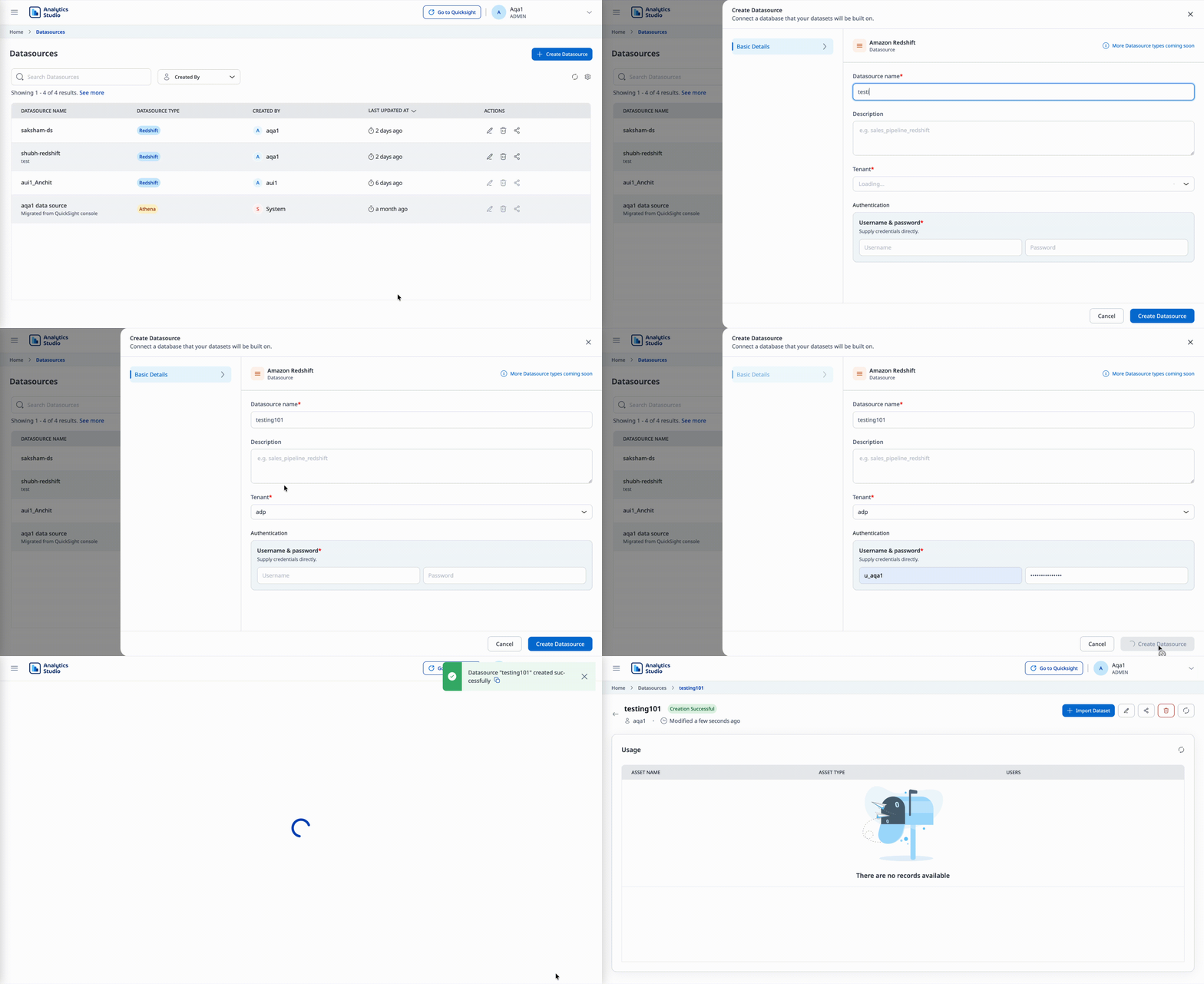
- Navigate to the Datasources listing page.
- Click Create Datasource.
- Enter the Datasource name and description.
- Select an Amorphic tenant, which becomes the database for the datasource. The tenant contains schemas and tables.
- Enter the username and password so the datasource can connect to the Amorphic Redshift service.
- Complete the creation to finish.
How to edit a datasource
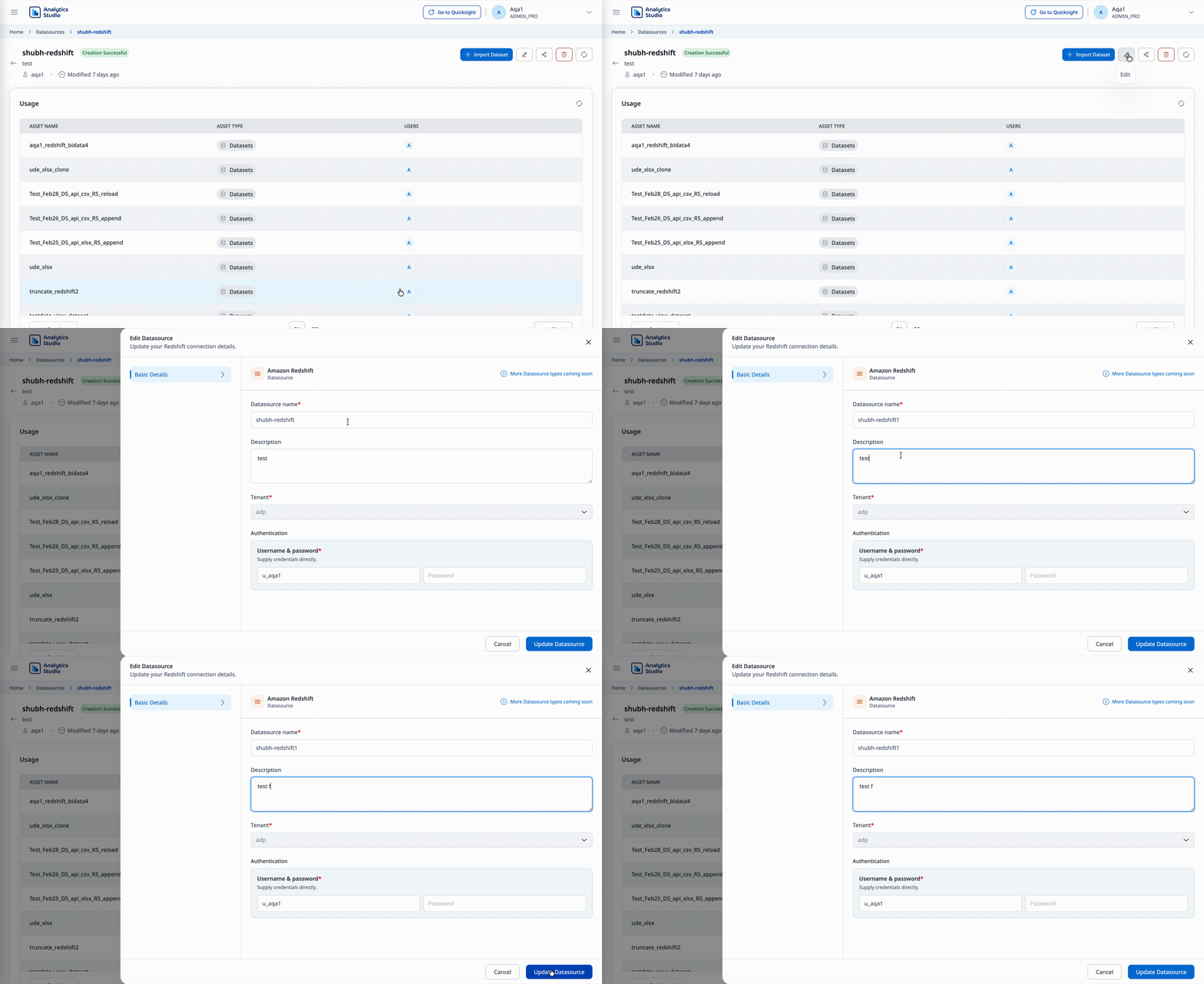
- Navigate to the datasource detail page.
- Click the Edit icon in the top-right corner.
- An edit window appears.
- Update the Name, description, username, and password as needed.
- Save your changes.
Note
The tenant (database) cannot be edited after the datasource is created.
How to delete a datasource
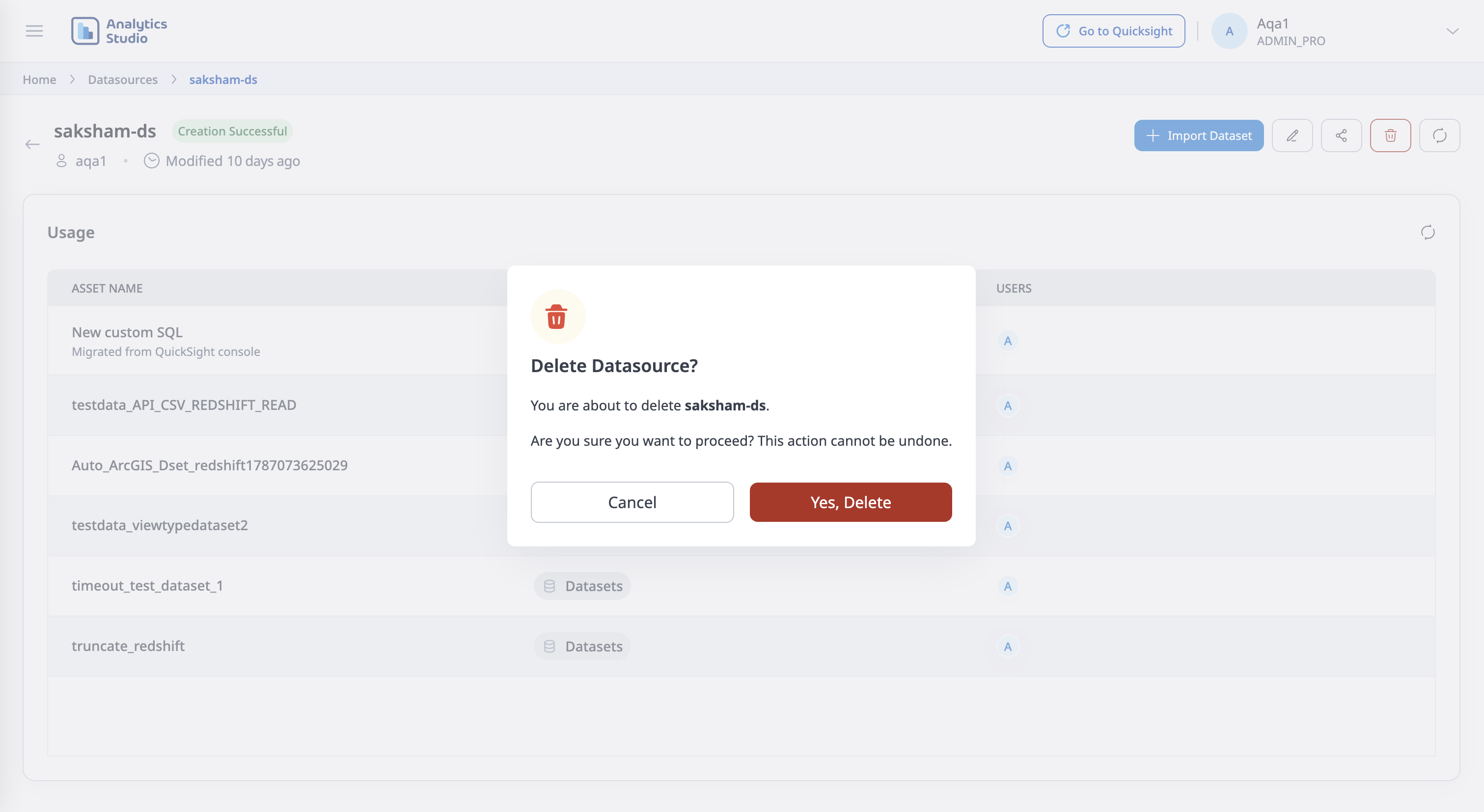
- Open the datasource.
- Click Delete datasource.
Before deleting, make sure no other assets depend on the datasource. Remove or reassign dependent assets first, then delete the datasource.
How to share a datasource
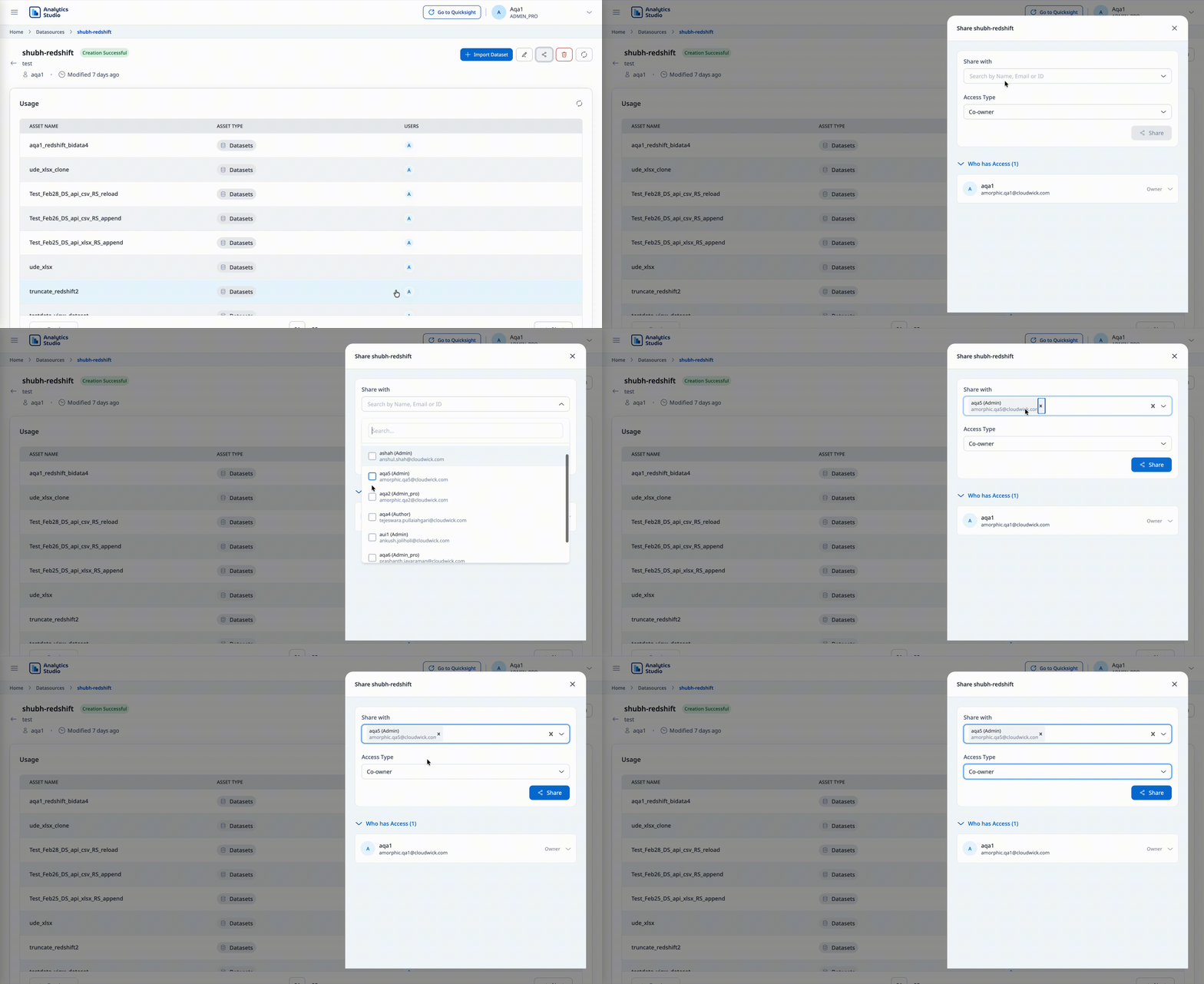
- Open the datasource detail page.
- Click on Share datasource icon.
- Assign access to the required users.
Next Steps
- Learn how to manage datasets - See Datasets.
- Understand data source concepts - See Datasources.