
Code Templates
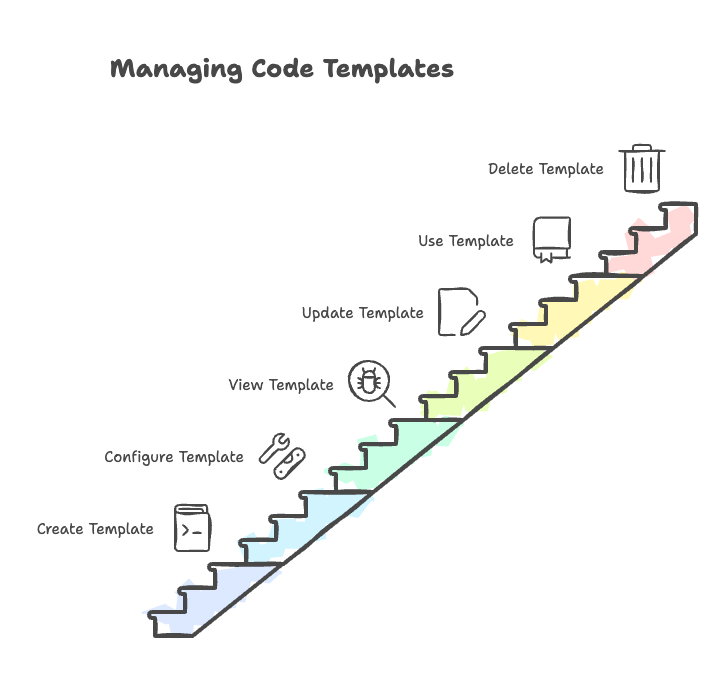
Amorphic Code Templates provide a quick way to create boilerplate code and parameterized scripts that can be attached to resources. They help streamline the code creation process by offering ready-to-use code structures that can be customized as needed.
Creating a Code Template
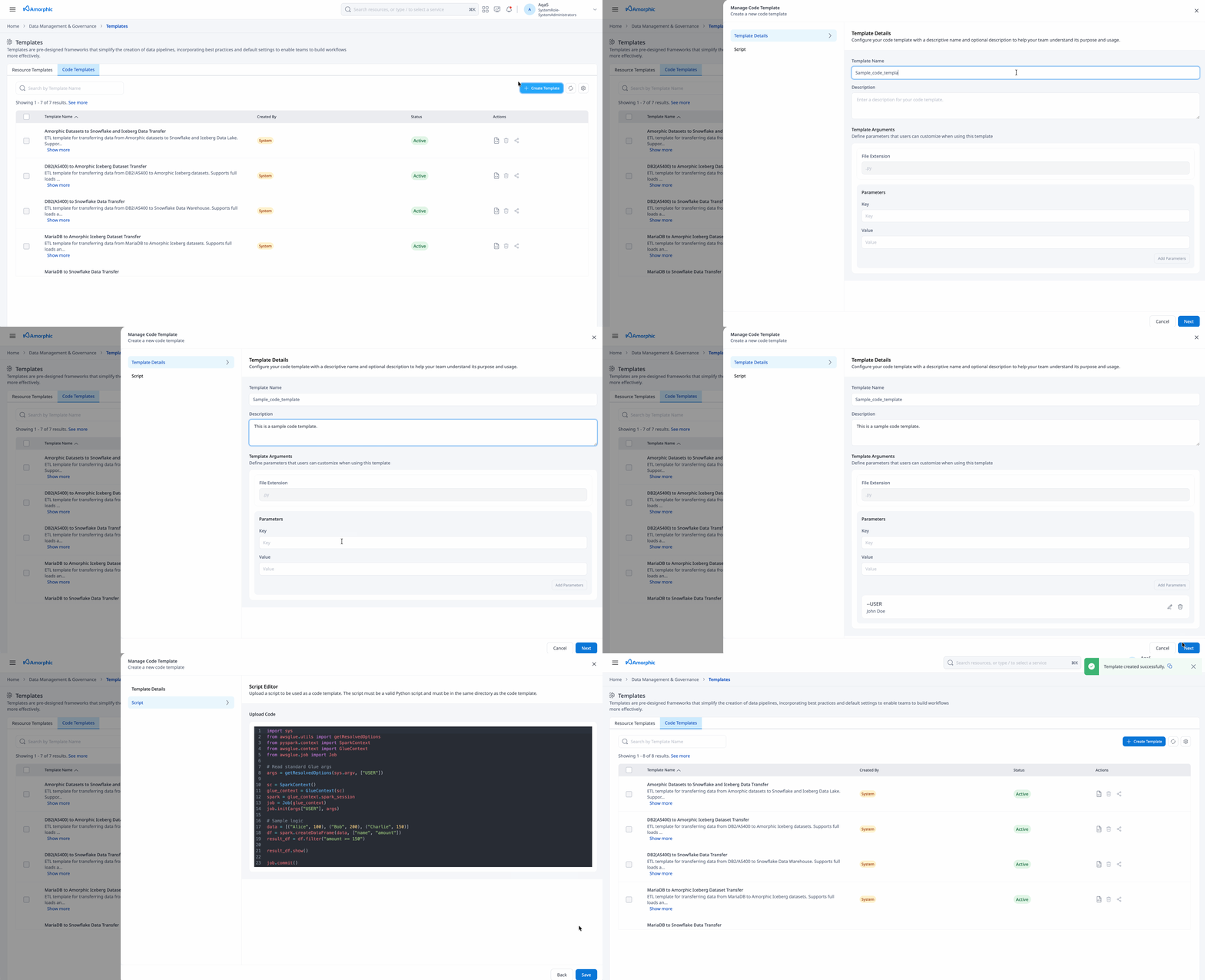
To create a new code template:
- Navigate to the Templates page and switch to the Code Templates tab
- Click the Create Template button in the top-right corner
- Fill in the Template Details:
| Attribute | Description |
|---|---|
| Template Name | Enter a unique name for the code template |
| Description | Add a description explaining what the code template does |
| Template Arguments | Arguments which will fill up the placeholder values in the user provided code snippets |
- In the next Script Editor panel, upload the required script file to be used as code template. Upon upload, user is free to update it in the same editor panel.
- Click
Saveto create a code template
System Code Templates
The following system code templates are available by default. They pair with the corresponding Jobs system resource templates on the Templates page (for example Amorphic-Snowflake/Iceberg, DB2/MariaDB migration, and schema synchronization Spark job templates).
| Template Name | Description |
|---|---|
| Amorphic Datasets to Snowflake and Iceberg Data Transfer | ETL template for transferring data from Amorphic datasets to Snowflake and Iceberg Data Lake. Supports full loads and incremental CDC operations. Features customizable ETL transformations and column sanitization. Useful to migrate data from Bronze Layer datasets into target Snowflake and Iceberg Gold Layer Datasets. |
| DB2(AS400) to Snowflake Data Transfer | ETL template for transferring data from DB2/AS400 to Snowflake Data Warehouse. Supports full loads and incremental CDC operations via MODE parameter. Features data type mapping, column sanitization, and optimized batch processing. |
| DB2(AS400) to Amorphic Iceberg Dataset Transfer | ETL template for transferring data from DB2/AS400 to Amorphic Iceberg datasets. Supports full loads and incremental CDC operations via MODE parameter. Features data type mapping, column sanitization, and automatic dataset registration with Amorphic platform. |
| MariaDB to Snowflake Data Transfer | ETL template for transferring data from MariaDB to Snowflake Data Warehouse. Supports full loads and incremental CDC operations via MODE parameter. Features data type mapping, column sanitization, and optimized batch processing. |
| MariaDB to Amorphic Iceberg Dataset Transfer | ETL template for transferring data from MariaDB to Amorphic Iceberg datasets. Supports full loads and incremental CDC operations via MODE parameter. Features data type mapping, column sanitization, and automatic dataset registration with Amorphic platform. |
| Multi-Database Schema Synchronization | Comprehensive schema synchronization template for multi-database table creation. Extracts table schemas from heterogeneous source systems (AS/400 DB2, MariaDB) and creates corresponding target tables in both Amorphic (Apache Iceberg) and Snowflake platforms. Features intelligent data type mapping, column sanitization, and dual-target architecture. |
- System code templates are not executable out of the box; customize them for your use case.
- When creating a job, provide all required template parameters for the selected code template.
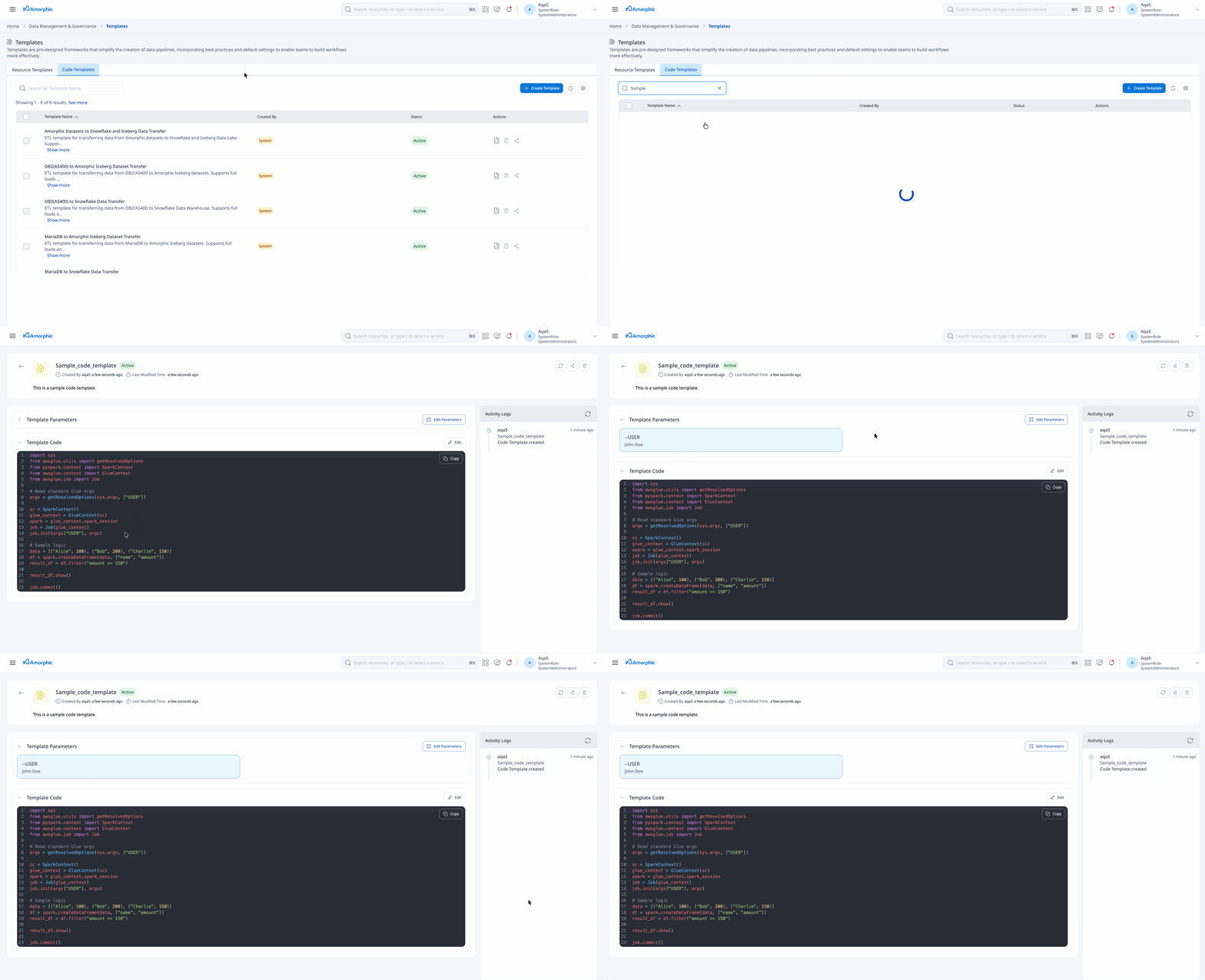
View Code Template
When viewing a code template, you can see the following sections:
- Template Parameters: This section will have the parameters defined for usage of that template
- Template Code: This section will contain the preview of the template uploaded
It also displays the actions to refresh, edit, share, and delete the code template. These actions are only applicable for user-created templates; users cannot edit or delete system-generated code templates.
Updating a Code Template
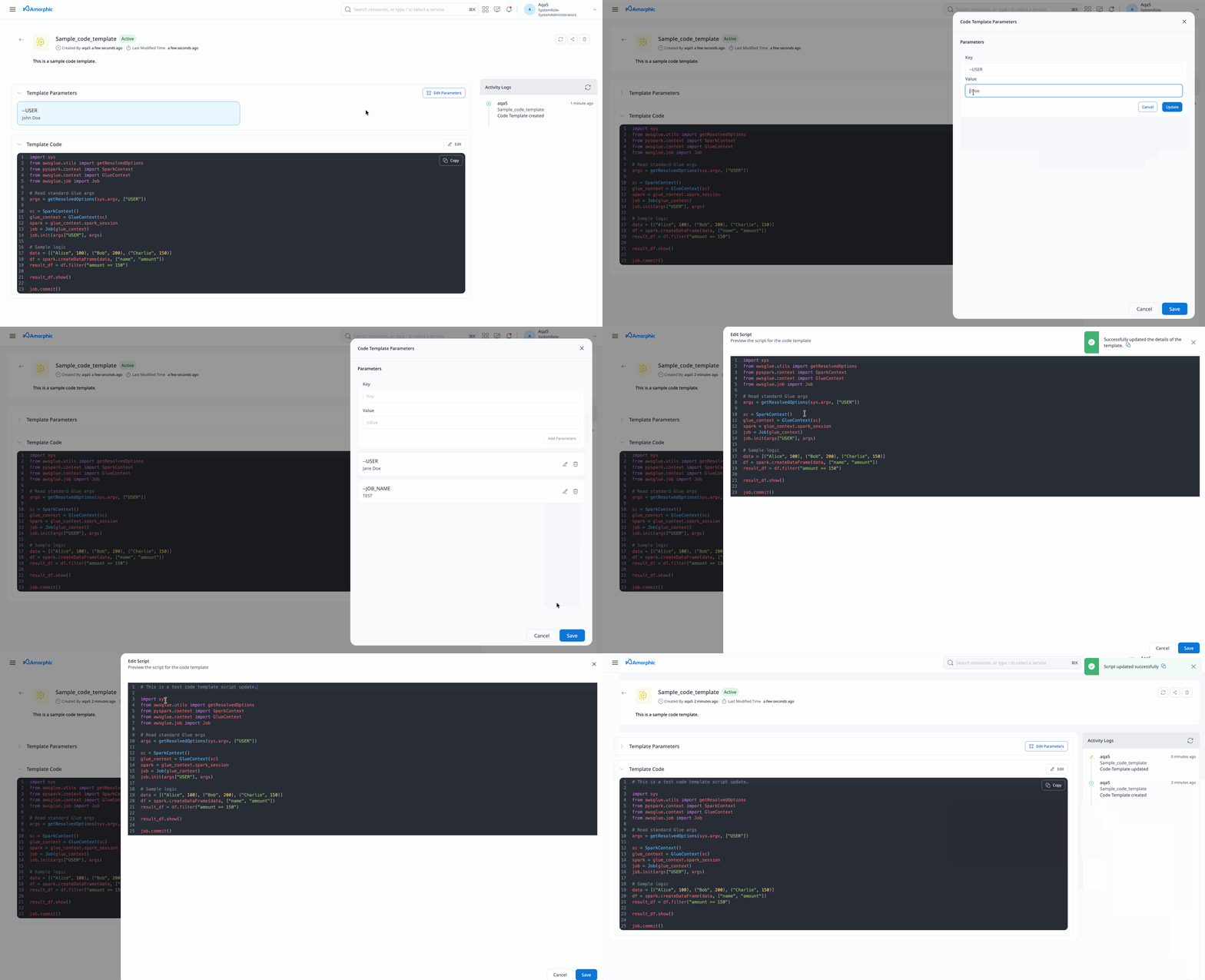
User can freely update the template parameters or code for the template. To modify an existing code template:
- Modify the Template Code
- Click Save to update the code template
- System code templates cannot be edited or deleted
- Only user-created templates can be modified or removed
- Be cautious when deleting templates as this action cannot be undone
Using Code Templates
To use a code template:
- Navigate to the appropriate section (ETL Jobs)
- Click Create New and select From Template
- Choose the desired resource template (e.g., Python shell job, Spark job, or a migration/schema-sync Spark job template)
- Customize the parameters and placeholders
- In the Script Editor, users have two options: either select the code template or write their own script
- Save and execute as needed
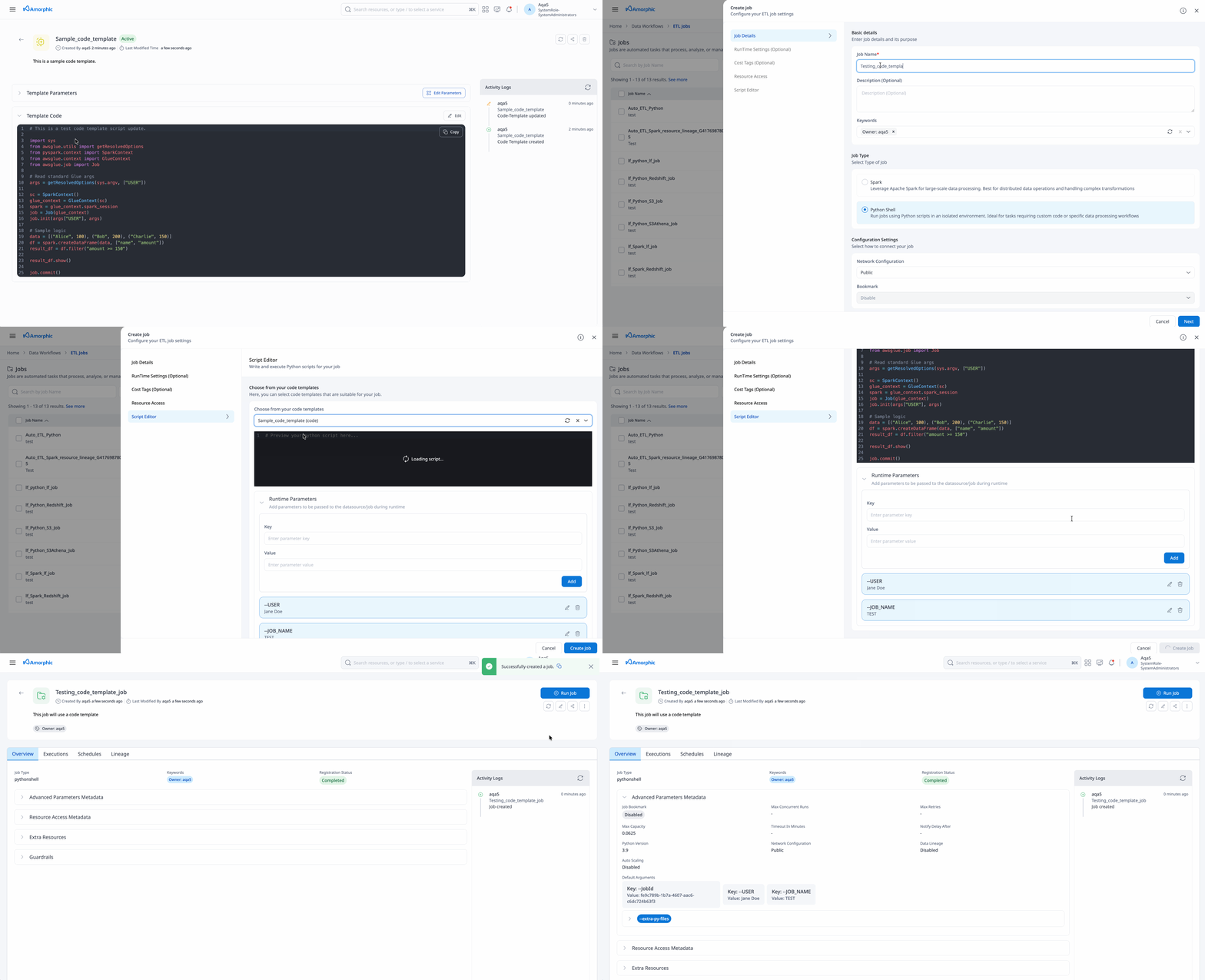
With this job creation process, the job creation is a one-step process and the job will go to the registered status.
Deleting a Code Template
To remove a code template:
- Click the delete icon (trash) in the Actions column
- A confirmation dialog will appear
- Click Delete Code Template to confirm
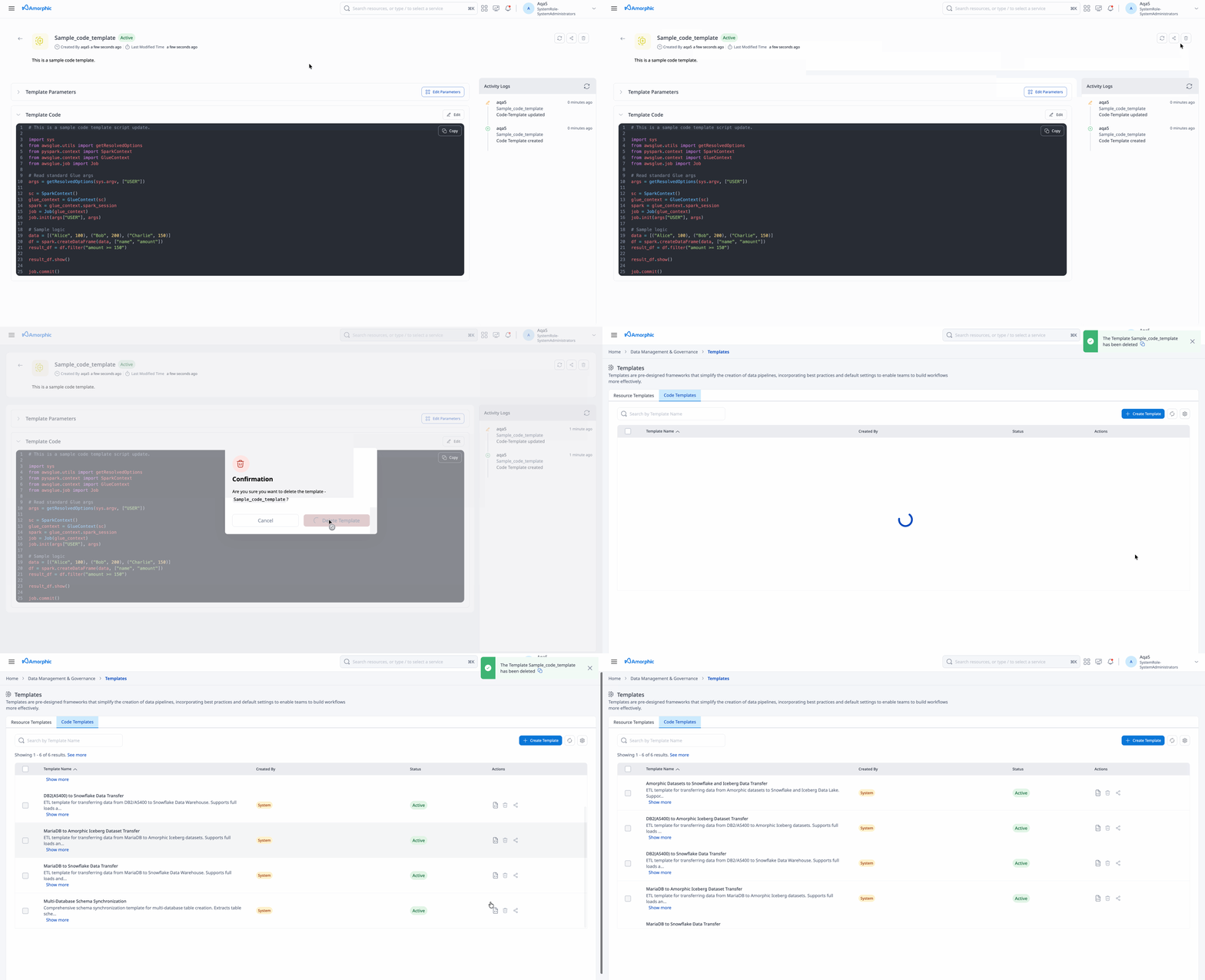
Best Practices
- Use clear, descriptive names for code templates
- Include comprehensive comments and documentation within the code
- Use meaningful variable names and placeholders
- Test the template by creating code from it after making changes
- Follow coding standards and conventions for the selected language
- Include error handling and logging in your templates
- Make templates reusable and parameterized
- Document any dependencies or requirements