
AI Data Pipelines
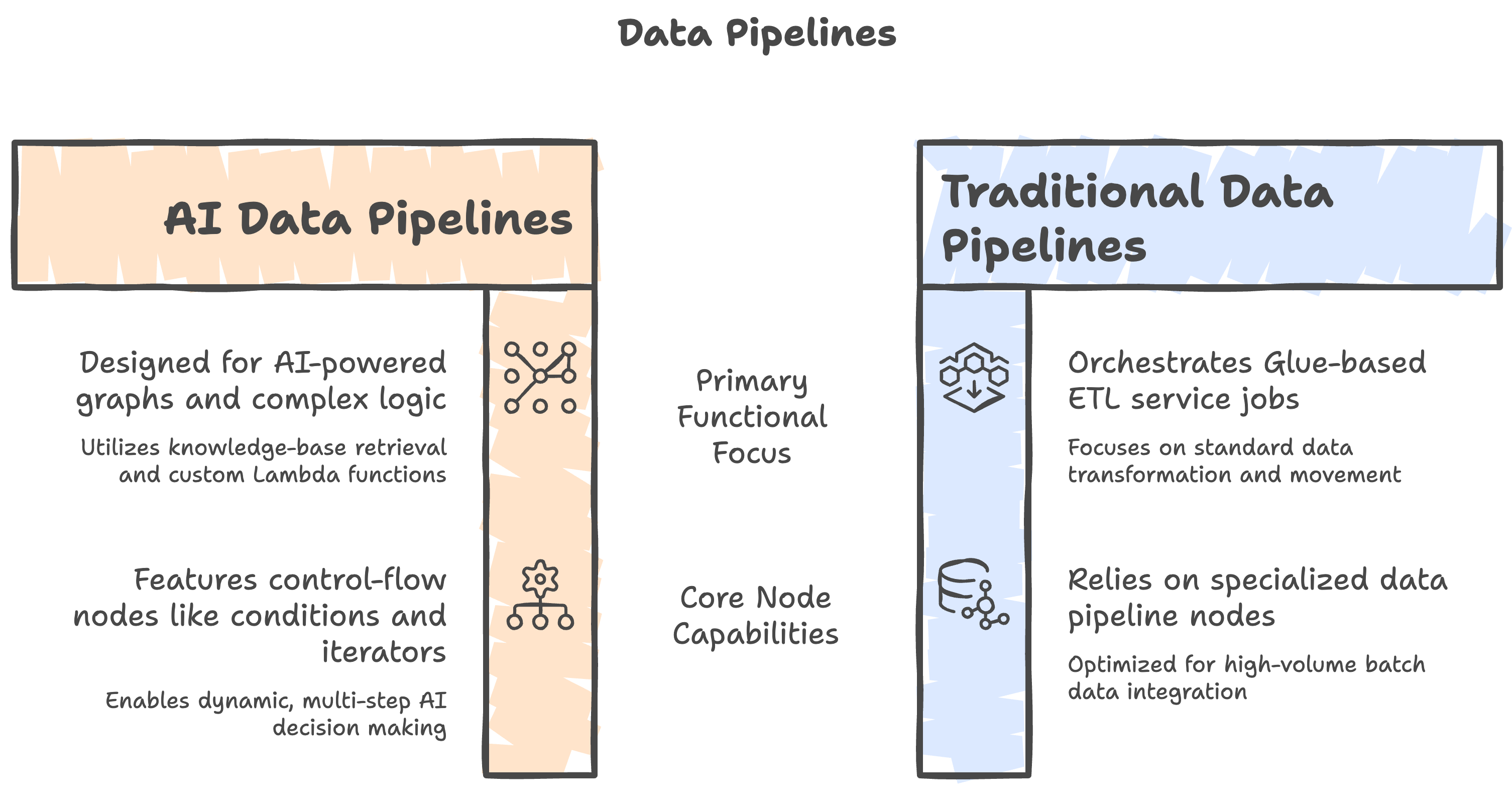
AI Data Pipelines (AI Flows) let you design AI-powered graphs on Amazon Bedrock Flows. Use them when you need knowledge-base retrieval, custom Lambda logic, dataset read/write, and control-flow nodes (conditions, iterators) in one pipeline.
They are separate from Traditional Data Pipelines, which orchestrate Glue-based ETL, AWS AI service jobs, and related nodes. For traditional pipelines, see Overview and Data Pipeline Nodes.
Choose Pipeline Type
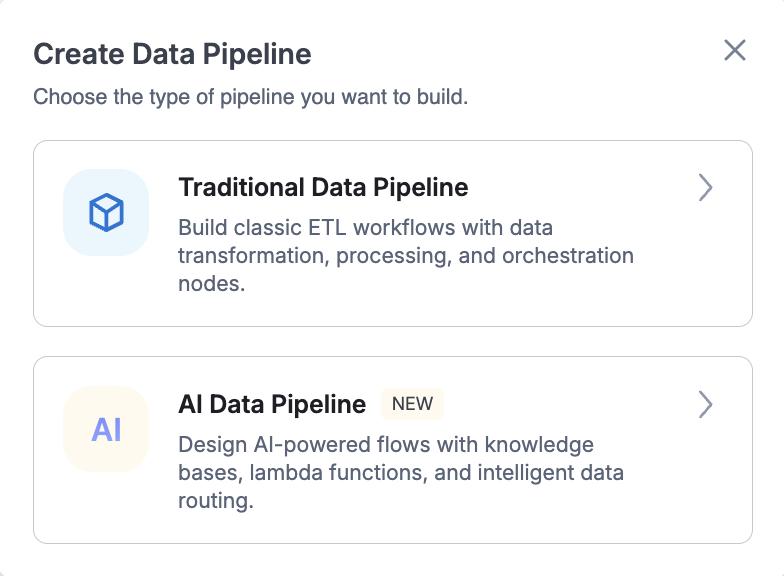
When you create a data pipeline, Amorphic asks which type to build:
- Go to Data Pipelines and click Create
- In Create Data Pipeline, choose:
- Traditional Data Pipeline — classic ETL workflows with transformation, processing, and orchestration nodes
- AI Data Pipeline (marked NEW) — AI-powered flows with knowledge bases, lambda functions, and intelligent data routing
- Continue with the AI Data Pipeline designer
Prerequisites
- Data Pipelines capability enabled for your environment
- AI services enabled where required for Bedrock Flows / traces
- Access to any knowledge bases, datasets, or shared libraries you attach to nodes
- For custom code nodes: a Python package that defines
lambda_handler(see LambdaFunction node)
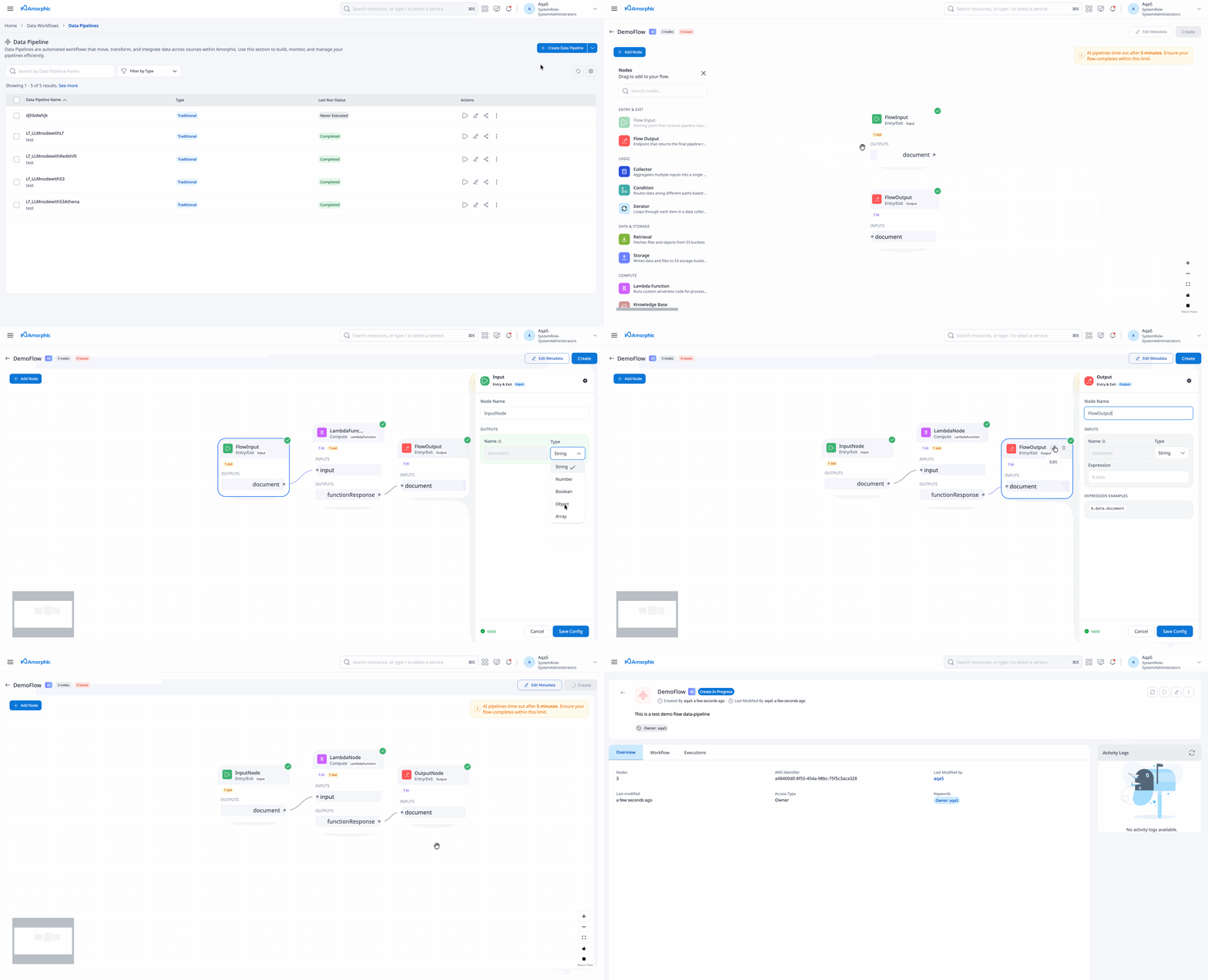
Create an AI Data Pipeline
- Choose AI Data Pipeline in the create modal
- Enter pipeline details mentioned below and build the graph with AI Flow nodes
| Attribute | Description |
|---|---|
| Pipeline Name | Unique name, 3–120 characters. Letters, numbers, and underscores only. Must not end with _. |
| Description | Optional description of the flow |
| Default Execution Properties | Optional defaults for runs. Currently only InputString is supported for AI Data Pipelines. |
| Keywords | Optional tags for search and organization |
- For each LambdaFunction node, upload custom code when prompted (or after create). Then save to start asynchronous provisioning.
- AI Data Pipelines do not support max concurrent runs, schedules, or stop on executions.
- Unlike traditional pipelines, AI Data Pipelines do not use arbitrary execution-property key/value pairs. The only usable execution property today is
InputString(as a default on the pipeline and/or when you start a run).
- Pipeline names must not end with
_(Bedrock/Lambda id composition). - LambdaFunction node names must not contain
_.
Create and update are asynchronous. Status moves through create_in_progress / update_in_progress to create_complete / update_complete (or *_failed). Wait until the pipeline is complete before running it.
Graph and Expressions
Connect nodes so data flows from Input through processing nodes to Output.
- Expressions on inputs use Bedrock Flows style and must start with
$.data(for example$.data,$.data.field). - If an input expression is omitted, the platform defaults it to
$.data. - Output configurations must not include expressions.
- Make sure the output of a parent node is of same data type as the input of the child node.
Use Bedrock-compatible $.data… expressions when wiring node inputs. Invalid expression formats are rejected at create/update validation. Refer to the Amazon Bedrock Flows expressions documentation for more details.
Nodes (Summary)
| Node | Purpose |
|---|---|
| Input | Entry point for the flow (document output) |
| Output | Exit point for the flow result |
| KnowledgeBase | Retrieve from an Amorphic knowledge base |
| LambdaFunction | Run custom Python in AgentCore Code Interpreter |
| Retrieval | Read an object from a dataset (DLZ) |
| Storage | Write an object to a dataset (LZ) |
| Condition | Branch the graph based on conditions |
| Iterator | Process array items one by one |
| Collector | Collect iterator results back into an array |
Full field and I/O details: AI Flow Nodes.
Traditional Glue nodes (ETL Job, LLM, BDA, Email, Textract, and similar) are not available on AI Data Pipelines.
View an AI Data Pipeline
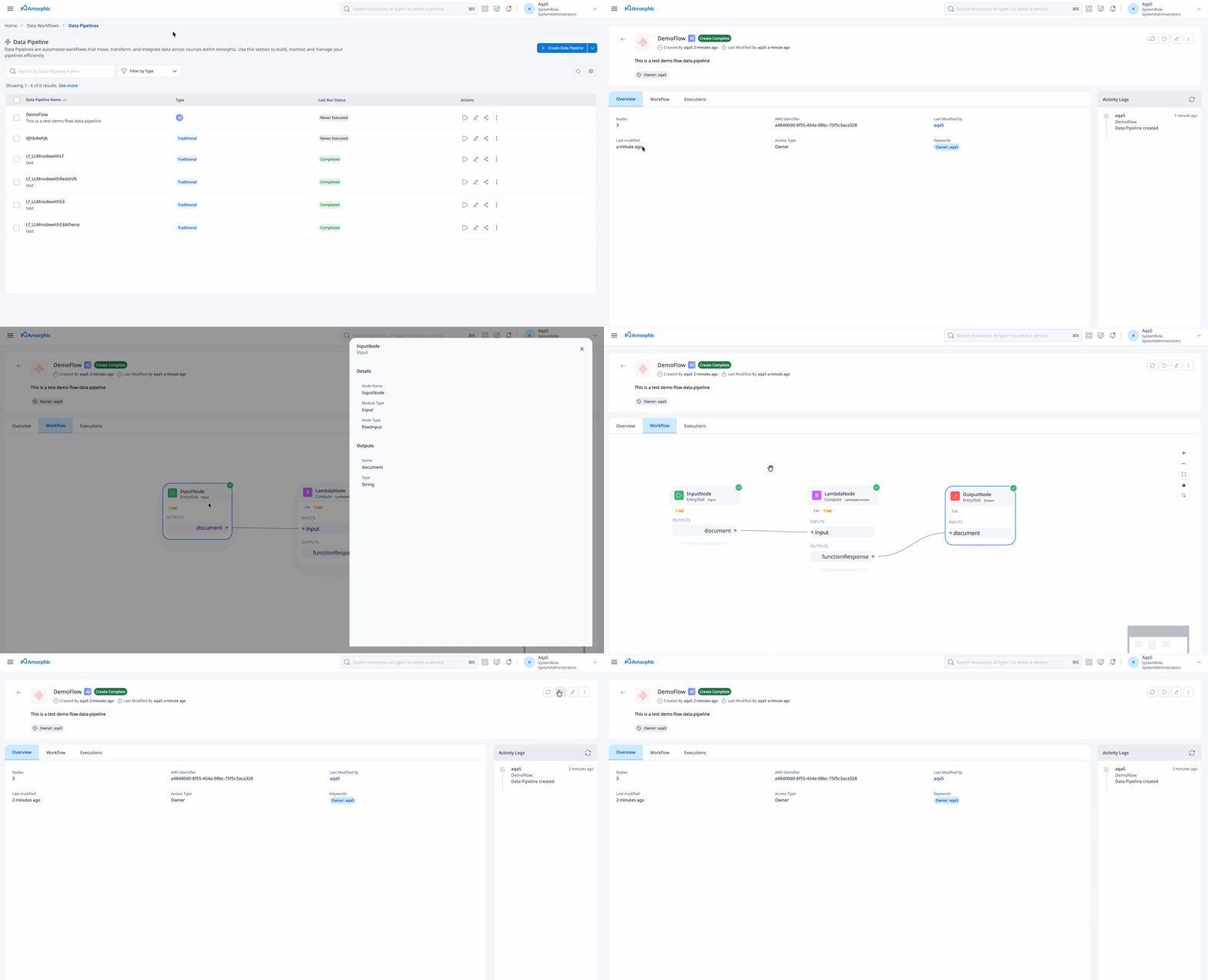
Open any AI Data Pipeline from the listing to open its details page. The details page shows the configuration created for the pipeline and the actions you can take next.
On the details page you can:
- Review pipeline name, description, keywords, and status (
create_in_progress,create_complete,create_failed, and the matching update statuses) - Inspect the graph and attached AI Flow nodes
- Review default execution properties — only
InputStringis usable today - Run the pipeline when status is
create_completeorupdate_complete - Open executions to monitor runs and download traces
- Edit option for the whole pipeline
- Edit Nodes, clone or delete the pipeline from the overflow (three-dots) menu when no execution is running
- create_in_progress / update_in_progress — Provisioning or updating; wait before running
- create_complete / update_complete — Ready to run
- create_failed / update_failed — Fix configuration or package, then update and retry
Avoid starting conflicting edit or delete actions while status is still in progress.
Update an AI Data Pipeline
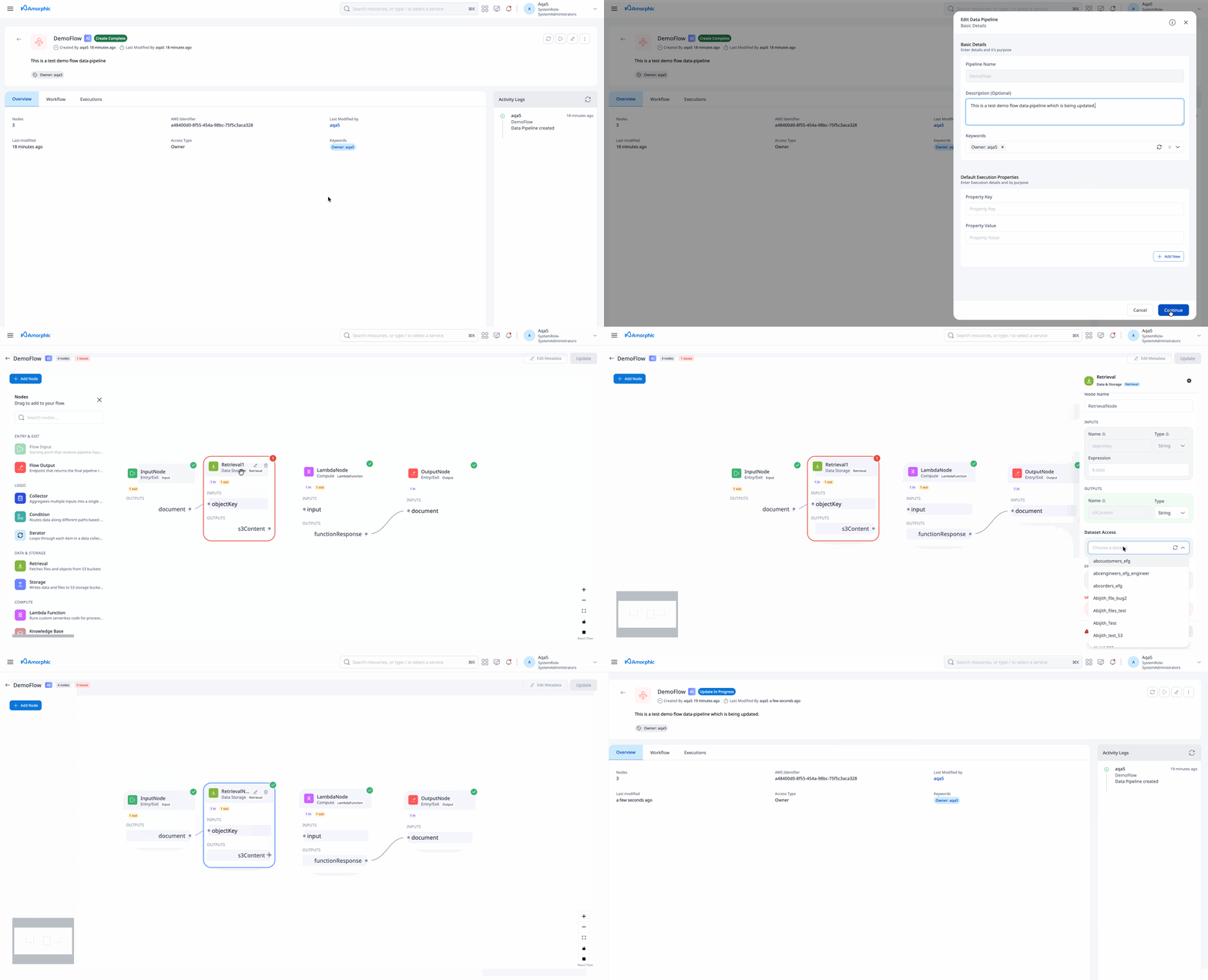
- Open the pipeline details page
- Use Edit from the top corner options
- Change description, keywords, default
InputString, graph, or nodes as needed - Re-upload custom code for LambdaFunction nodes if the package changed
- Save to start an asynchronous update
Update follows the same status pattern as create (update_in_progress → update_complete or update_failed). Wait until update completes before running the pipeline.
You cannot update a pipeline while an execution is RUNNING or STOPPING. Wait for running executions to finish first.
Run a Flow
- Open an AI Data Pipeline in
create_completeorupdate_completestatus - Start an execution
- Provide InputString for the run, or rely on a default
InputStringset under Default Execution Properties - Input is validated against the Input node
documenttype (String, Number, Boolean, Object, or Array)
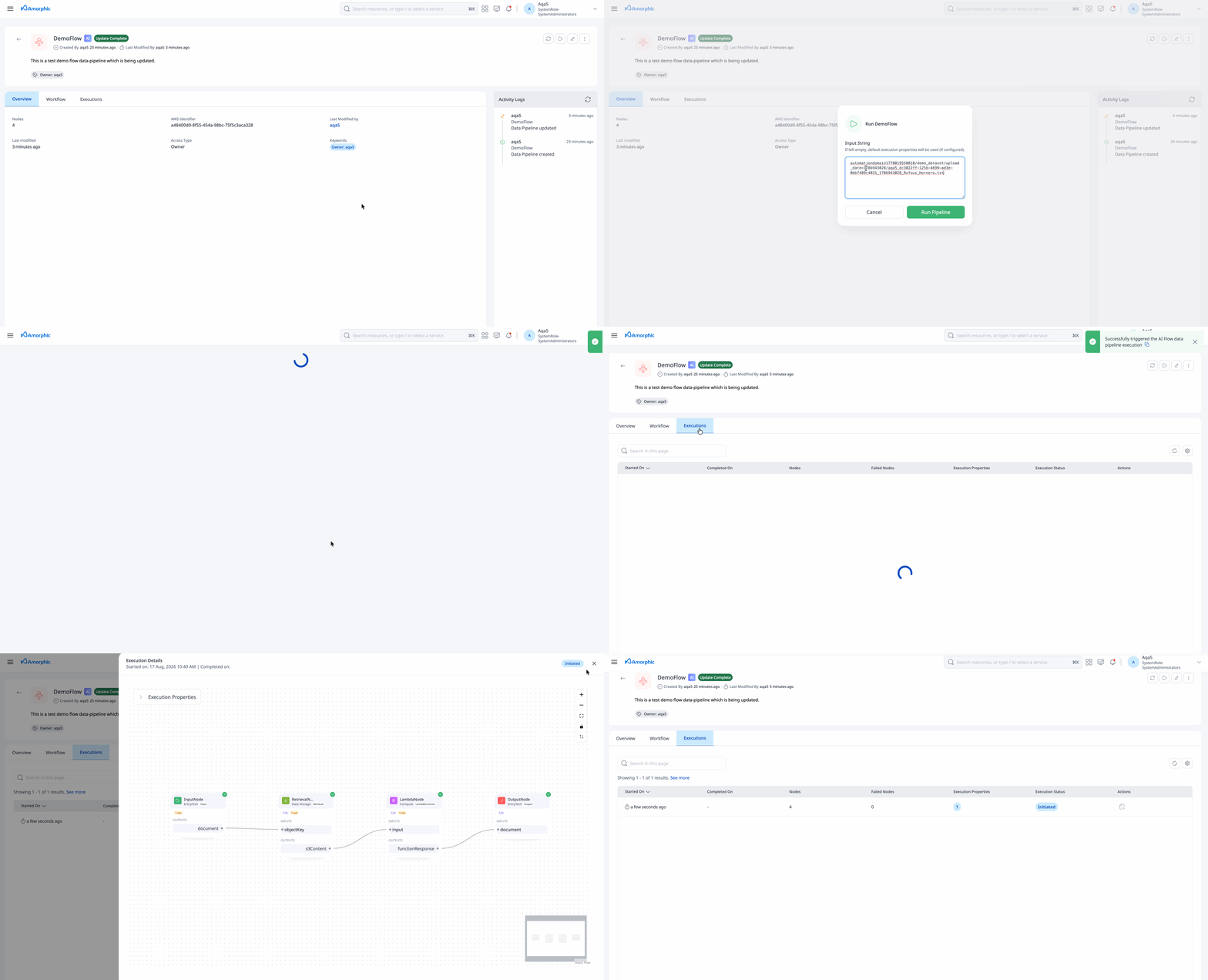
- There is no stop control for AI Data Pipeline executions. Wait for the run to complete or fail.
- The only execution property AI Data Pipelines accept today is
InputString. Other traditional pipeline execution properties are not used.
Execution statuses
| Level | Statuses |
|---|---|
| Pipeline execution | Initiated → RUNNING → COMPLETED or FAILED |
| Per node | NOT_STARTED, RUNNING, SUCCEEDED, FAILED, STOPPED |
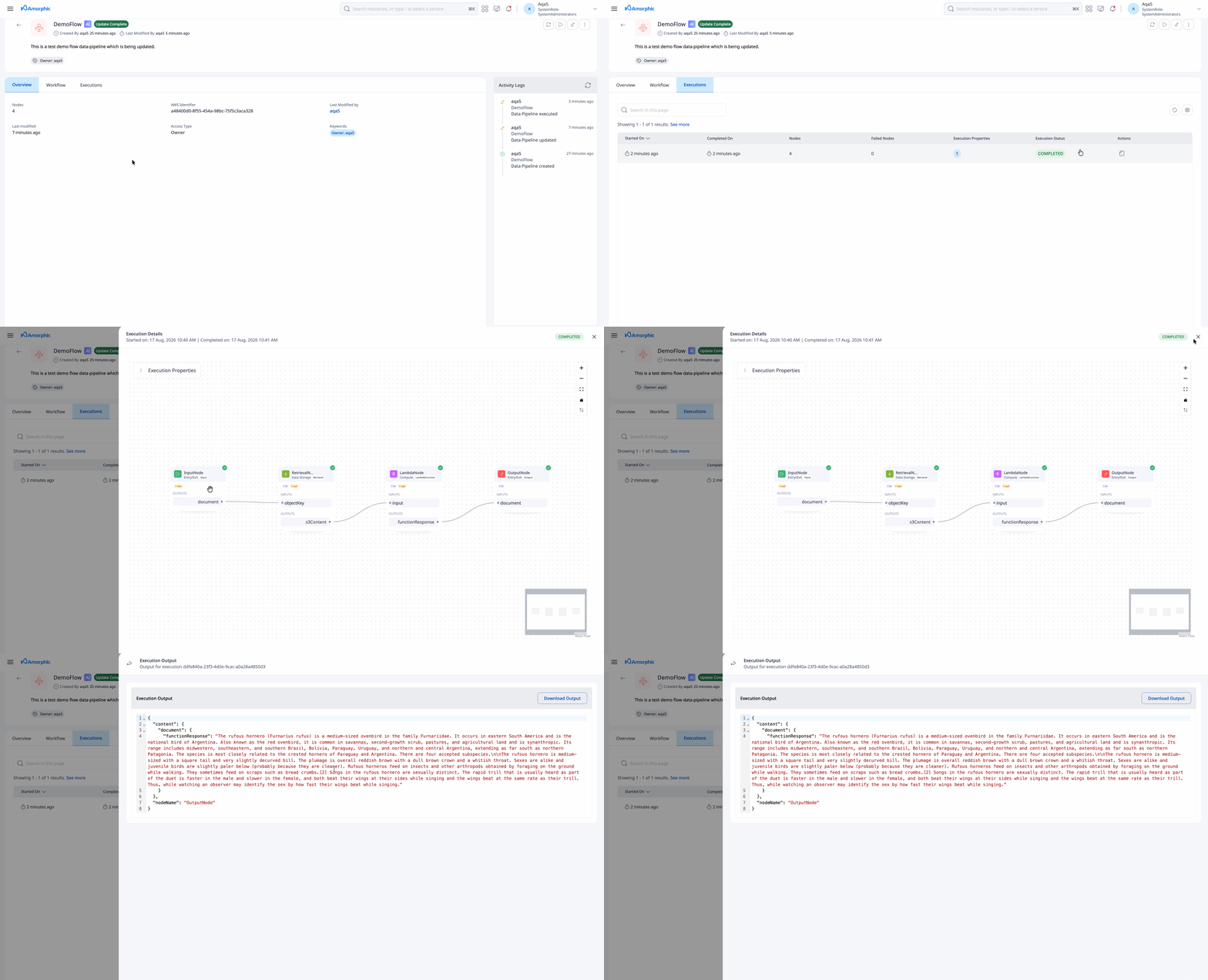
Upon completion of the execution, user can view the output produced by the pipeline execution via the Execution Output option available on the execution item.
Monitor and Traces
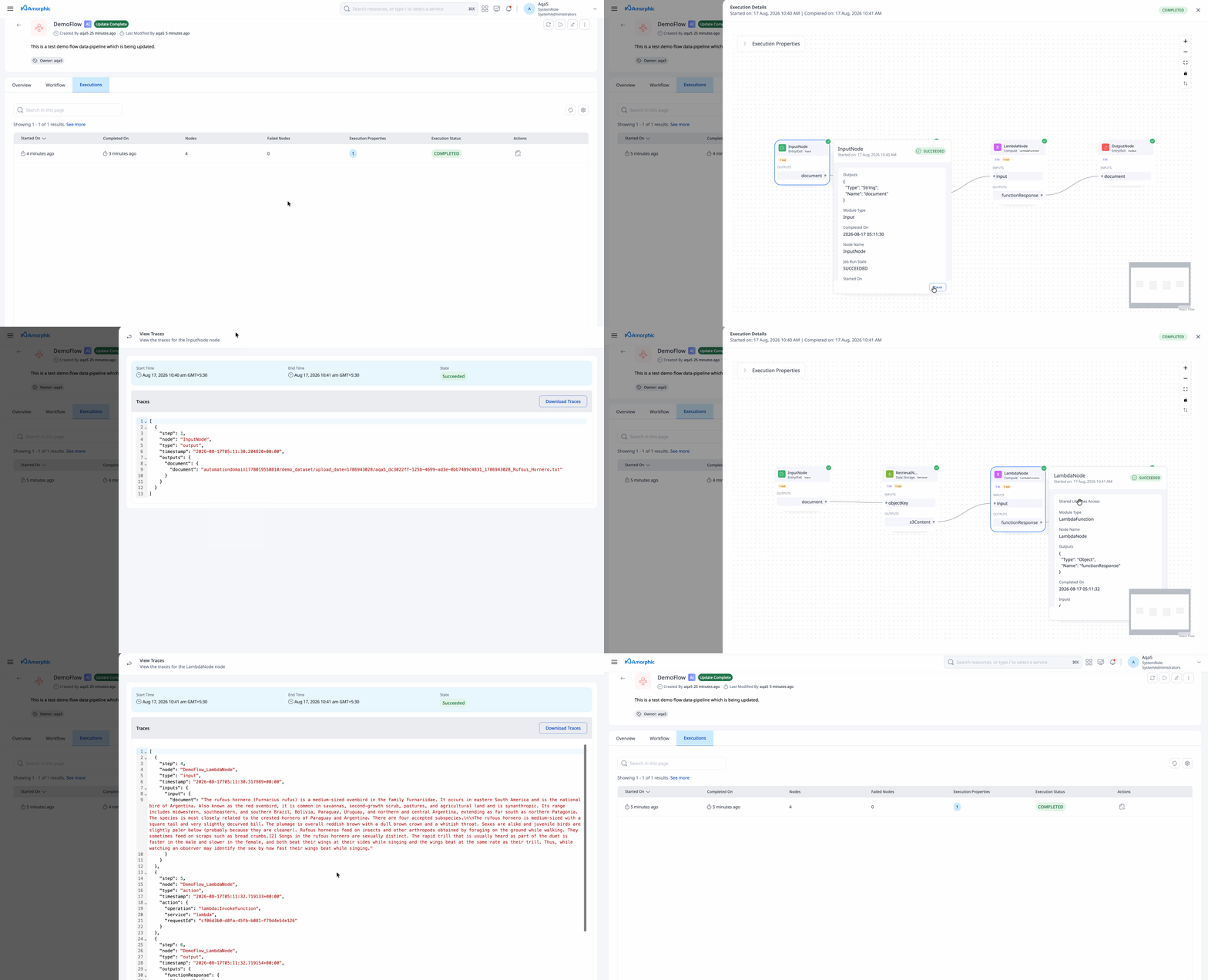
Open an execution to see per-node status and outputs. AI Flow traces are stored for the run and can be downloaded when AI services and Data Pipelines logging/trace access are enabled.
AI Data Pipeline traces are not the same as traditional Glue CloudWatch job logs. Use the AI Flow execution/trace download path for node-level diagnostics.
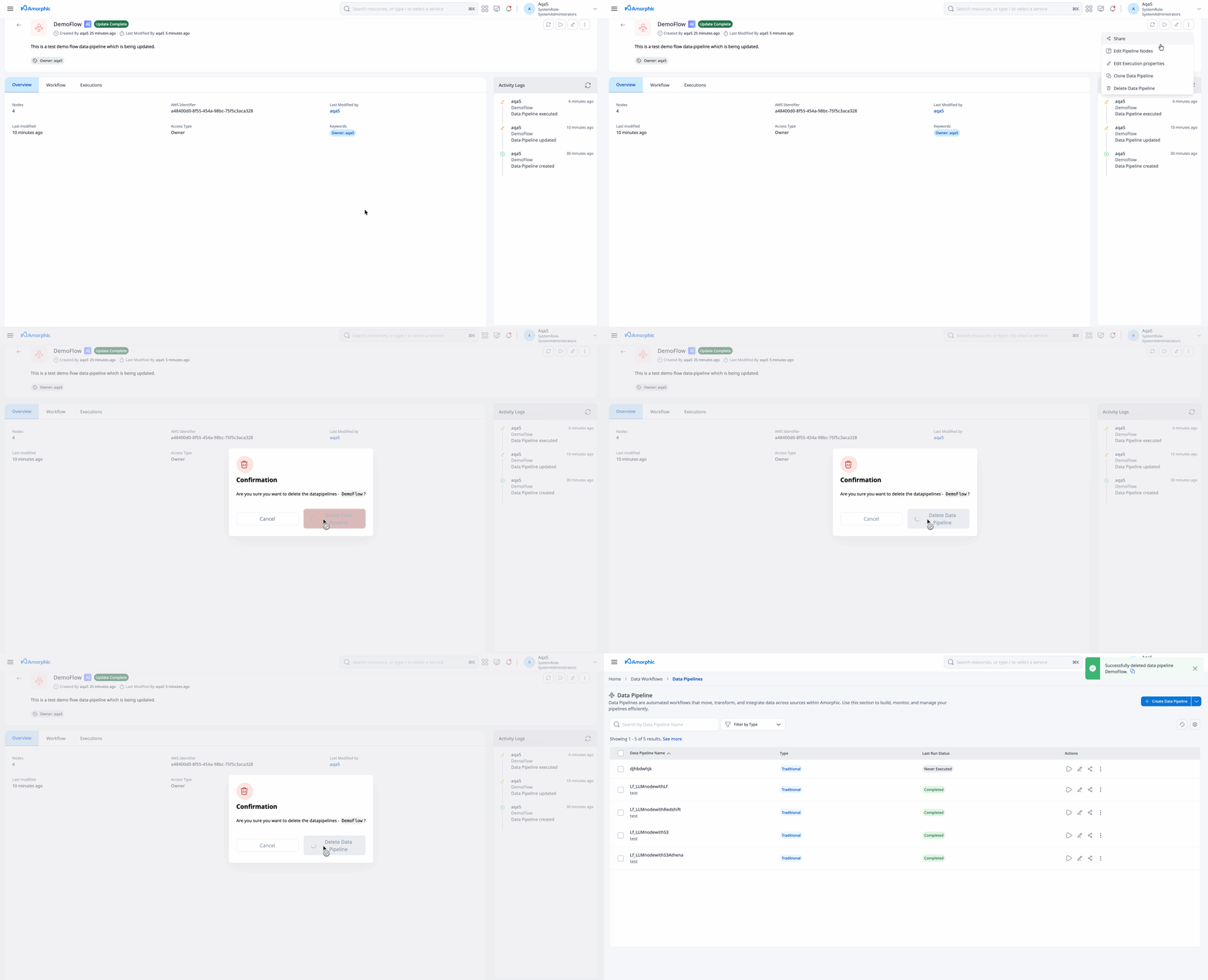
Delete an AI Data Pipeline
- Open the pipeline details page (or use actions from the listing)
- Choose Delete from the overflow (three-dots) menu
- Confirm deletion
Deleting removes the AI Data Pipeline and its related flow resources from Amorphic.
You cannot delete a pipeline while an execution is RUNNING or STOPPING. Wait for running executions to finish first.
Limits
AI Data Pipelines are backed by Amazon Bedrock Flows. The following limits apply per AWS Region (default quotas). The Amorphic UI enforces these during design and save. Some quotas can be increased in AWS Service Quotas; values may differ by account or Region.
Source: Amazon Bedrock endpoints and quotas (Flows section).
Account and pipeline limits
| Limit | Default value |
|---|---|
| AI Data Pipelines (Bedrock flows) per account | 100 |
| Total nodes per AI Data Pipeline | 40 |
Node limits per AI Data Pipeline
These apply to node types available in Amorphic AI Data Pipelines:
| Node type | Maximum per pipeline |
|---|---|
| Input | 1 |
| Output | 20 |
| KnowledgeBase | 20 |
| LambdaFunction | 20 |
| Retrieval | 10 |
| Storage | 10 |
| Condition | 5 |
| Conditions per Condition node | 5 |
| Iterator | 1 |
| Collector | 1 |
Traditional Glue concurrent-run and schedule limits do not apply to AI Data Pipelines.
Related
- AI Flow Nodes — detailed node attributes and I/O
- Overview — Traditional Data Pipelines
- Data Pipeline Nodes — Glue / traditional nodes