Version: v3.3 
Access Control
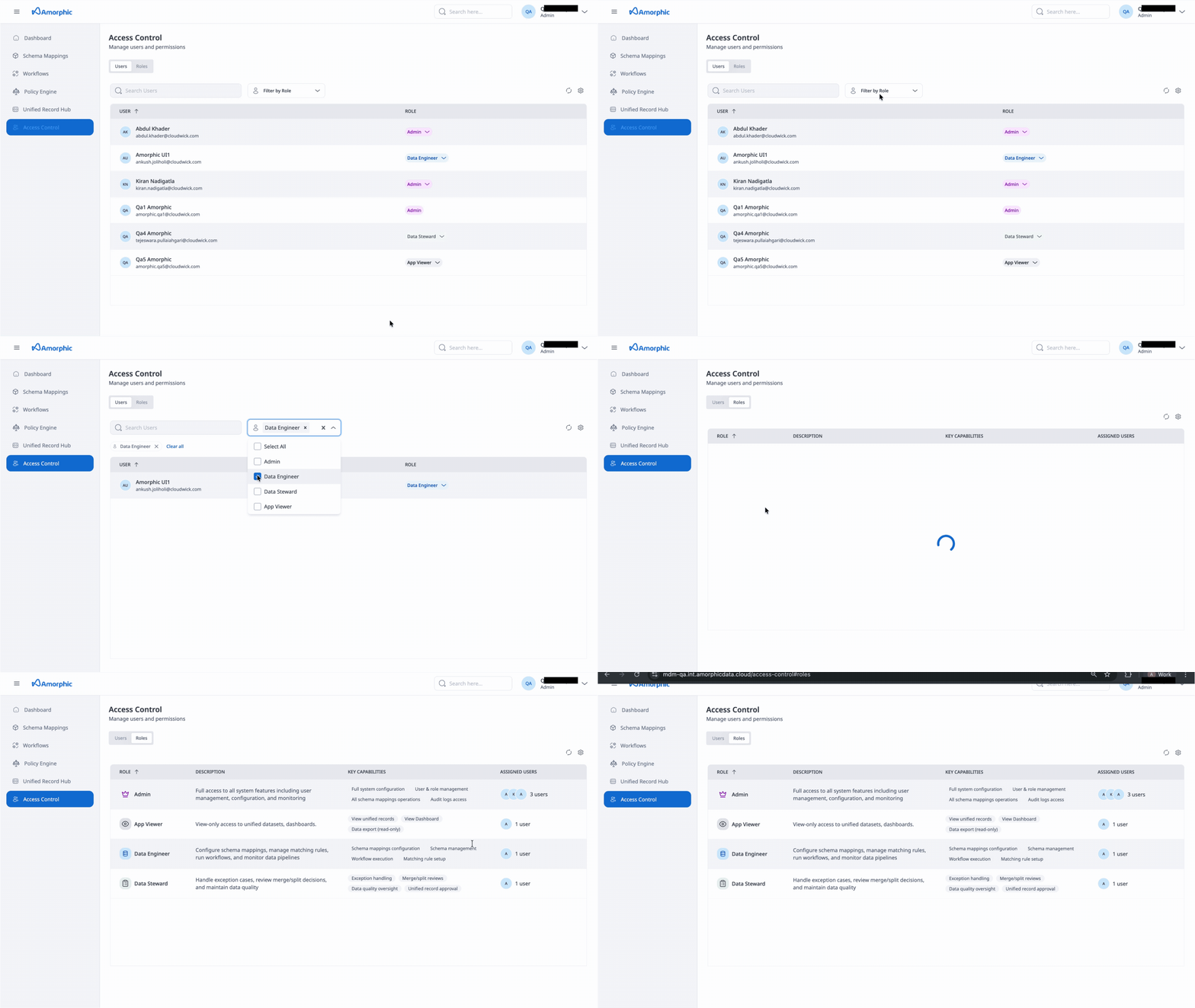
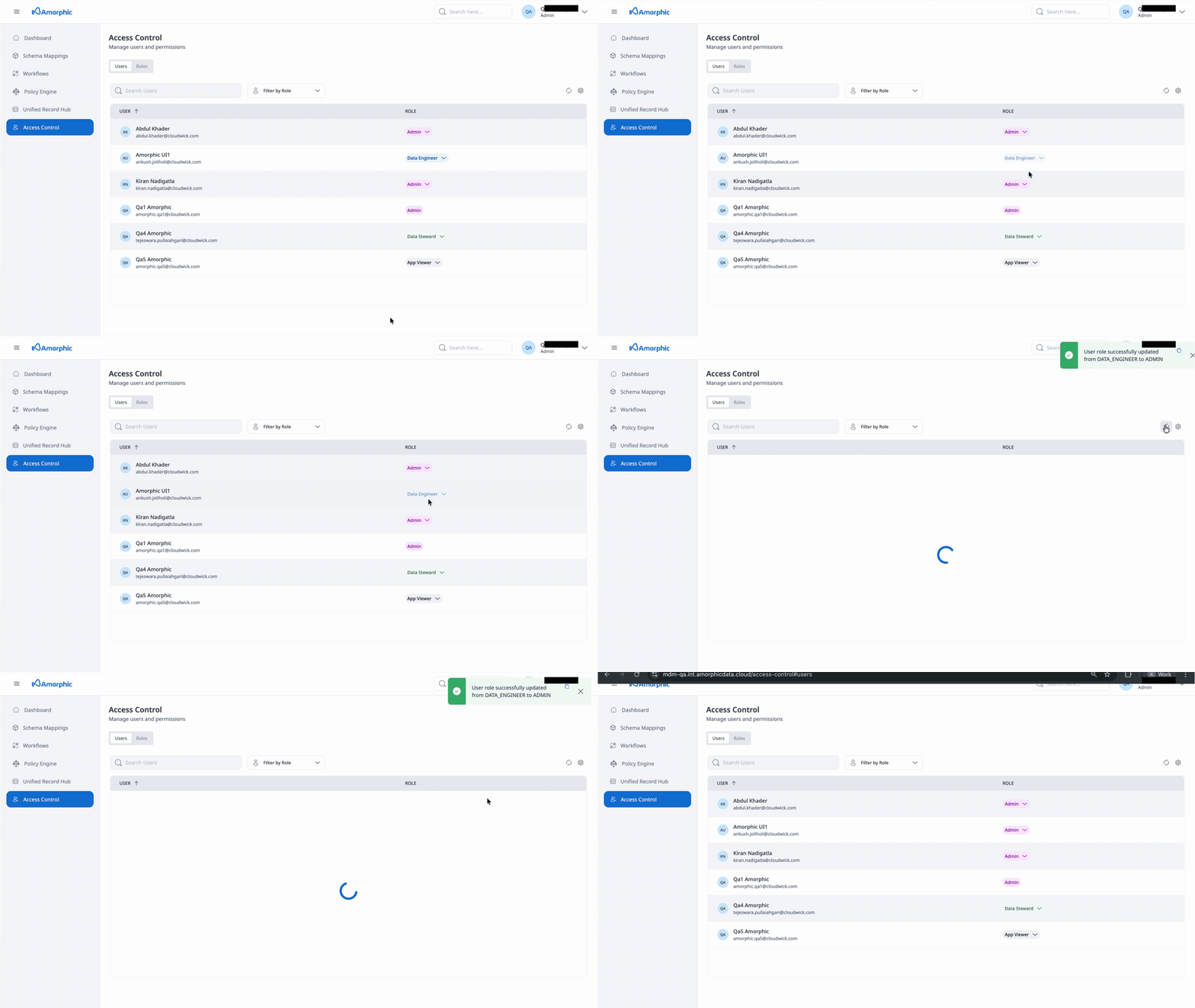
This section lists all the registered users, their roles and user specific metrics. Admins can perform the following actions:
- View a list of all existing users: See all users registered in the MDM system
- View user role attached to each user: Check the role assigned to each user
- Change user role: Modify the role assigned to any user
Users can also view user-specific metrics, including:
- Schema mappings: Total count of schema mappings associated with the user
- ER Workflows: Number of Entity Resolution workflows
- ER Workflow Runs: Total number of workflows executions
- Policy Engine Workflows: Number of Policy Engine workflows
- Policy Engine Workflow Runs: Total number of Policy Engine flow executions
- ER Execution Time Hours: Cumulative time spent running workflows (rounded to two decimal places)
- Policy Engine Execution Time Hours: Cumulative time spent running Policy Engine flows (rounded to two decimal places)
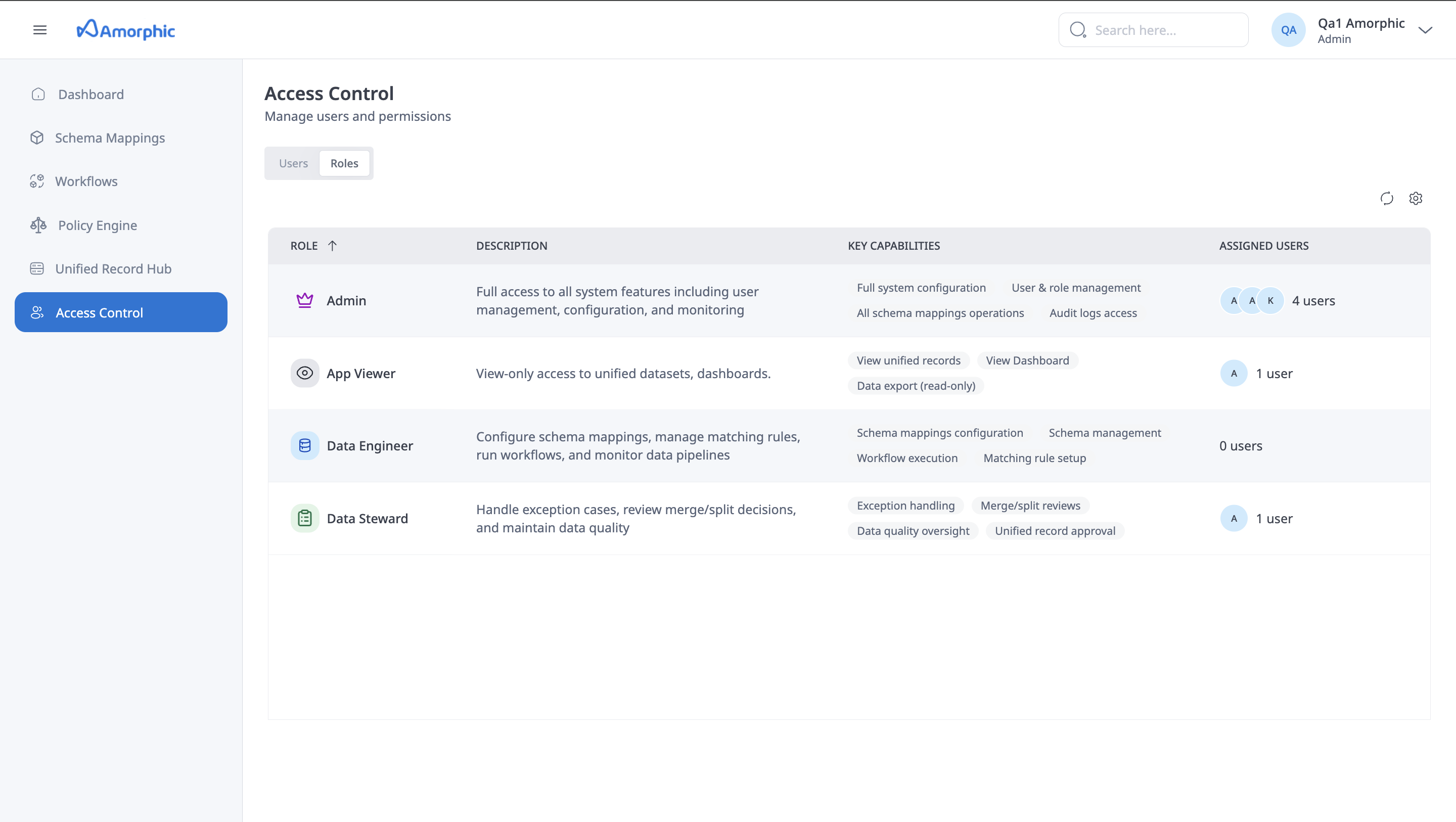
Under roles section users can view all roles present int the system along with their access privileges