
Metrics
Metrics and runs for workflows and Policy Engine flows
Both MDM workflows and Policy Engine flows have dedicated pages where you can view metrics (summary numbers for that workflow or flow) and runs (each time it was executed). You can open a workflow page or a Policy Engine flow page to see how it is performing over time. When viewing runs, you can optionally filter by date range.
Workflows
For each MDM workflow you can view summary metrics and a list of runs.
Metrics
User can view metrics of a particular workflow in workflow details page
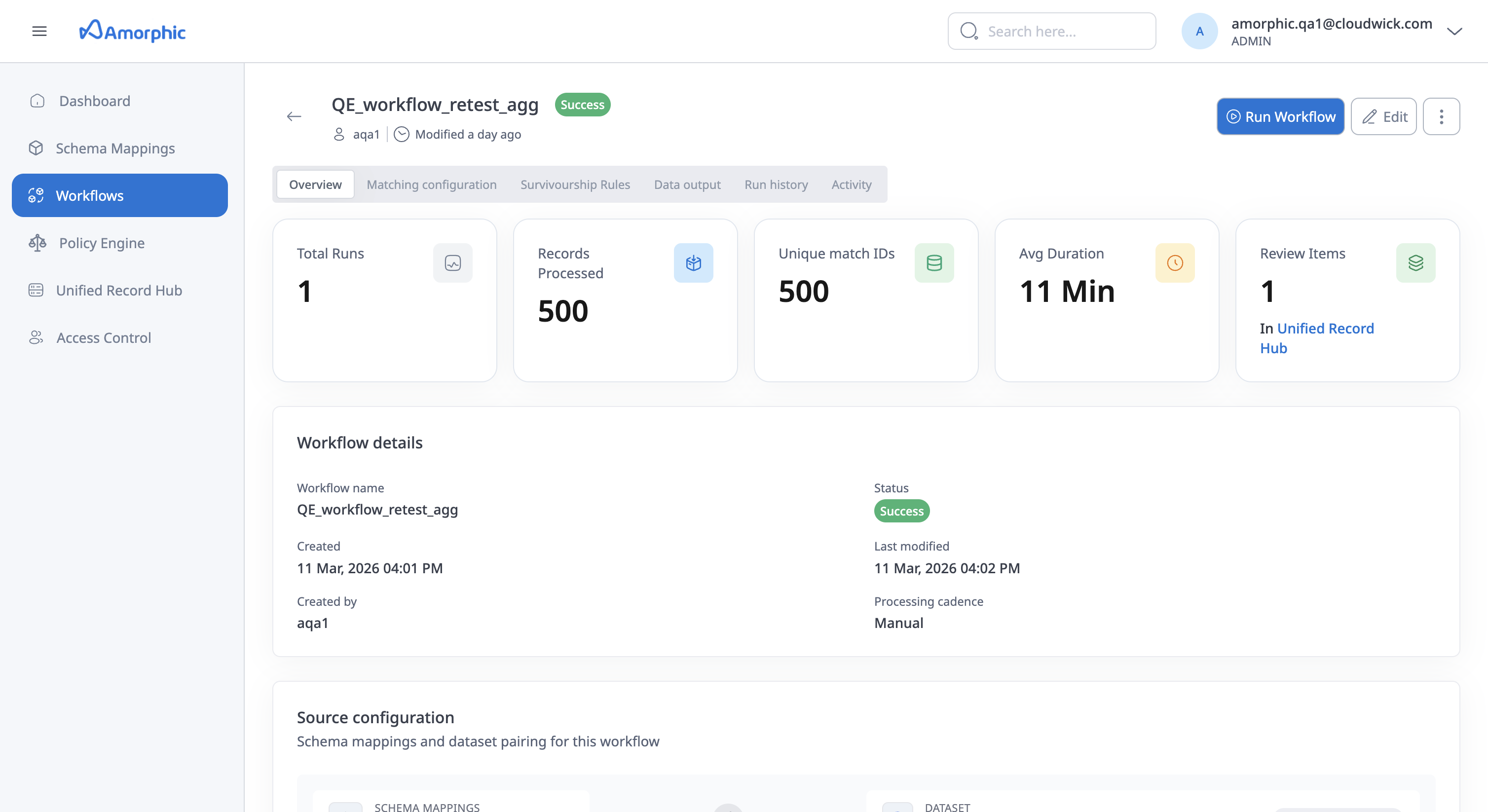
The following values are shown for the workflow on the workflow details page and on the Unified Record Hub page:
- Total Runs: The number of times the workflow has been executed.
- Total Records Processed: Total records processed across all runs.
- Unique Match IDs: Total number of unique match IDs (unified master records) created across all runs.
- Total Duration: Cumulative time spent running the workflow.
- Review Pending: Number of items pending review in the Unified Record Hub.
Policy Engine flows
For each Policy Engine flow you can view summary metrics.
Metrics
User can view metrics of a particular Policy Engine in Policy Engine details page
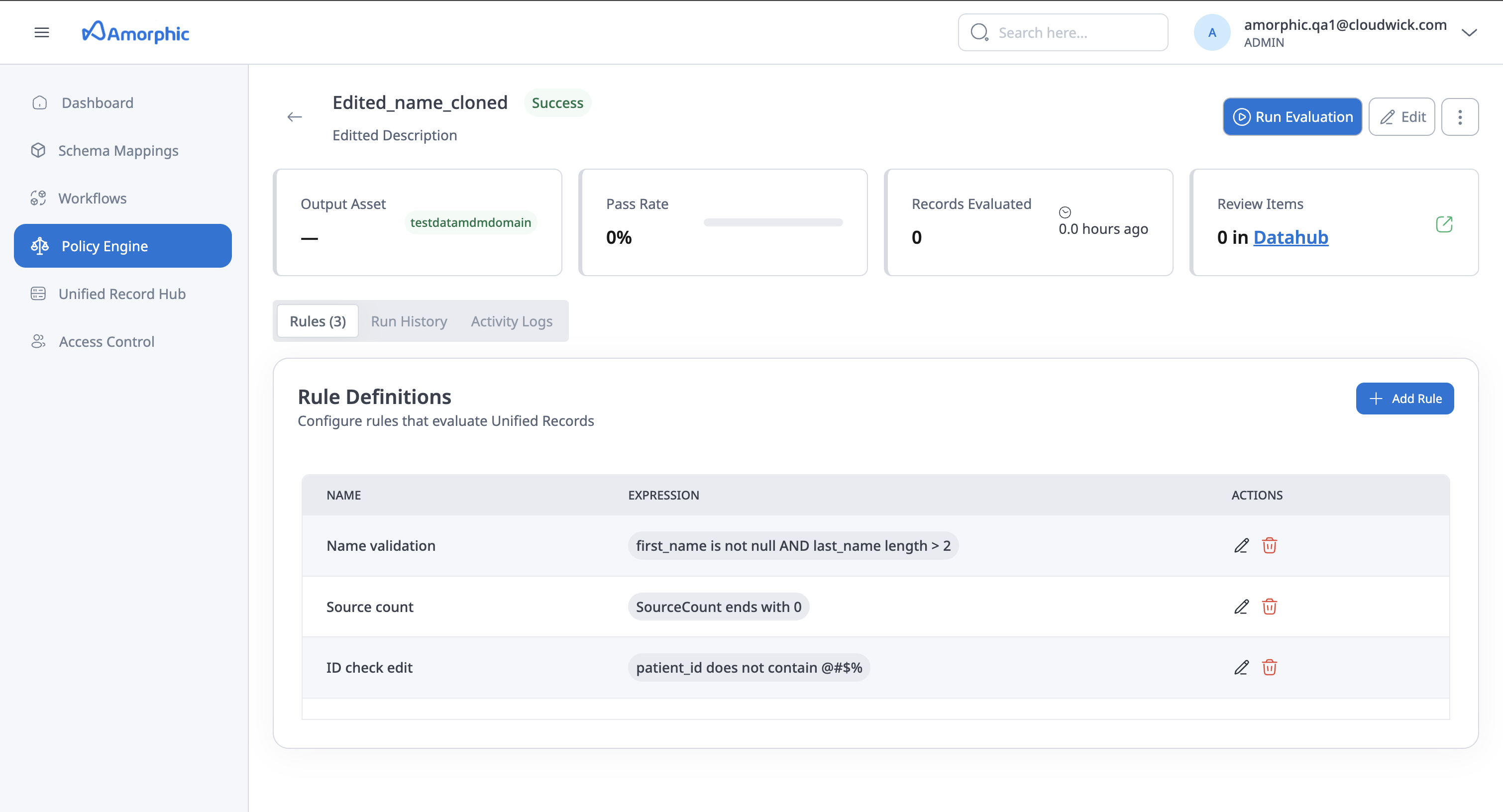
The following values are shown for the flow:
- Output Asset: The output dataset or asset produced by the Policy Engine flow.
- Pass Rate: Percentage of records that passed all evaluation rules.
- Records Evaluated: Total number of records evaluated by the flow.
- Review Items: Number of records requiring manual review (with link to Unified Record Hub where configured).