Version: v3.3 
User registration
How to import a existing Amorphic user to MDM?
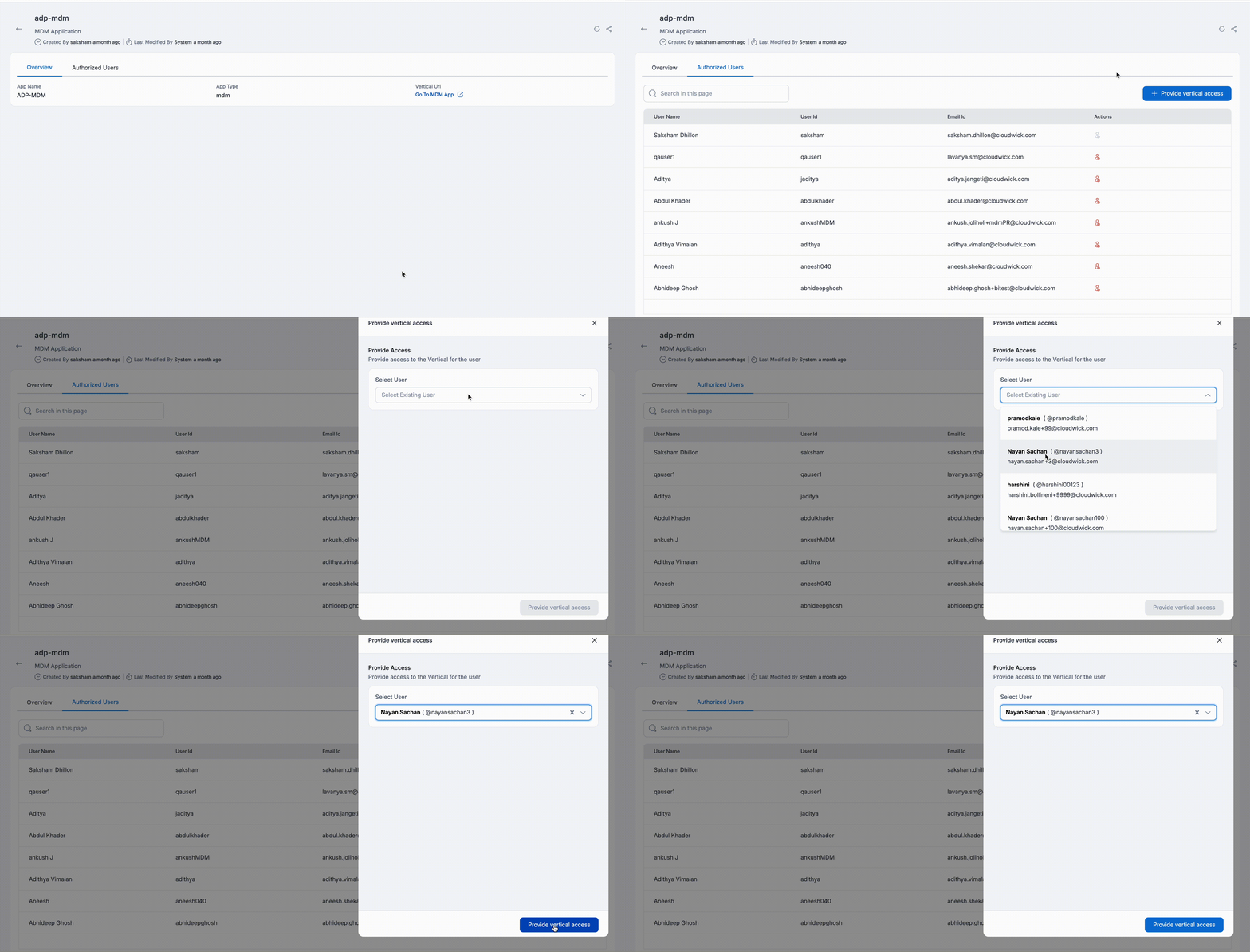
Owner of the MDM application can add a user to MDM application. The user needs to be an Amorphic user.
Info
To add a new user to Amorphic application please refer - How to Create a User?.
Follow below steps to add a new user to MDM application:
- Click on Apps from the Explore menu.
- Select the MDM application from the list of apps.
- Go to
Authorized Userstab and click on the+ Provide Accessbutton. - Select the User that you want to import and click on
Provide Vertical Accessbutton.
Below image shows how to import a user to MDM
How to revoke a user's MDM access?
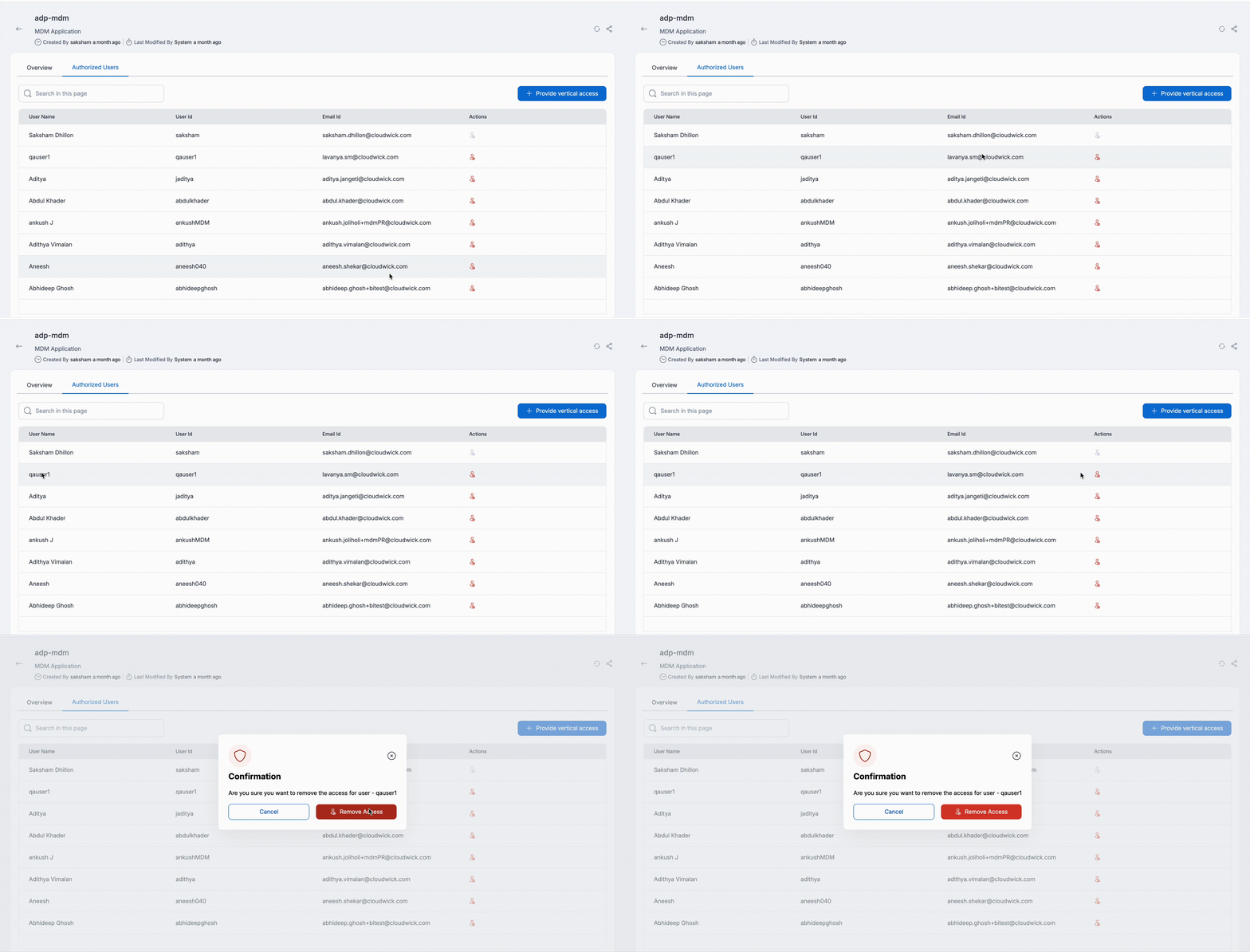
Owners of the MDM application have the option to revoke access for any given user from MDM. Follow the below steps to revoke a user access from MDM:
- Choose the MDM application from the Apps list.
- Go to
Authorized Userstab. - Click on
Remove Accessoption on the Actions column and click on theRemove Accessbutton to confirm.